GNS 430 Pilot’s Guide and Reference
8-8
SECTION 8
NRST PAGES
8.6 NEAREST USER WAYPOINT PAGE
The Nearest User Waypoint Page displays the name,
bearing and distance to the nine nearest user waypoints
(within 200 nm of the present position).
8.7 NEAREST CENTER (ARTCC) PAGE
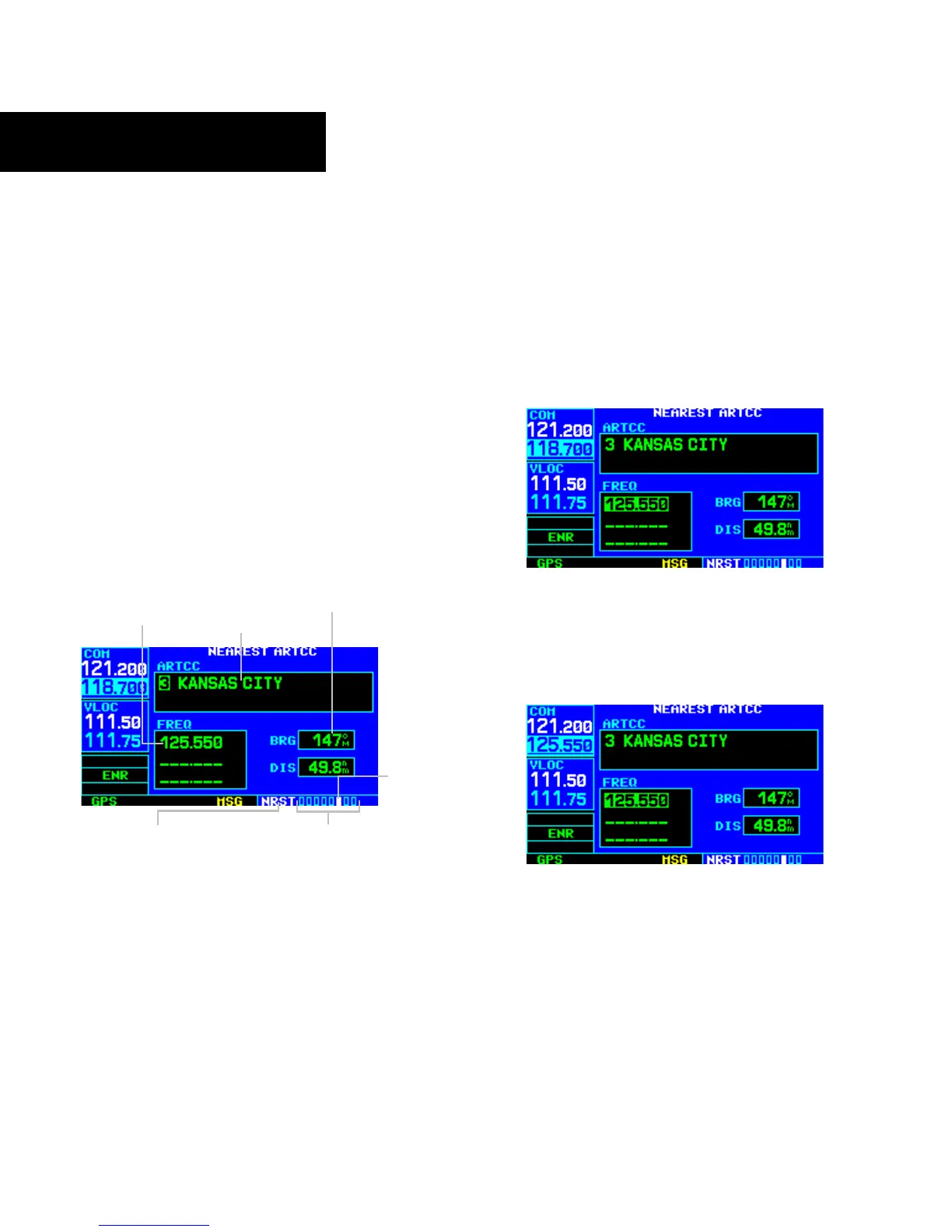
The Nearest Center Page (Figure 8-19) displays the
facility name, bearing to, and distance to the five nearest
ARTCC points of communication (within 200 nm of the
present position). For each ARTCC listed, the Nearest
Center Page also indicates the frequency(ies) and may be
used to quickly tune the COM transceiver to the center’s
frequency. The selected frequency is placed in the standby
field of the COM Window and activated using the COM
Flip-flop Key.
Figure 8-19 Nearest ARTCC Page
ARTCC Name
Bearing To and
Distance To
Current Page Group
Frequency(ies)
Position of
Current Page
within Current
Page Group
Number of Pages in
Curr
ent Page Group
To quickly tune an ARTCC’s frequency from
the Nearest Center Page:
1) Select the Nearest Center Page, using the steps
outlined in Section 8.1.
2) P
ress the small right knob to activate the
cursor.
3) Turn the large right knob to scroll through
the list, selecting the desired ARTCC (Figure
8-19).
4) T
urn the large right knob to scroll down
the page, highlighting the desired frequency
(Figure 8-20).
Figure 8-20 Frequency Field Highlighted
5) Press the ENT Key to place the selected
frequency in the standby field of the COM
Window (Figure 8-21).
Figure 8-21 Frequency Moved to Standby Field
6) Press the COM Flip-flop Key to activate the
selected frequency.
7) Press the small right knob to remove the
flashing cursor.





 To Next Page