GNS 430 Pilot’s Guide and Reference
11-2
SECTION 11
TERRAIN
11.2 TERRAIN OPERATION
Power Up
During power-up of the GNS 430 unit, the terrain
and obstacle database versions are displayed along with a
disclaimer (Figure 11-1). At the same time, the TERRAIN
system self-test begins. A failure message is issued if the
test fails (Section 11.3).
Figure 11-1 Terrain Database Page
TERRAIN Page
See Section 3.5 for a complete description of the
TERRAIN Page and its operation.
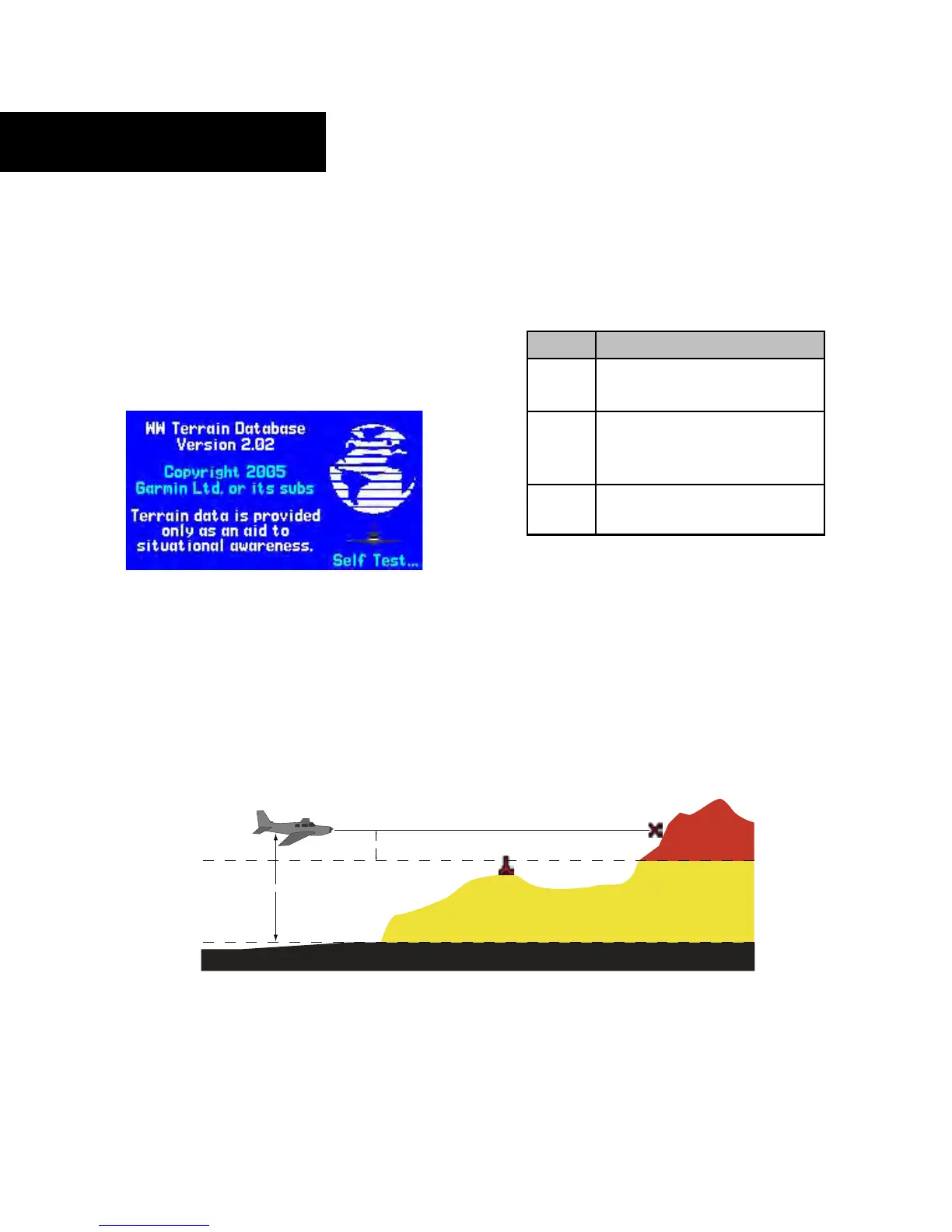
Figure 11-2 TERRAIN Altitude/Color Correlation
Color Interpretation
The Garmin TERRAIN system uses black, yellow, and
red to depict terrain information relative to aircraft altitude
(Figure 11-2 and Table 11-1).
Color Terrain/Obstacle Location
Red Terrain/Obstacle is within 100 feet
above or below aircr
aft altitude.
Yellow Terrain/Obstacle is between 1000
feet and 100 feet below the
aircraft altitude
.
Black Terrain/Obstacle is more than
1000 feet below aircr
aft altitude.
Table 11-1 TERRAIN Color Symbology





 To Next Page