GNS 430 Pilot’s Guide and Reference
SECTION 3
NAV PAGES
3-16
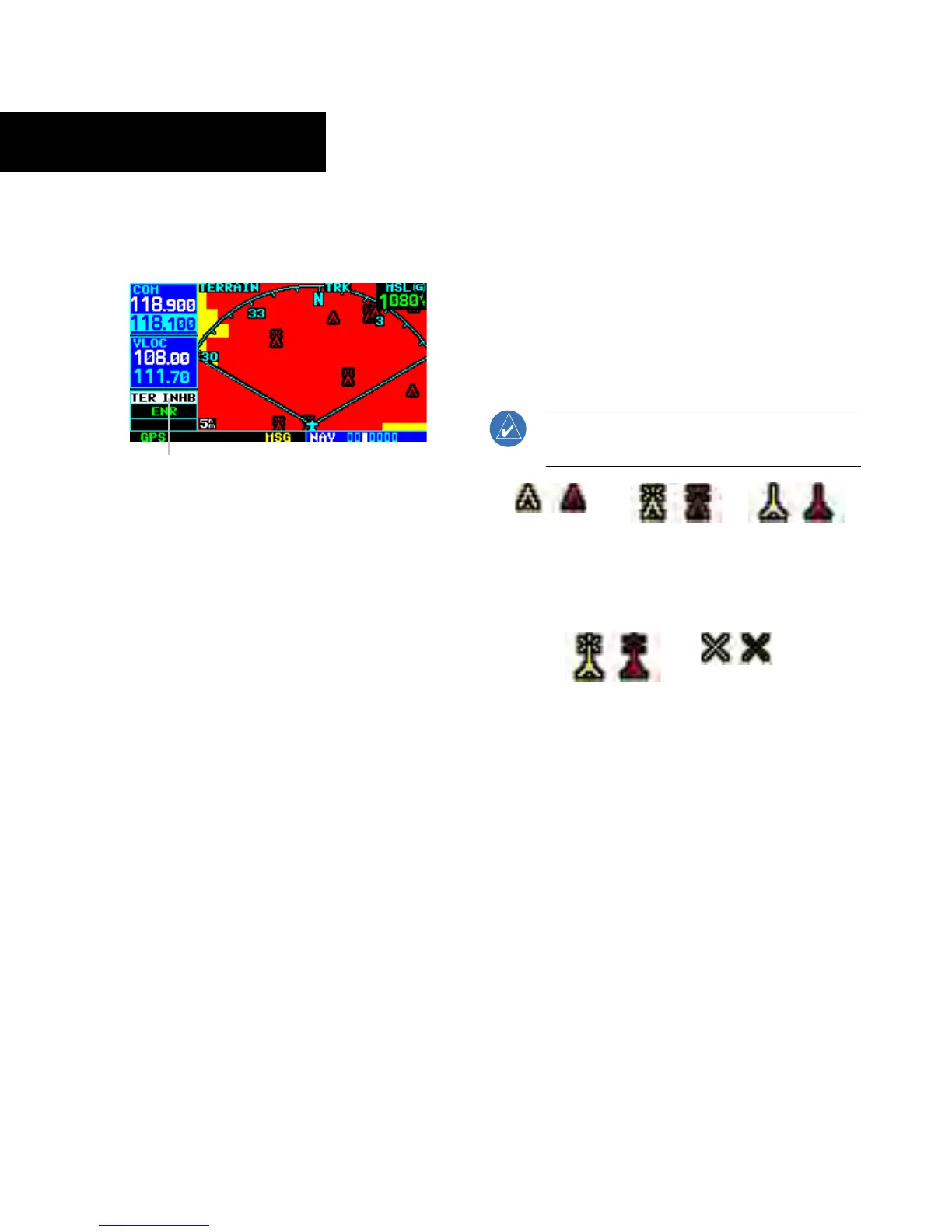
2) Press the ENT Key. The ‘TER INHB’ annunciation
is displayed in the TERRAIN annunciator field
when TERRAIN is inhibited (Figure 3-31).
Annunciator Field
Figure 3-31 TERRAIN Annunciator Field
To enable TERRAIN:
1) Select the TERRAIN Page and press the MENU
Key
. ‘Enable Terrain?’ is selected by default.
2) Press the ENT Key. The TERRAIN system is
functional again.
TERRAIN Symbols
The following symbols (Figure 3-32) are used to
represent obstacles and potential impact points on the
Terrain Page.
• Red Symbol - Terrain/Obstacle is within 100 feet
above or below the aircraft altitude
• Yellow Symbol - Terrain/Obstacle is between 1000
feet and 100 feet below the aircraft altitude
NOTE: Obstacle symbols are shown on display
zoom ranges up to 10 nm.
Unlighted
Obstacles
<1000 feet AGL
Lighted
Obstacles
<1000 feet A
GL
Unlighted
Obstacles
>1000 feet AGL
Lighted
Obstacles
>1000 feet A
GL
Potential
Impact Points
Figure 3-32 TERRAIN Symbols





 To Next Page