GNS 430 Pilot’s Guide and Reference
7-18
SECTION 7
WPT PAGES
3) Turn the large right knob to highlight the
position field at the bottom of the page.
4) Use the small and large right knobs to enter
the position
coordinates for the new waypoint
(Figure 7-40).
Figure 7-40 Present Position Field Selected
5) Press the ENT Key to accept the selected
position.
6) The cursor moves to ‘Create?’. Press the ENT
Key to add the new w
aypoint to memory.
7) Press the small right knob to remove the
flashing cursor.
To create a new user waypoint by
referencing an existing waypoint:
1) With the User Waypoint Page displayed, press
the small right knob to activate the cursor.
2) Use
the small and large right knobs to enter
a name
for the new waypoint and press the
ENT Key.
3) Turn the large right knob to highlight the first
reference waypoint (REF
WPT) field.
4) Use the small and large right knobs to enter
the identifier
of the reference waypoint. The
reference waypoint can be an airport, VOR,
NDB, intersection, or another user waypoint.
Press the ENT Key to accept the selected
identifier.
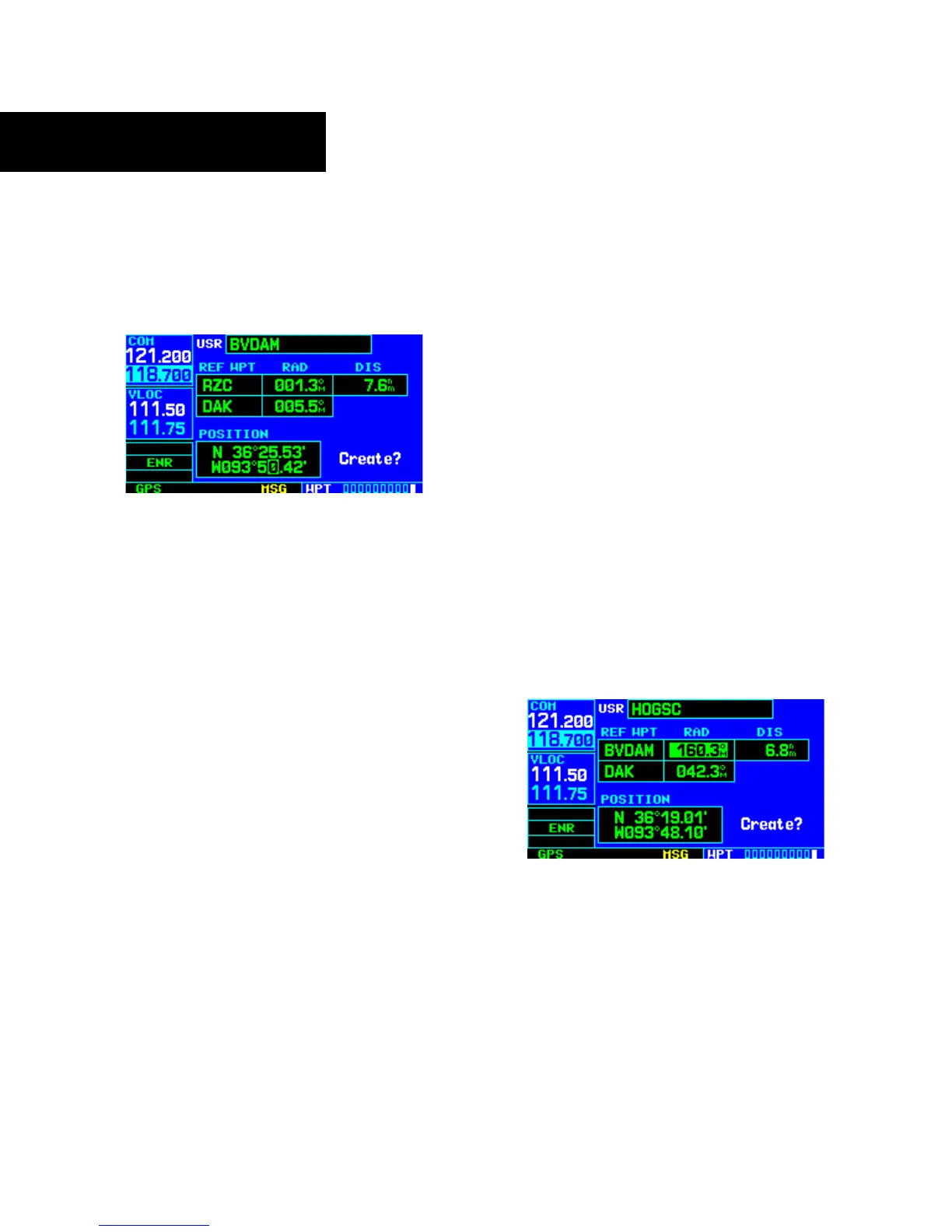
5) The cursor moves to the radial (RAD) field
(Figure 7-41). Use the small and large right
knobs to
enter the radial from the reference
waypoint to the new user waypoint. Press the
ENT Key to accept the selected radial.
Figure 7-41 Radial Field Highlighted
6) The cursor moves to the distance (DIS) field.
Use the small and large right knobs to enter
the distance from the reference waypoint to
the new user waypoint. Press the ENT Key to
accept the selected distance.





 To Next Page