GNS 430 Pilot’s Guide and Reference
1-6
SECTION 1
INTRODUCTION
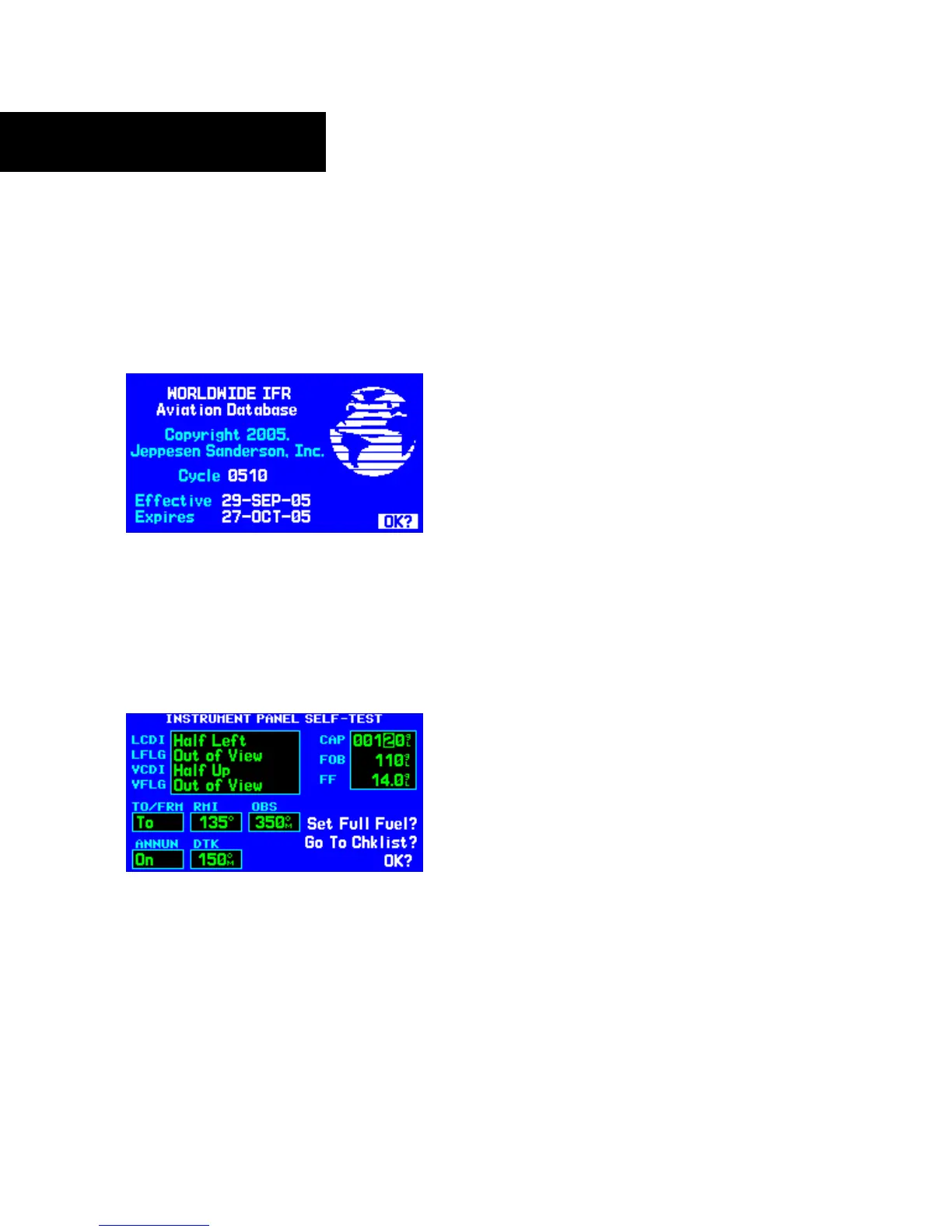
The Database Confirmation Page (Figure 1-4) appears
next, which shows the current database information on
the NavData card (with the valid operating dates, cycle
number, and database type indicated). The database is
updated every 28 days, and must be current for approved
instrument approach operations. Information on database
subscriptions is available inside the GNS 430 package.
Figure 1-4 Database Confirmation Page
To acknowledge the database information:
Press the ENT Key.
Once the database has been acknowledged, the
Instrument Panel Self-test Page appears (Figure 1-5).
Figure 1-5 Instrument Panel Self-Test Page
Instrument Panel Self-test Page
To ensure that the GNS 430 and any connected
instruments are working properly, check for the following
indications on the CDI/HSI, RMI, external annunciators,
and other connected instruments:
• Course deviation - Half left/no flag
• TO/FROM flag - TO
• Bearing to destination - 135°
•
Distance to dest. - 10.0 nautical mile (nm)
•
All external annunciators (if installed) - On
• Glideslope - Half up/no flag
• Time to destination - 4 minutes
• Desired track - 149.5°
•
Gr
ound speed - 150 knots
The Instrument Panel Self-test Page (Figure 1-5)
indicates the currently selected OBS course, fuel capacity
(CAP), fuel on board (FOB), and fuel flow (FF). The fuel
capacity, fuel on board, and fuel flow may be manually
entered if the installation does not include connection to
sensors which automatically provide these figures.
To enter fuel capacity, fuel on board or fuel
flow figures (if not provided by sensors):
1) Turn the large right knob to select the ‘CAP’,
‘FOB’, or
‘FF’ field.




 To Next Page