GNS 430 Pilot’s Guide and Reference
1-10
SECTION 1
INTRODUCTION
Page Groups
Page Groups
NAV Group WPT Group AUX Group NRST Group
see Section 3 see Section 7 see Section 10 see Section 8
Table 1-1 Page Groups
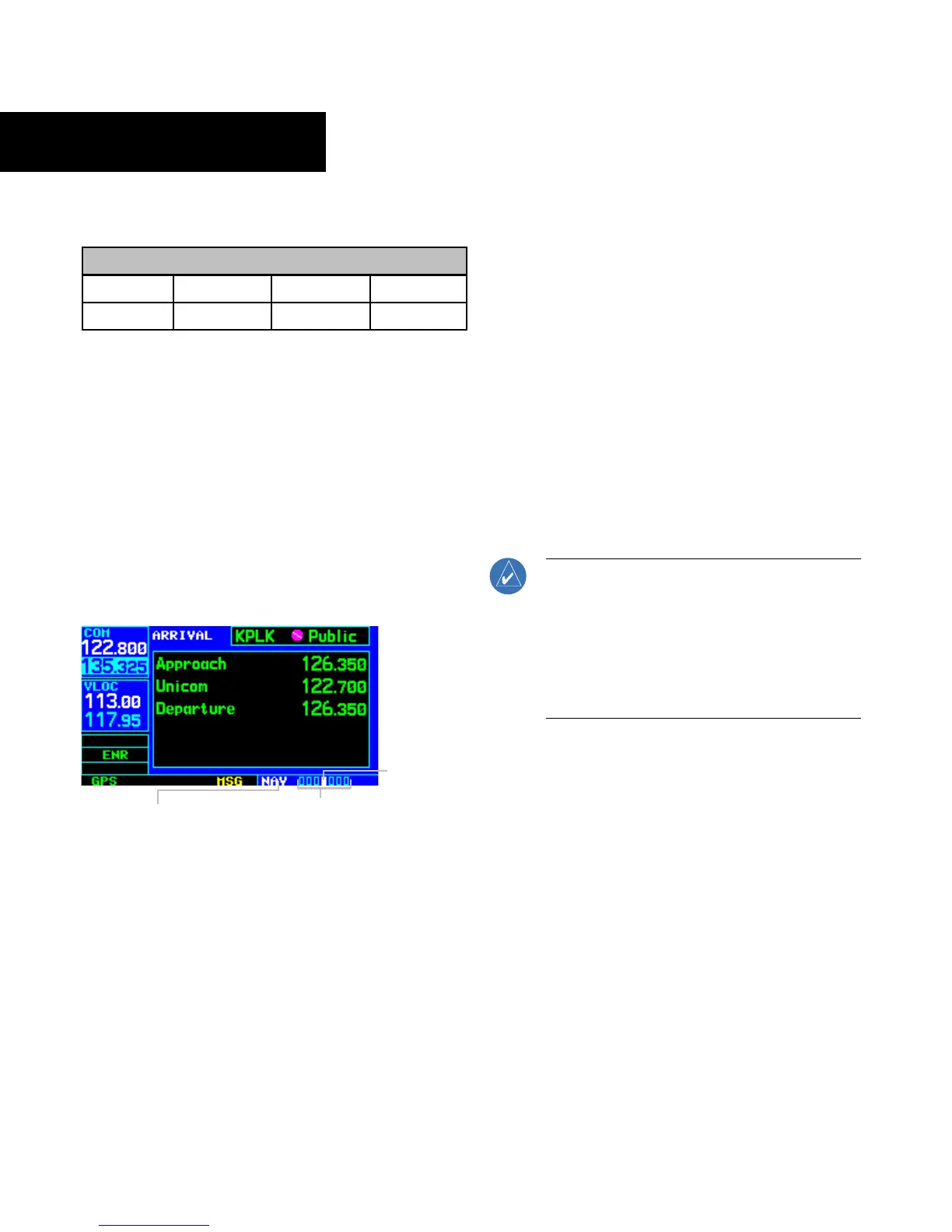
The bottom right corner of the screen (Figure 1-13)
indicates which page group (Table 1-1) is currently being
displayed, the number of pages available within that group
(indicated by square icons), and the placement of the
current page within that group (indicated by a highlighted
square icon).
In addition to the NAV Page Group, additional page groups
are available for waypoint information (WPT), auxiliary
(AUX) functions such as flight planning or unit settings, and
listings for nearest (NRST) airports or other facilities.
Figure 1-13 Current Page and Page Group
Current Page Group
Number of Pages in
Current Page Group
Position of
Current Page
within Current
Page Group
To select the desired page group:
Turn the large right knob until a page from the
desired page group is displayed (Figure 1-13).
To select the desired page within the page
group:
Turn the small right knob until the desired page
is displayed (Figure 1-13).
NAV Pages
There are seven pages available under the NAV Page
Group*:
• Default NAV Page
•
Map Page
• TERRAIN Page
• NA
V/COM Page
•
Position Page
• Satellite Status Page
• V
ertical Navigation Page
The
Default NAV Page, the Map Page, and the NAV/
COM Page are used for most of the in-flight navigation.
NOTE: *Eight NAV pages are available when
the GNS 430 installation includes connection
to traffic and/or weather information sources.
See the 400/500 Series Display Interfaces Pilot’s
Guide Addendum, p/n 190-00140-10, or the
400/500 Series Garmin Optional Displays Pilot’s
Guide Addendum, p/n 190-00140-13.
To select the NAV Page Group and display
the Default NAV Page:
Press and hold the CLR Key.
To select the desir
ed NAV Page:
Turn the small right knob until the desired
page is displayed.




 To Next Page