GNS 430 Pilot’s Guide and Reference
1-15
SECTION 1
INTRODUCTION
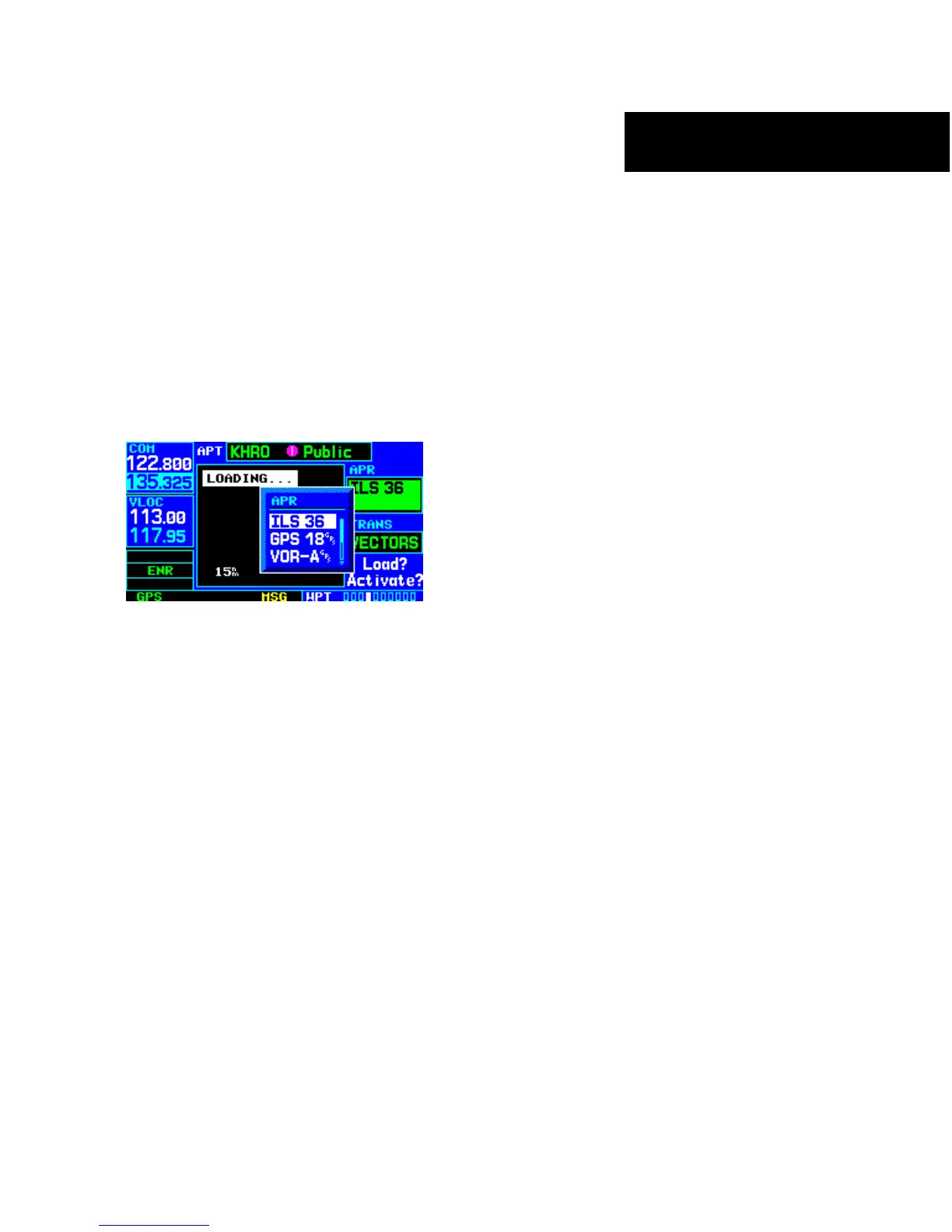
4) For approaches, a window appears (Figure
1-23) to select the desired initial approach
fix (IAF) or provide a ‘vectors’ option to select
just the final course segment of the approach.
Turn the small right knob to select the desired
option and press the ENT Key. (The ‘vectors’
option extends the final inbound course beyond
the final approach fix, allowing the pilot to
intercept the final course segment beyond its
normal limits.)
Figure 1-23 Approach Window
5) For departures and arrivals, a window appears
to select the desired transition. Turn the small
right knob to select the desired option and
press the ENT Key.
In the flight plan or direct-to, the departure or arrival
airport is replaced with the sequence of waypoints
contained within the selected procedure.
Nearest (NRST) Pages
The NRST Page Group provides detailed information
on the nine nearest airports, VORs, NDBs, intersections,
and user-created waypoints within 200 nm of the current
position. In addition, pages are also provided to display
the five nearest center (ARTCC/FIR) and Flight Service
Station (FSS) points of communication, plus alert the
pilot to any nearby special-use or controlled airspaces.
The Nearest Airport Page (Figure 1-24) is one of eight
pages available in the NRST group:
• Nearest Airport Page
• Near
est NDB Page
•
Nearest User Waypoints Page
•
Nearest FSS Page
•
Nearest Intersection Page
•
Nearest VOR Page
•
Nearest ARTCC Page
•
Nearest Airspace Page
The
communication frequencies and runway
information may
both be examined directly from the
Nearest Airport Page. As discussed earlier for the NAV/
COM Page, the pilot may also place any displayed
frequency into the standby COM or VLOC field by
highlighting the frequency with the cursor and pressing
the ENT Key.





 To Next Page