GNS 430 Pilot’s Guide and Reference
SECTION 3
NAV PAGES
3-3
Selecting Desired On-Screen Data
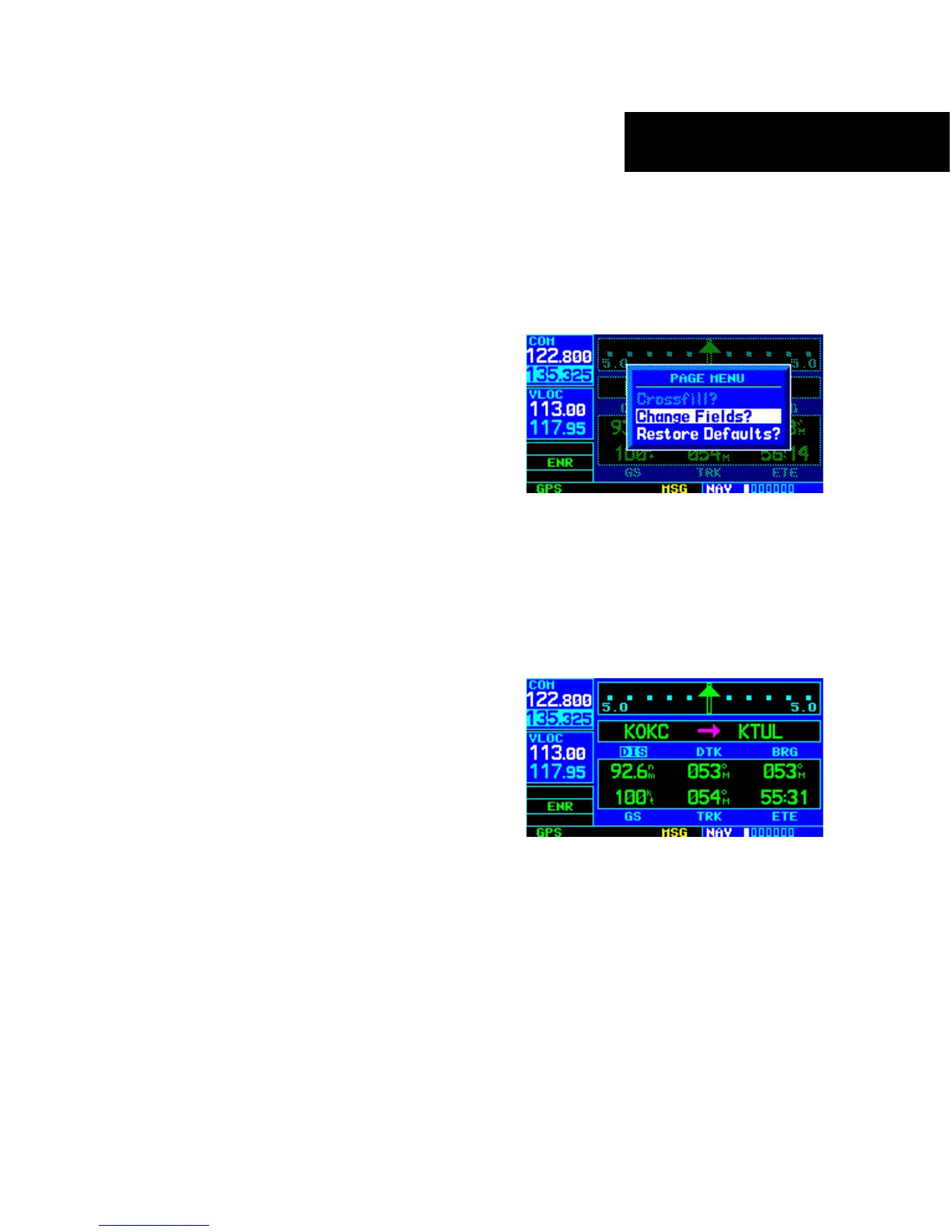
At the bottom of the Default NAV Page there are six
user-definable fields which display the data needed as
the flight progresses (Figure 3-3). By default these fields
display: distance to destination (DIS), desired track
(DTK), bearing to destination (BRG), ground speed (GS),
ground track (TRK), and estimated time enroute (ETE).
However, each of these fields can be customized to display
a different data item. Available data items include:
• Bearing to destination (BRG)
• Course to steer (CTS)
• Cross track error (XTK)
• Desired track (DTK)
•
Distance to destination (DIS)
• Enr
oute safe altitude (ESA)
• Estimated time of arrival (ETA)
• Estimate time enroute (ETE)
•
Fuel flow (FLOW) (when configur
ed)
• Ground speed (GS)
• Ground track (TRK)
•
Minimum safe altitude (MSA)
• T
rack angle error (TKE)
• Vertical speed required (VSR)
If
no
flight plan or direct-to destination has been
selected, only speed, track, altitude, and minimum safe
altitude data may be displayed. All other data types appear
as blank lines on the Default NAV Page until a destination
is selected.
To select a different data item for any data
field:
1) Starting with the Default NAV Page, press the
MENU Key to display the Default NAV Page
Menu (Figure 3-4).
Figure 3-4 Default NAV Page Menu
2) The ‘Change Fields?’ option is already
highlighted, so press the ENT Key to select
this option.
3) Use the large right knob to highlight the data
field to be changed (Figure 3-5).
Figure 3-5 ‘DIS’ Field Highlighted





 To Next Page