GNS 430 Pilot’s Guide and Reference
5-4
SECTION 5
FLIGHT PLANS
Activating Flight Plans
Once a flight plan is defined through the Flight Plan
Catalog Page (using the steps outlined previously in this
section), it may be activated for navigation. Activating the
flight plan places it into ‘flight plan 00’ and overwrites any
previous information at that location.
To activate an existing flight plan:
1) From the Flight Plan Catalog Page, press the
small right knob to activate the cursor.
2) T
urn the large right knob to highlight the
desired flight plan and press the MENU Key to
display the Flight Plan Catalog Page Menu.
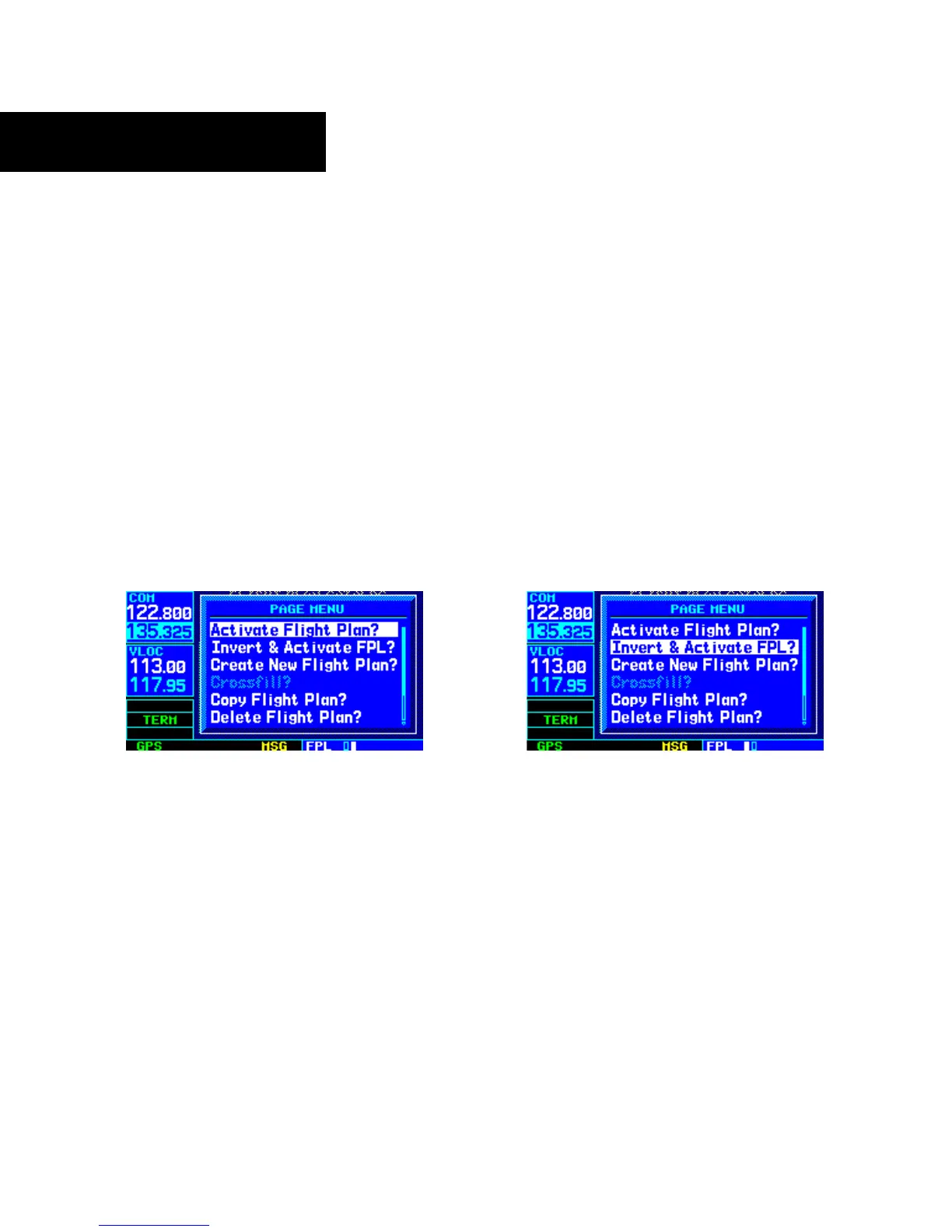
3) Turn the large right knob to highlight ‘Activate
Flight Plan?’ and press the ENT Key (Figure
5-8).
Figure 5-8 Flight Plan Catalog Page Menu
Inverting Flight Plans
After travelling along a flight plan, the pilot may wish
to reverse the route for navigation guidance back to the
original departure point.
To activate an existing flight plan in reverse
order:
1) From the Flight Plan Catalog Page, press the
small right knob to activate the cursor.
2) T
urn the large right knob to highlight the
desired flight plan and press the MENU Key to
display the Flight Plan Catalog Page Menu.
3) T
urn the large right knob to highlight ‘Invert &
Activate FPL?’ (Figure 5-9) and press the ENT
Key
. The original flight plan remains intact in
its flight plan catalog storage location.
Figure 5-9 Flight Plan Catalog Page Menu





 To Next Page