GNS 430 Pilot’s Guide and Reference
5-11
SECTION 5
FLIGHT PLANS
To select an approach for a direct-to or
flight plan destination airport:
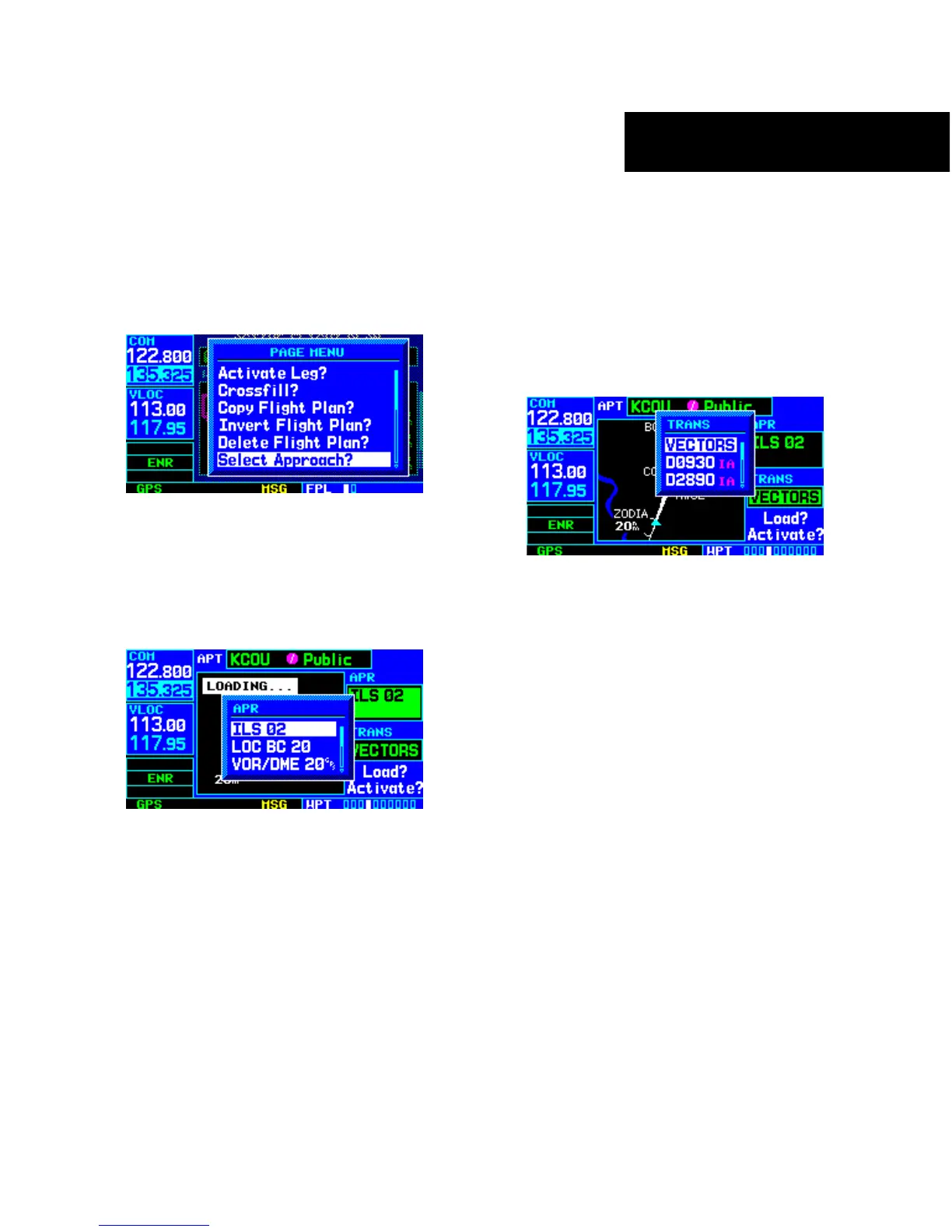
1) Choose the ‘Select Approach?’ option from the
Active Flight Plan Page Menu (Figure 5-23) and
press the ENT Key.
Figure 5-23 Active Flight Plan Page Menu
2) A window appears listing the available
approaches (Figure 5-24) for the destination
airport. Turn the small right knob to highlight
the desired approach and press the ENT Key.
Figure 5-24 Approach Window
3) A second window appears listing available
transitions (Figure 5-25) for the approach. Turn
the small right knob to highlight the desired
transition waypoint and press the ENT Key.
(The ‘Vectors’ option assumes the pilot will
receive vectors to the final course segment
of the approach and will provide navigation
guidance to intercept this final course.)
Figure 5-25 Transitions Window
4) Turn the large right knob to highlight ‘Load?’
or ‘Activate?’ and press the ENT Key. ‘Load?’
adds the approach to the flight plan without
immediately using the approach for navigation
guidance. This allows the pilot to continue
navigating the original flight plan until cleared
for the approach but keeps the approach
available for quick activation when needed.
5) For precision approaches, a reminder window
appears indicating that GPS guidance on such
approaches is strictly for monitoring only. To
confirm this reminder, highlight ‘Yes?’ and
press the ENT Key.





 To Next Page