GNS 430 Pilot’s Guide and Reference
SECTION 6
PROCEDURES
6-10
Flying an Approach with a Hold
Starting where the previous example left off, assume
weather conditions resulted in a missed approach at
Lynchburg Regional. The pilot has decided to divert to
Farmville Regional (KFVX) instead (refer to Figure 6-24
for the following steps).
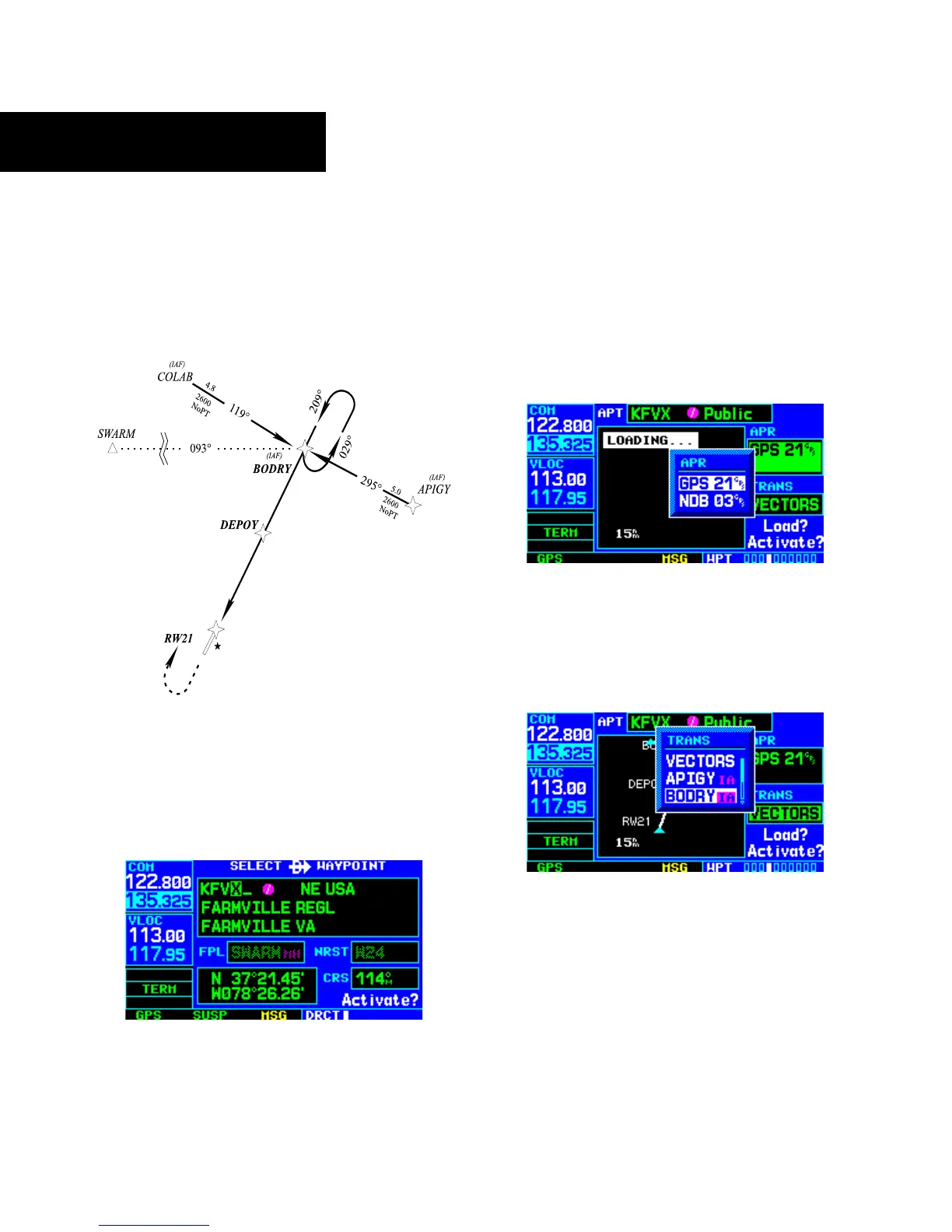
Figure 6-24 Approach with Hold
DO NOT USE FOR
NAVIGA
TION
1) Press the Direct-to Key.
2) Use the small and large right knobs to enter
th
e destination airport’s identifier (KFVX)
(Figure 6-25).
Figure 6-25 Select Direct-To Waypoint Page
3) Press the ENT Key twice.
This time, the pilot selects the GPS runway 21
approach into Farmville Regional. The GPS runway 21
approach begins with a holding pattern at the IAF, BODRY
intersection.
4) Press the PROC Key and select the ‘GPS 21’
approach. (Figure 6-26, also Section 6.1 for
additional instructions.)
Figure 6-26 Approach Window
5) From the Transitions Window, select BODRY
intersection as the IAF (Figure 6-27). Also,
select ‘Activate?’ to load and activate the
approach.
Figure 6-27 TRANS ‘Transitions’ Window
6) Once the approach has been activated, the
Active Flight Plan Page appears (Figure 6-28).
The pilot may review the approach sequence
by pressing the small right knob and turning
the large right knob. Press the FPL Key to
return to the navigation pages.





 To Next Page