190-02692-00 Rev. A
Garmin G100 Pilot’s Guide for the Piper PA-32 Saratoga 61
FLIGHT INSTRUMENTS
SYSTEM
OVERVIEW
FLIGHT
INSTRUMENTS
EIS
AUDIO PANEL
& CNS
FLIGHT
MANAGEMENT
HAZARD
AVOIDANCE
AFCS
ADDITIONAL
FEATURES
APPENDICES INDEX
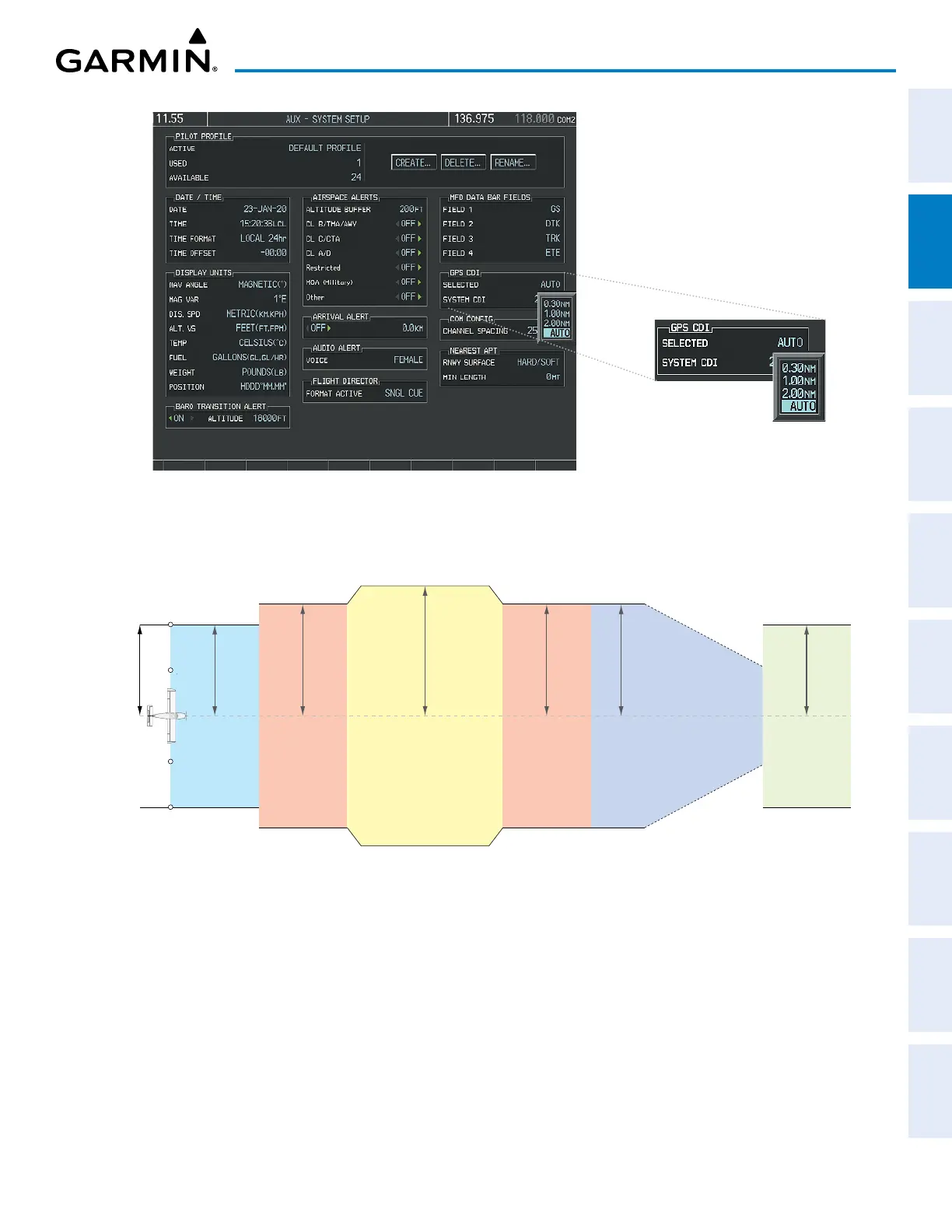
Figure 2-22 GPS CDI Setting on AUX – SYSTEM SETUP Page
When set to AUTO (default), the GPS CDI scale automatically adjusts to the desired limits based upon the
current phase of flight (see the following figure and table).
Figure 2-23 Automatic CDI Scaling
2.0 nm
Enroute
(Oceanic if >200 nm
from nearest airport)
0.3 nm
Missed
Approach
1.0 nm
Approach
1.0 nm
Te rminal
1.0 nm
Te rminal
0.3 nm
Departure
Refer to accompanying
approach CDI scaling figures
» Once a departure procedure is activated, the CDI is scaled for departure (0.3 nm).
» The system switches from departure to
terminal
CDI scaling (1.0 nm) under the following conditions:
The next leg in the departure procedure is not aligned with the departure runway.
The next leg in the departure procedure is not a CA, CD, CF, CI, CR, DF, FA, FC, FD, FM, IF, or TF (refer
to the Aviation Terms and Acronyms in the Appendices Section for leg type definitions).
After any leg in the departure procedure that is not a CA or FA.


 To Next Page