Installation
8 560-1025-09 Rev E MX20 Installation Manual
mounting tube P/N 310-0429-01, or later FAA approved revision, is recommended for all installations
and is required for helicopter installations.
The MX20 does not require external cooling. When mounting the MX20, leave a clearance of 1/8 to 1/4
inch between avionics to allow for air circulation.
For installations where a stack is not already installed in the aircraft or the alternate mounting
configuration depicted in Figure 2-4 is implemented, a separate structural approval is needed for
installation of the stack. Any other alternate mounting configuration is beyond the scope of this STC.
GX50/60
MX20 Alternate
Location
MX20 Preferred
Location
MX20
MFD
FN
MENU
ENTER
ON
OFF
+
MX20
MFD
FN
MENU
ENTER
ON
OFF
+
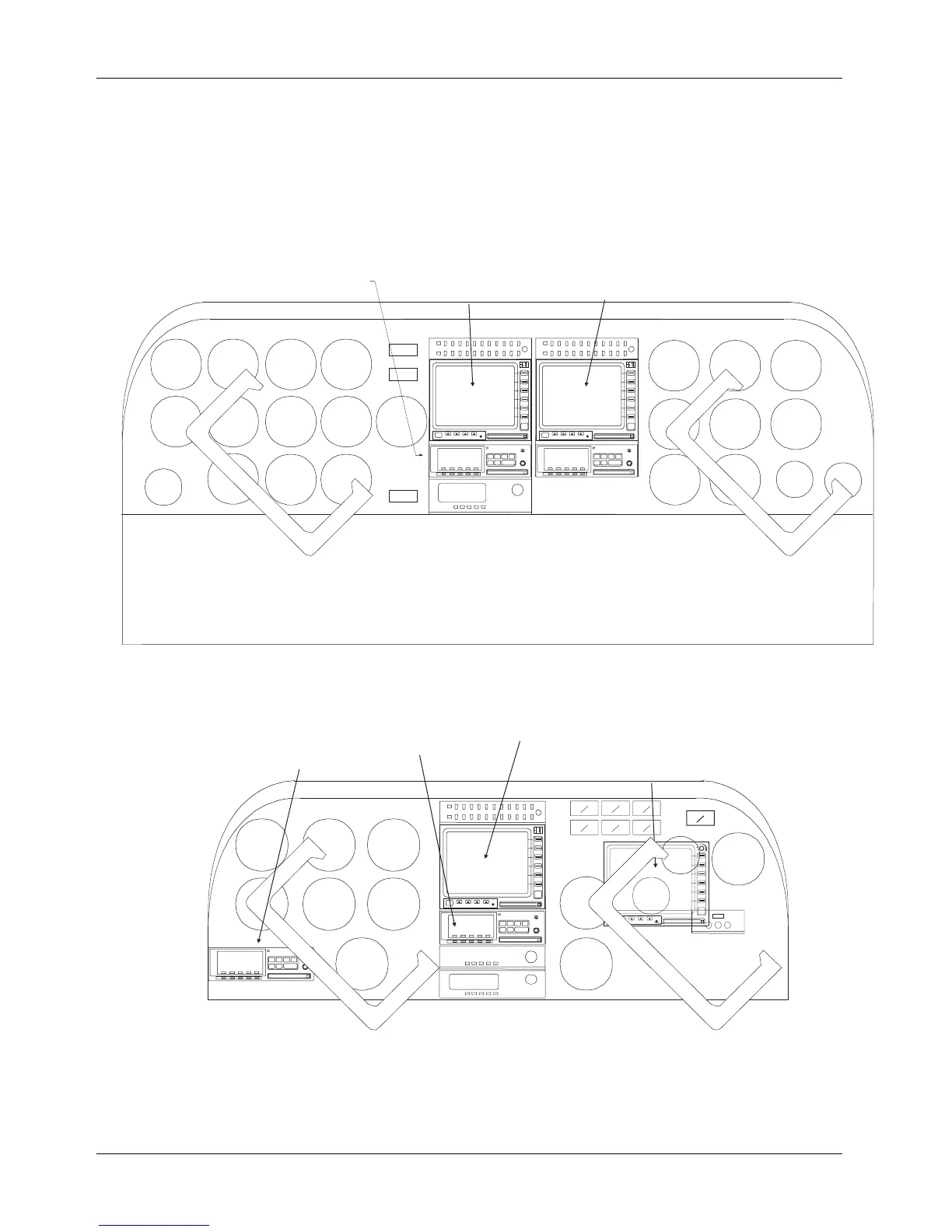
Figure 2-1. Cockpit Panel Configuration for a Large Panel
OFF
POLLO
A
MX20
MFD
FN
MENU
ENTER
GX50/60
MX20 Alternate
Location
MX20 Preferred
Location
GX50/60
Alternate Location
MX20
MFD
FN
MENU
ENTER
ON
OFF
+
Figure 2-2. Cockpit Panel Configuration for a Small Panel













 To Next Page