20 Garrett Metal Detectors
ATX
™
21
ATX FACTORY/DEFAULT SETTINGS
Mode: Motion
Discrimination: Zero discrimination (1st LED)
Sensitivity: 10
Threshold: 7
Volume: 10
Ground Balance: Neutral
Ground Track: OFF
Note: Iron Check is a conservative function� To help ensure the
ATX does not misidentify a good target as iron, the iron tone (grunt)
will only activate on strong signals� Therefore, small/weak iron
targets will not identify as iron. In addition, due to their large, at
surface area and relatively high conductivity, steel bottle caps will
typically not identify as iron� Examples of iron targets that will produce
the iron tone (grunt) are: a 3-inch nail to a depth of about ve inches; and
a ¾-inch boot nail to a depth of about one inch�
In highly mineralized areas, Iron Check accuracy may be affected�
Therefore, use at, level swings to improve accuracy.
Factory Reset
All changes made to the ATX settings are saved when the unit is switched
OFF� To return all settings back to Factory values, press and hold the
RETUNE/ PINPOINT button while switching unit ON�
SEARCHCOIL BASICS
Use proper sweep of searchcoil.
Keep your searchcoil at a constant height (less than 1" if possible) and
parallel to the ground at all times for best detection results� Do not lift the
coil at the end of swings�
Walk slowly as you scan your searchcoil in a straight line or slight arc from
side to side at a speed of about 2 feet (60 cm) per second� Advance the
searchcoil forward about half its length (approximately 6" or 15 cm) at the
end of each sweep to ensure full coverage�
Overlap swing by 6" (15 cm)
2ft (60 cm)/second
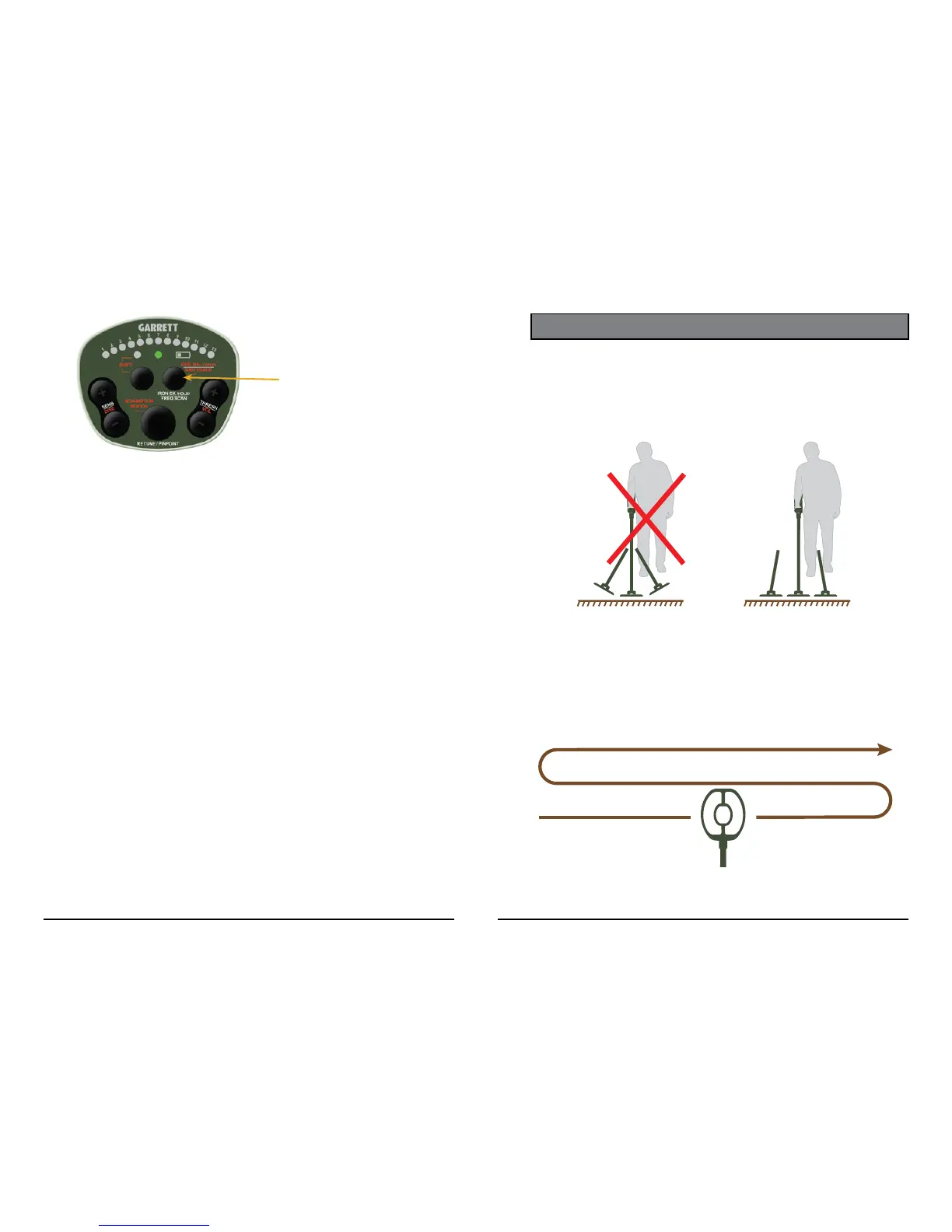
Press and hold the IRON CK
button, and then repeatedly
scan back and forth over the
target to check for iron.











 To Next Page