ORIUS ™ 833 User’s Guide Series Rev 3 2-4
2.4 Gain Normalization
It is important to prepare a new gain reference image after the CCD has reached the equilibrium temperature
(normally this takes less than 5 minutes). The gain reference image should be checked regularly.
To prepare gain reference image, remove specimen from the field of view, evenly spread the illumination across
the CCD sensor.
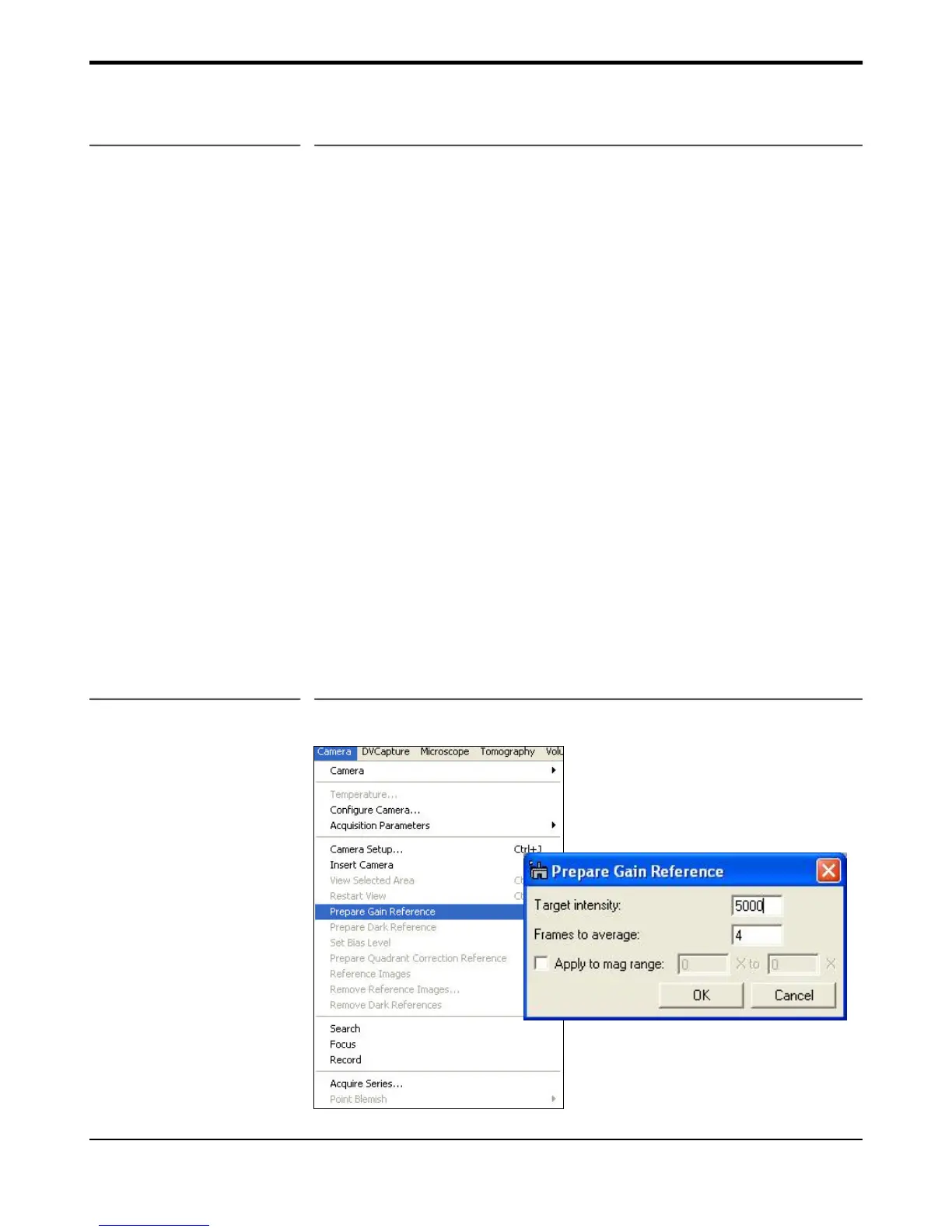
Under the Camera menu (Figure 2-3), choose Prepare Gain Reference. Set the target intensity to the value of
5000-7000. Normally it is sufficient to set the frames to average to 4. Then simply follow the instructions on
the screen.
Quick Tip: Multiple gain references can be collected and assigned to magnification ranges on the TEM. This
is usually done to accommodate slight beam profile differences on the TEM when magnification is changed.
When your application need requires large ranges in magnification, the single gain reference image might not be
sufficient and a new one will need to be re-acquired. This new multi-gain feature allows a gain reference image
to be assigned for a particular mag. range. This is feature is used often on cameras mounted in the 35mm port.
If you would like to use this feature make sure to select the checkbox “Apply to mag range….” (Figure 2-3) and
enter the range. The correct gain reference image will then be used depending on the magnification selected on
the TEM (either by RS-232 connection or user entry).
It is recommended to perform all gain reference collection(s) when
• The camera temperature is stable (after at least 5 minutes of cooling),
• Every time the camera is switched on,
• Once a week if the camera is always on, or
• Before acquiring any important images.
Figure 2-3 Camera menu


 To Next Page