ORIUS ™ 833 User’s Guide Series Rev 3 3-8
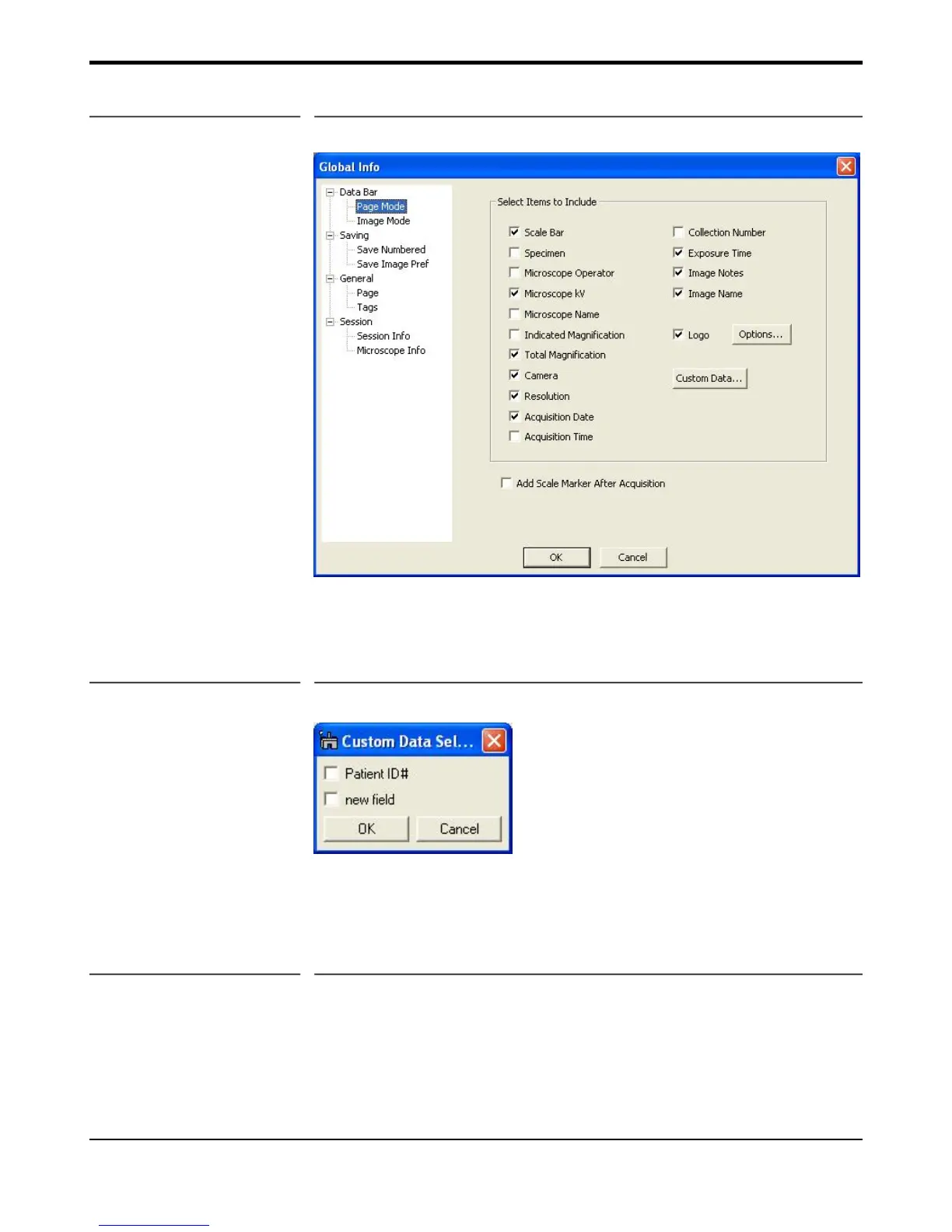
Figure 3-6 Data Bar – Page Mode Report parameters
Custom Data button allows the user to add addition custom fields that were previous created to be also included
in your report. This feature is useful to add the name of your institution, ID#’s, or the name of your TEM lab
(Figure 3-7).
Figure 3-7 Custom Data
3.5.4 Report (Print Preview)
The Print Preview button (the one with a page and a magnifier on the Save palette in Figure 3-4) will toggle
between report view (Figure 3-10 a) and image view (Figure 3-10 b). In the report view, an image is displayed
of the print preview mode with parameters as specified in the Databar Page Mode parameters.


 To Next Page