ORIUS ™ 833 User’s Guide Series Rev 3 3-5
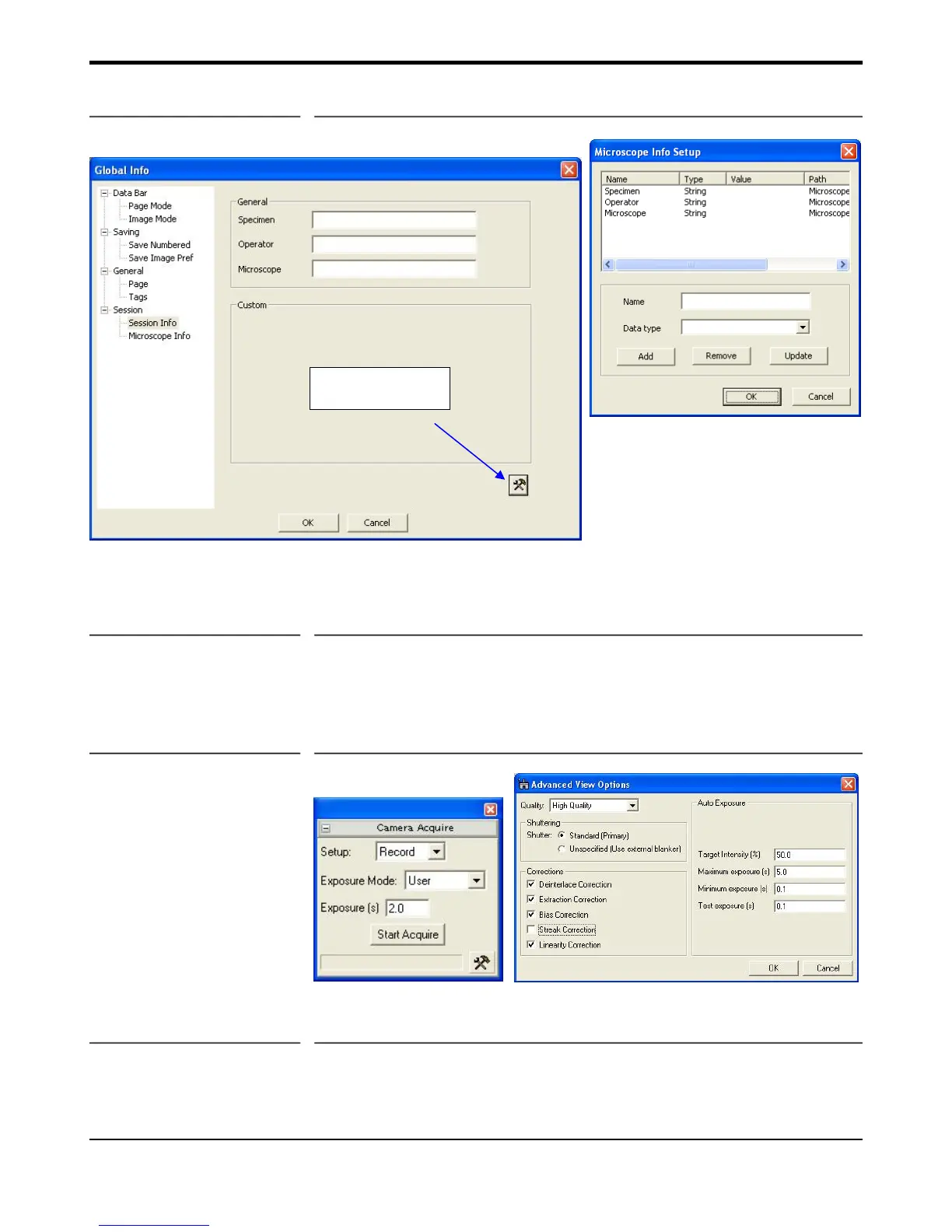
Figure 3-3b Global Info
3.4 Image Acquisition
To record the final high resolution image, click on the Start Acquire button in the Camera Acquire palette shown
in Figure 3-4. This mode is preset to acquire a full resolution CCD image. “Streaking correction” can also be
selected in the Setup, Advanced section for use during acquisition of diffraction patterns.
Figure 3-4 Camera Acquire window
3.5 Image Saving and Printing
Images that have been acquired can be saved and printed using the toolbar icons located at the top of the screen
(Figure 3-4). If you would like to save a series of images during your session and have them automatically
Tool icon for
Custom fiields


 To Next Page