ORIUS ™ 833 User’s Guide Series Rev 3 3-7
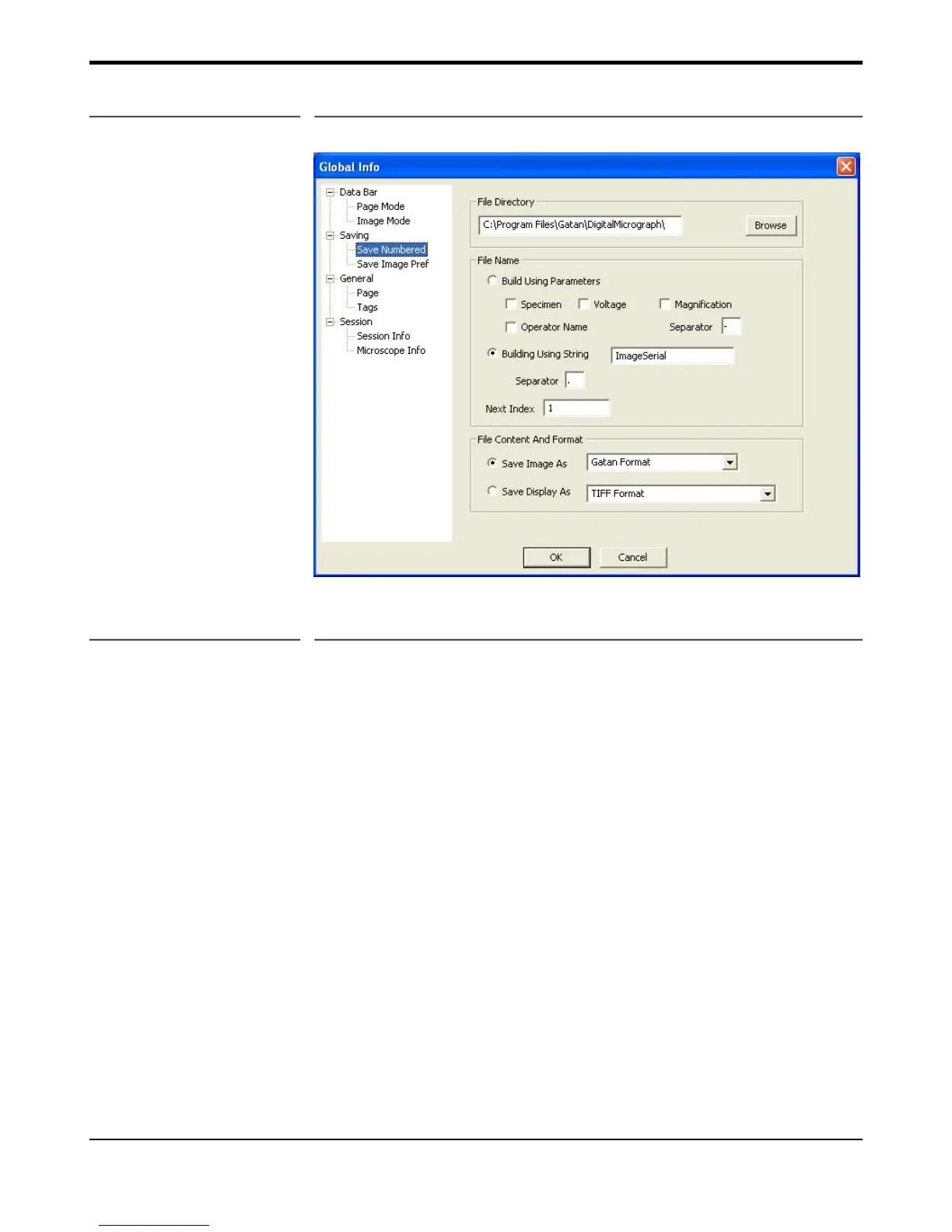
Figure 3-5 Save Numbered Info pane
3.5.3 Page Mode (Report) Options
In the Global Info dialog, under Databar you can choose Page mode and Image mode in the left pane. Select
Page Mode to view the checkbox items that can be selected in the right pane. Any items selected will be
available in the Page Mode Report format (Figure 3-6). You can also add a logo file and image notes to the
report.


 To Next Page