28
WWW.GATEE.EU
USER GUIDE
USB-Link can glow 3 colours: blue, green, red
3.3 Troubleshooting
Blue – USB-Link is connected to PC, TITAN or Programming Card is not
connected
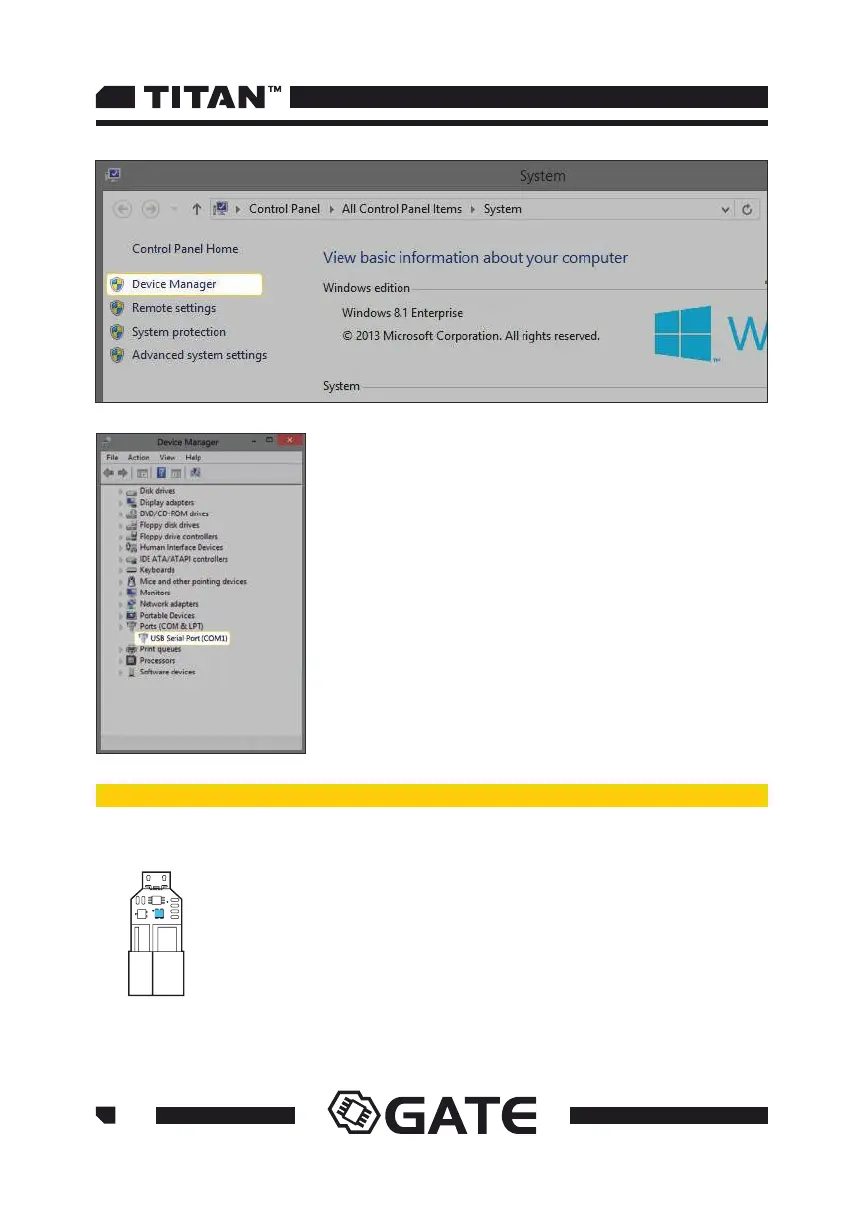
Find Ports (COM and LPT) and show its contents. If the
USBLink was installed properly, you should see the USB
Serial Port (COM number can vary).
If you cannot see your device on the list or it is accompanied
by exclamation mark, it means that you must install the
device's driver manually. You can download the driver from
here: www.gatee.eu/gcs.



 To Next Page