31
WWW.GATEE.EU
USER GUIDE
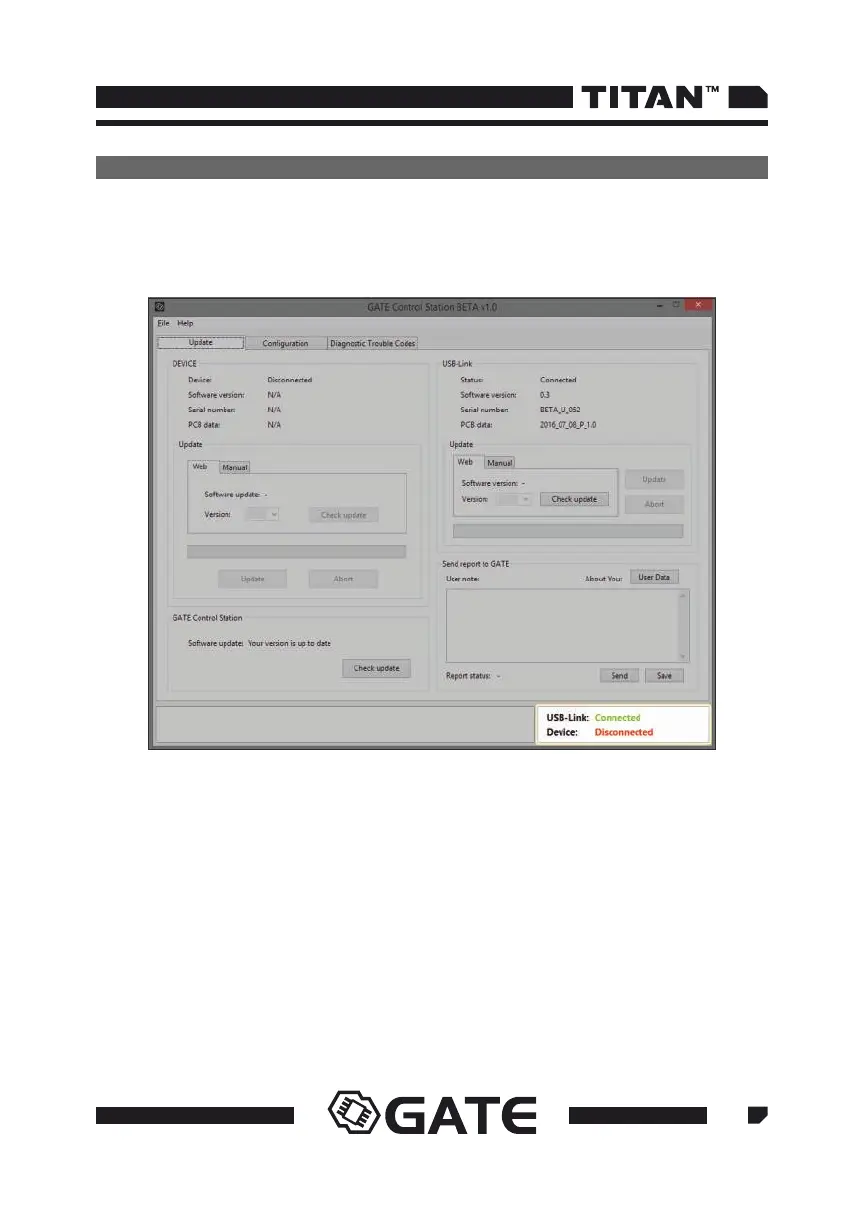
In order to update the USB-Link, follow the steps below:
Connect USB-Link to the USB port of your PC
Run the GATE Control Station
•
•
In the bottom right corner you will see USB-Link: Connected
•
4.2.2 USB-Link update
Check availability of updates for the USB-Link choosing Check update. If the USB-
Link firmware version is outdated, click Upload to start updating.



 To Next Page