9 Hardware Installation
9.1 Quick Reference Guide for Installation
Installation Guidelines
Please note the following:
▪ The device must be secured to an interior surface of the vehicle using the Tek Screws provided.
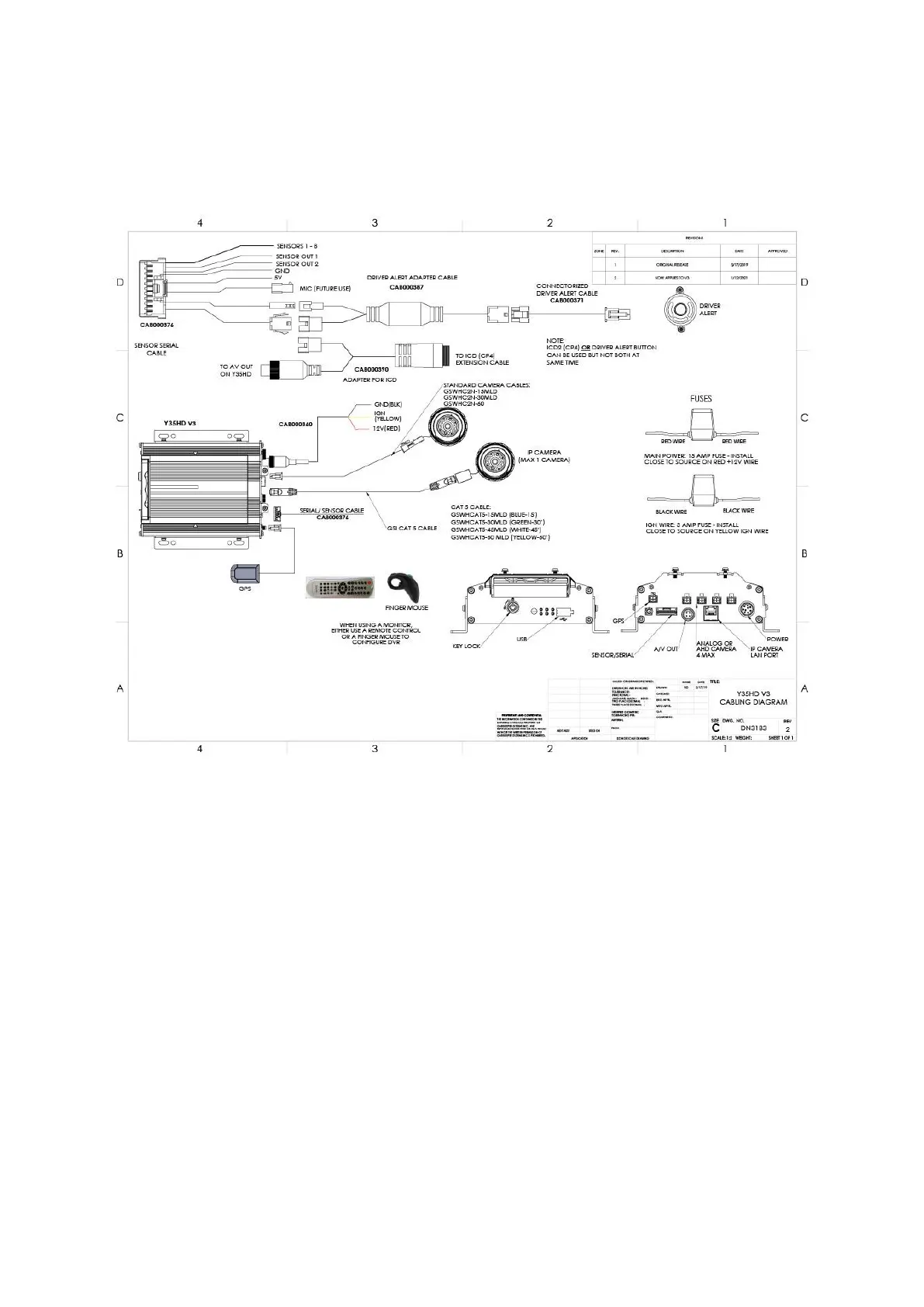
▪ Wire the device into the vehicle according to the Quick Install Guide and the appropriate cabling
diagram.
▪ DO NOT disassemble the device. There are no user serviceable parts inside.
Configuration Guidelines
▪ The device firmware must be configured before using the Y35 HD v3.
▪ Use an ICD2, G4 Connect, Monitor/Finger Mouse combination or remote control to access the
setup menu.
▪ Enter the following login information when prompted:
User name : admin
Password : admin
▪ You can also use the ICD2’s touch screen to perform these tasks starting with the Menu button.
▪ Move the cursor to the Setup icon and press Enter.
▪ Navigate to Surveillance>Record>Mainstream to setup the analog channels (one through four).
▪ To set up IP Channel navigate to Surveillance>IPC Setup.
▪ To set Vehicle ID, navigate to Basic Setup>Regist Info>Vehicle Info.



 To Next Page