3.7 Understanding the Main Menu
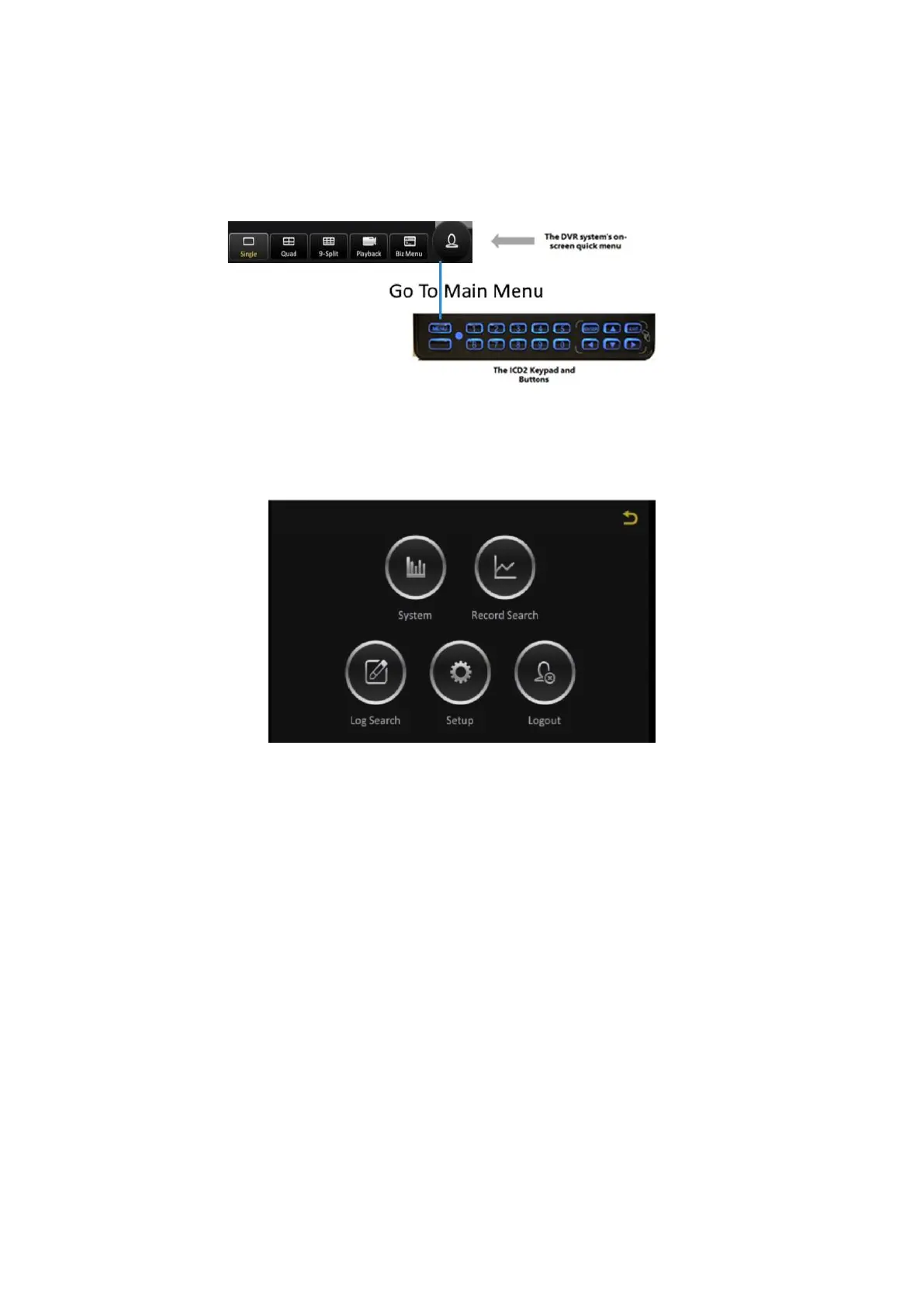
The Main Menu can be accessed by clicking the Person icon on the far right of the on-screen quick
menu, or by clicking on the MENU button on the ICD2 keypad.
Figure 3-8 Accessing the Main Menu
The Main Menu has five options as shown in the following figure.
Figure 3-9 Options in the Main Menu
▪ System: View important system information.
▪ Record Search: Search for, view and save recorded video.
▪ Log Search: Search for, view and save log files.
▪ Setup: View and make changes to the device configuration options.
▪ Logout: Logout the current logged-in user. This will return the system to the live video view.
The Record Search and Log Search functions will be explained in the chapter on Viewing Recorded Data,
whilst the Setup function will be explained in the chapter on Configuring the Y35 HD v3.



 To Next Page