2 Your Y35 HD v3 at a Glance
2.1 Take a Tour
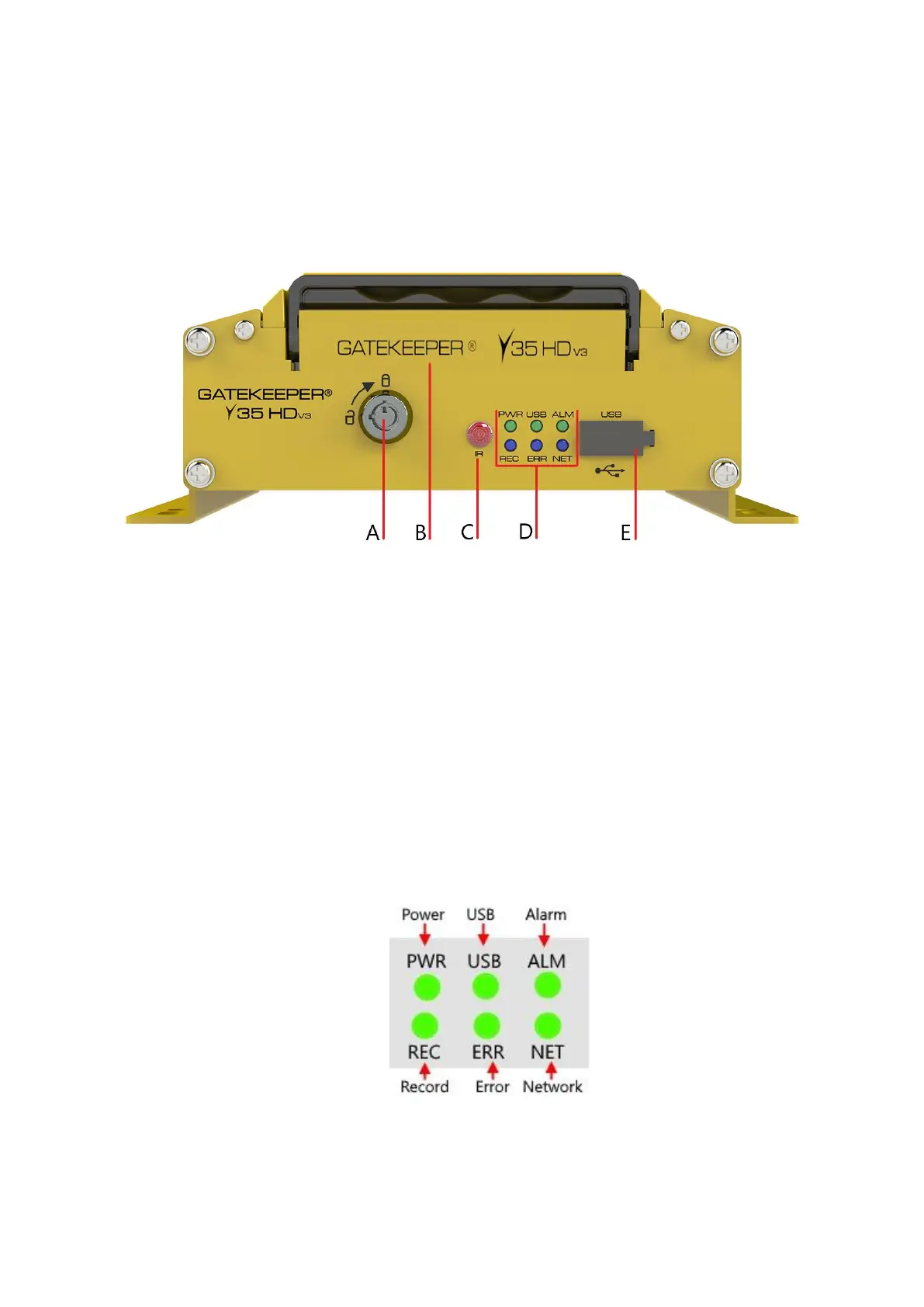
This is the front panel of the Y35 HD v3:
Figure 2-1 Front View of the Y35 HD v3
▪ A. Lock. Allows access to the HD caddy. (B)
▪ B. Hard Drive Caddy: HDD or SSD storage.
▪ C. IR Receiver: Used in conjunction with the IR Remote control for system navigation.
▪ D. LED Status Indicators: Status indicator lights which light up and/or flash to alert the user to
the device’s operational status and/or alarm status.
▪ E. USB Port: external USB flash drives which can be used for saving/uploading configuration
files, updating system firmware and downloading of recorded video/event files.
Figure 2-2 Close Up View of the Y35 HD v3 Status Indicator Lights



 To Next Page