3.5 Quick View of System Status Information
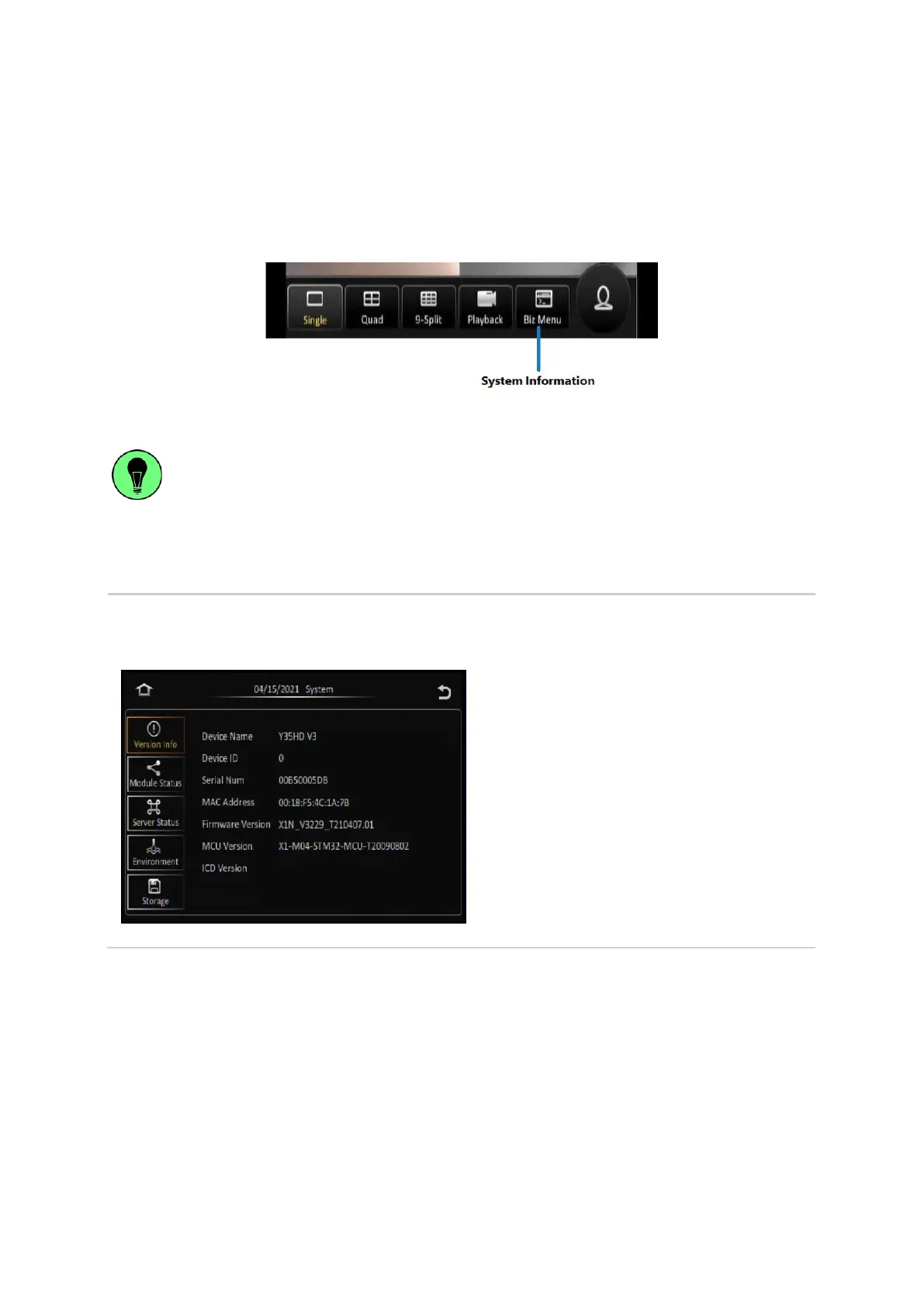
Selecting the System Information button on the on-screen quick menu will display the system
information screen where the user can view various device information such as version information,
active modules, server status, environment data, and storage size.
Figure 3-8 Biz Menu Function on Quick Menu
The Biz Menu function is a quick and easy way to access and view all the important information
about your device’s status and configuration from one central location. It can be accessed
directly from the on-screen quick menu without the need to log in.
The following is a list of the device information which can be viewed by the user from the System
Information function.
This screen shows a summary of the various
device hardware identification numbers, and also
the version numbers of the firmware that is
running on the device.
The information shown is as follows:
▪ Device Name
▪ Device ID
▪ Serial Number
▪ MAC Address – This is the Lan MAC
Address of the Y35 HD v3
▪ Firmware Version
▪ MCU Version
▪ ICD Version – this is the ICD firmware



 To Next Page