Y35 HD v3
User Manual & Install Guide
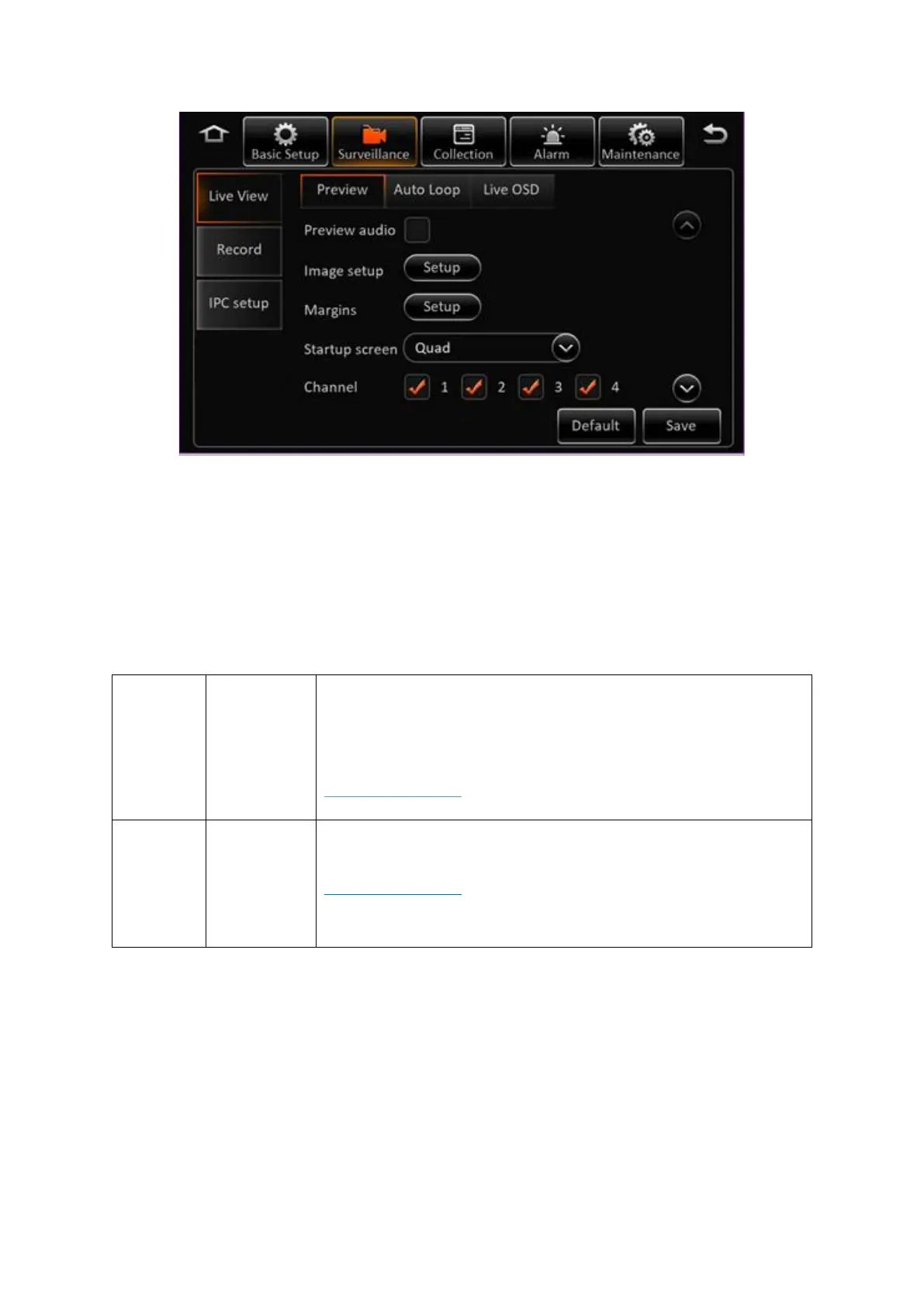
Figure 6-3 Surveillance Tab in the Device Configuration Options
6.4.1 Live View
Navigate to: Main Menu
→
Setup
→
Surveillance
→
Live View
This subsection enables you to configure the settings for the live view of the video coming from the
cameras. These settings only affect the video being viewed on the LCD monitor or the ICD2 – they do
not affect the recorded video.
Checkbox – if selected, the audio stream will be played while during
the live video view. Else, the audio will be muted by default.
Nevertheless, the audio can still be toggled on and off from the video
viewing screen itself.
DEFAULT SETTINGS:
▪ Checkbox – Unselected
This button displays the image setup screen.
DEFAULT SETTINGS:
Please adjust the video from the various camera channels using the
settings explained below to meet your preferences



 To Next Page