EasyManua.ls Logo

Gatekeeper Y35 HD v3 - 6.3 Basic Settings

Gatekeeper Y35 HD v3
156 pages
Print Icon
To Next Page IconTo Next Page
To Previous Page IconTo Previous Page
Loading...
Y35 HD v3
User Manual & Install Guide
65 of 156
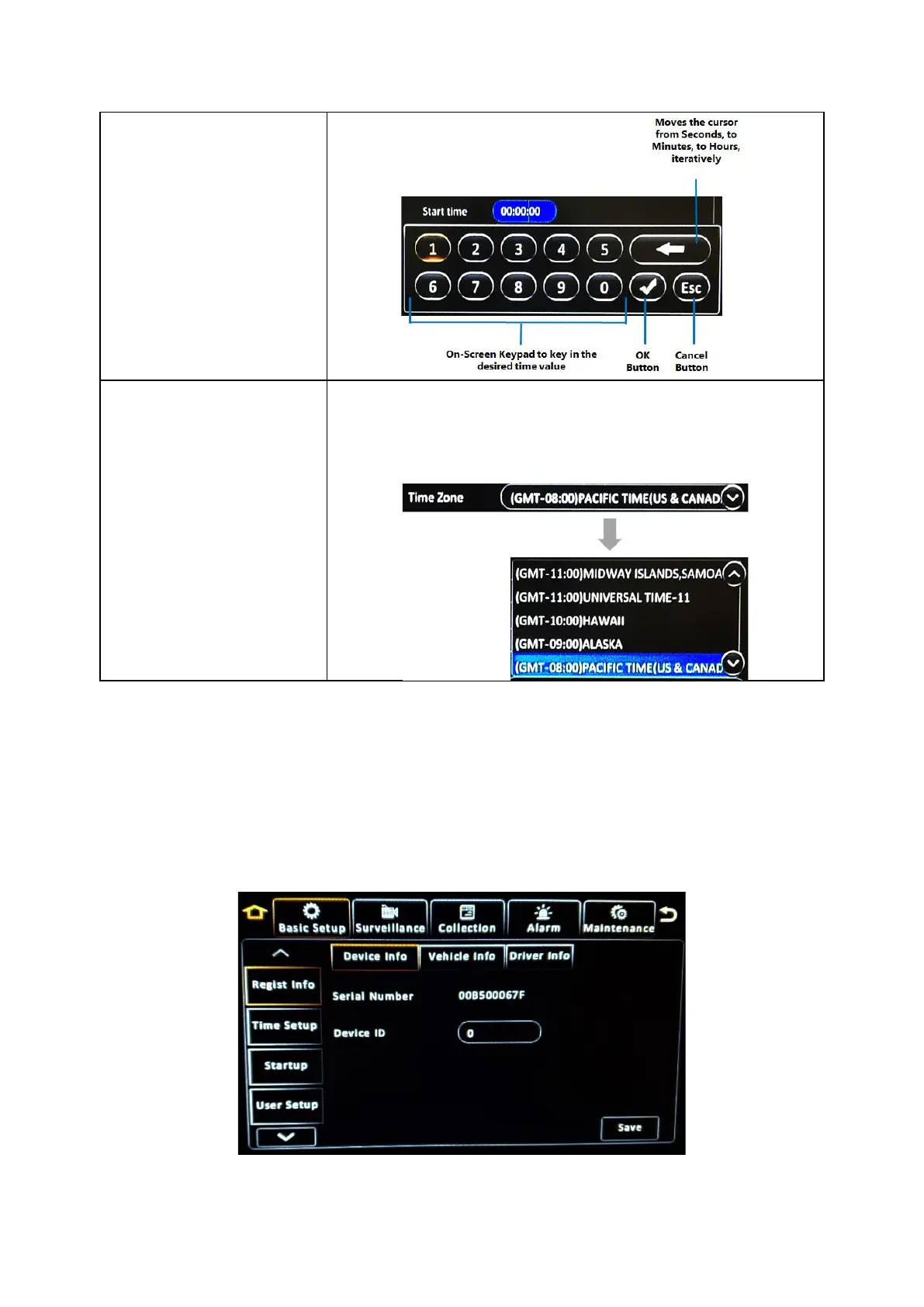
Drop List
This is a controlled input field which only accepts selections from a
predefined list of items. This kind of field can be identified by a (v)
button to the right of the field. Clicking this button will display a list of
items which can be scrolled and selected.
6.3 Basic Settings
Navigate to: Main Menu
Setup
Basic Setup
All the core device settings can be configured in this section. This includes key operational
configurations such as device identifiers and vehicle information, user management, time setup, device
start-up behaviour and network settings and server configuration.

Table of Contents