Y35 HD v3
User Manual & Install Guide
Access to the following functions require the user to be logged in:
Access from the on-screen quick menu:
▪ Playback
Access to the Main Menu and the following functions:
▪ REC Search
▪ Log Search
▪ Setup ( * this function requires the user to be logged in as an administrator )
How to Log In
When attempting to access any of these functions, the system will check the log-on status of the user
before granting access to the function. If the user is not already logged in, the system will automatically
prompt the user to log in.
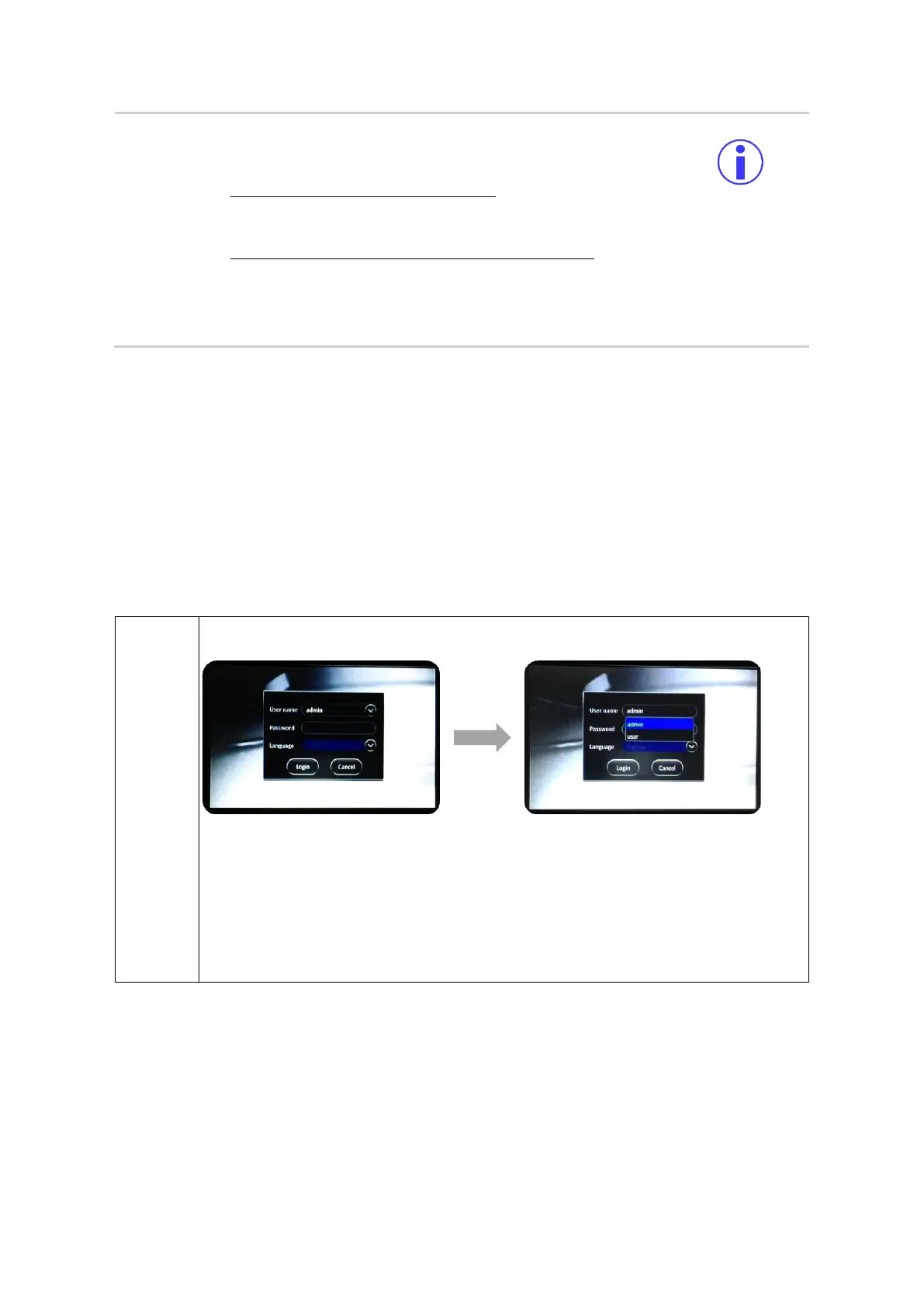
▪ System will display the log-in dialog box as shown below.
▪ Click on the drop down (v) button at the right corner of the User Name field.
▪ A drop-down menu will appear which will list all the users who are set up to access
the system.
▪ Select the user name to use for this log-in by clicking on the desired user name in
the list.
▪ Your selected user name will be displayed in the User Name field.



 To Next Page