GA600AC Sliding Gate Opener User Manual
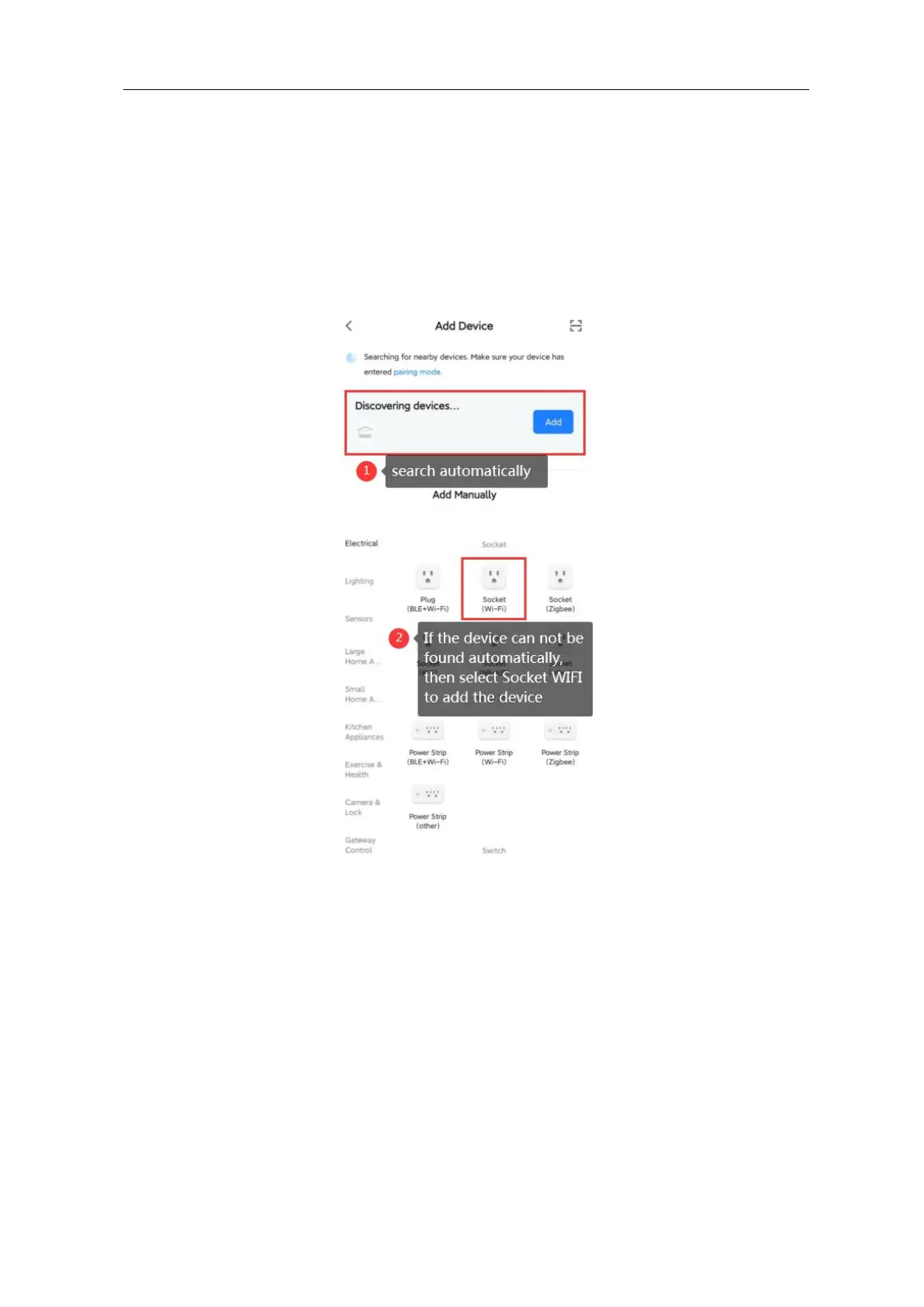
Step 2: If your mobile has connected to WIFI(must be 2.4GHz), long press the “reset”
button on the WIFI device, your mobile will search the device automatically(Mark
①
); If the
device can not be found automatically, please add it under “Add Manually”(Mark
②
): select
Socket WIFI and follow its instructions to go proceed.
Step 3: After added, the device will be shown in the list, you can re-name it to your required.



 To Next Page