Chapter 3 Operation
3.1 The Control Panel
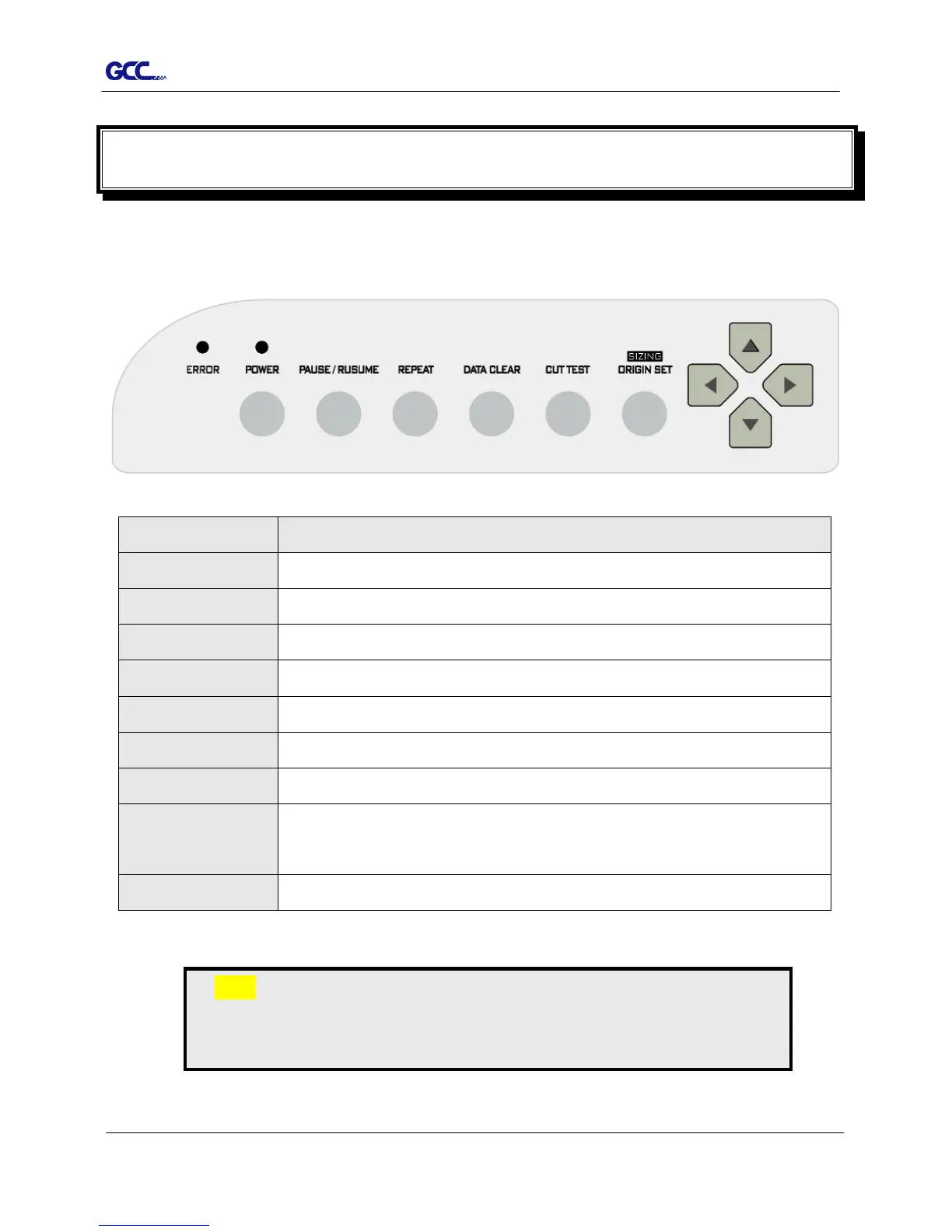
3.1.1 The Outline of control panel
Key Function
POWER LED Indicate the power status (LED ON: power on; LED OFF: power off)
ERROR LED Indicate the error status (LED ON: error; LED OFF: normal)
POWER Turn the machine on to work.
PAUSE/RESUME Temporarily halts the cutting process or resumes a paused job.
REPEAT Repeat last job.
DATA CLEAR Clear up buffer memory.
CUT TEST Perform cutting tests on different media.
ORIGIN SET
(SIZING)
Reset origin at a new position.
Note:
The function key to set origin and resize is the same one, press once to
activate origin reset while press twice to activate resizing function.














 To Next Page