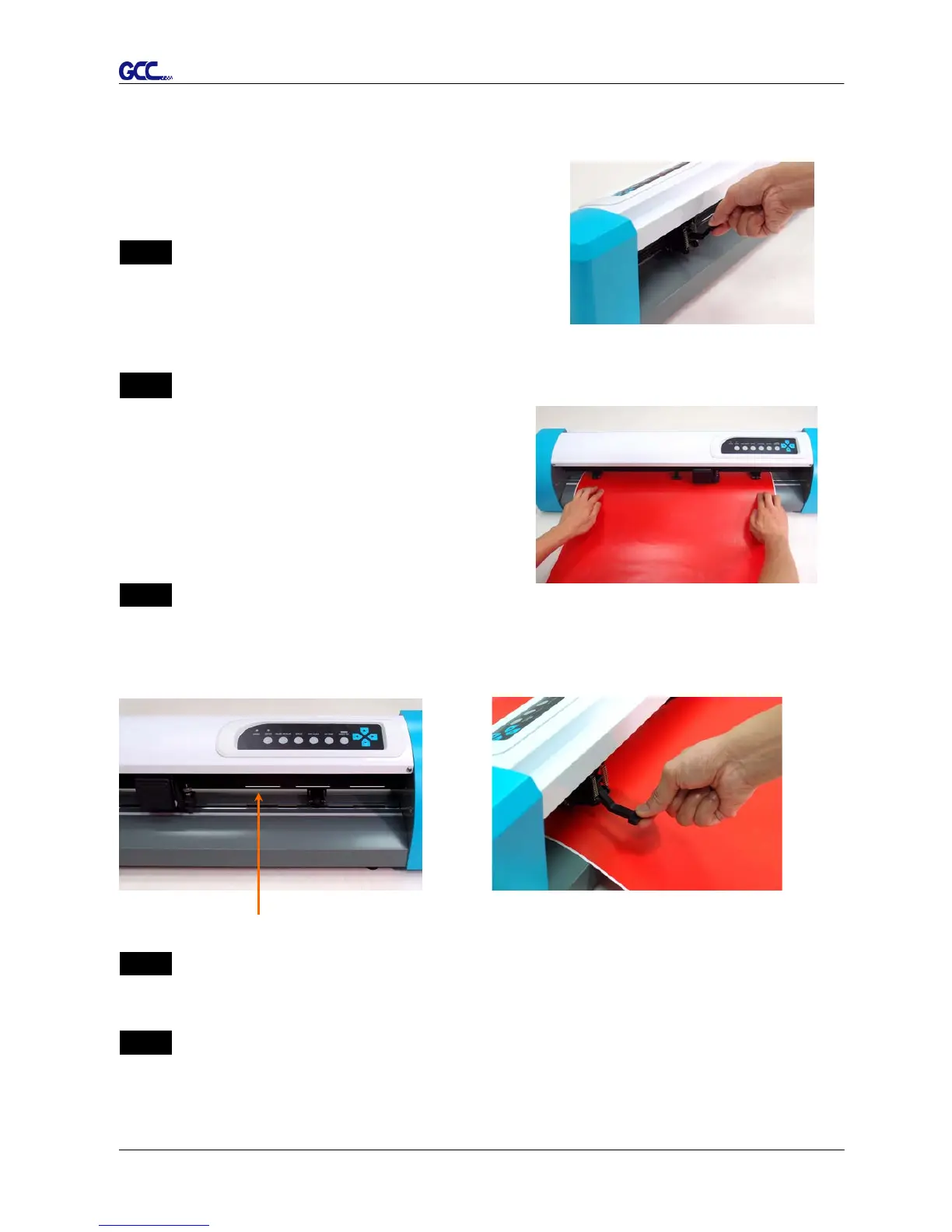
Figure 2-13
Figure 2-15
Figure 2-16
Figure 2-14
2.4 Media Loading
2.4.1 Loading the Sheet Media
To load the media properly, please follow the below
procedures:
Step 1
Lift the 2 levers at the backside of cutter to release pinch
rollers (Figure 2-13).
Step 2
Load your media on the platen and slide it under the
pinch rollers from either the front side or the
backside. The alignment rulers on the platen
extension will help you to adjust the media precisely
(Figure 2-14).
Step 3
Then move the pinch rollers manually to the proper position. Be sure the
pinch rollers must be positioned above the grid drum. The white marks on the main beam will
remind you where the grid drums are (Figure 2-15).
Step 4
Push the lever backward to lower down and fix the pinch rollers (Figure 2-16).
Step 5
After turn on the power, the tool carriage will measure the size of the media automatically. The
plotting cutter begins to work.
White mark














 To Next Page