AR-24 User Manual
Sure Cuts A Lot A-4
5. Convert Image to Cutting File
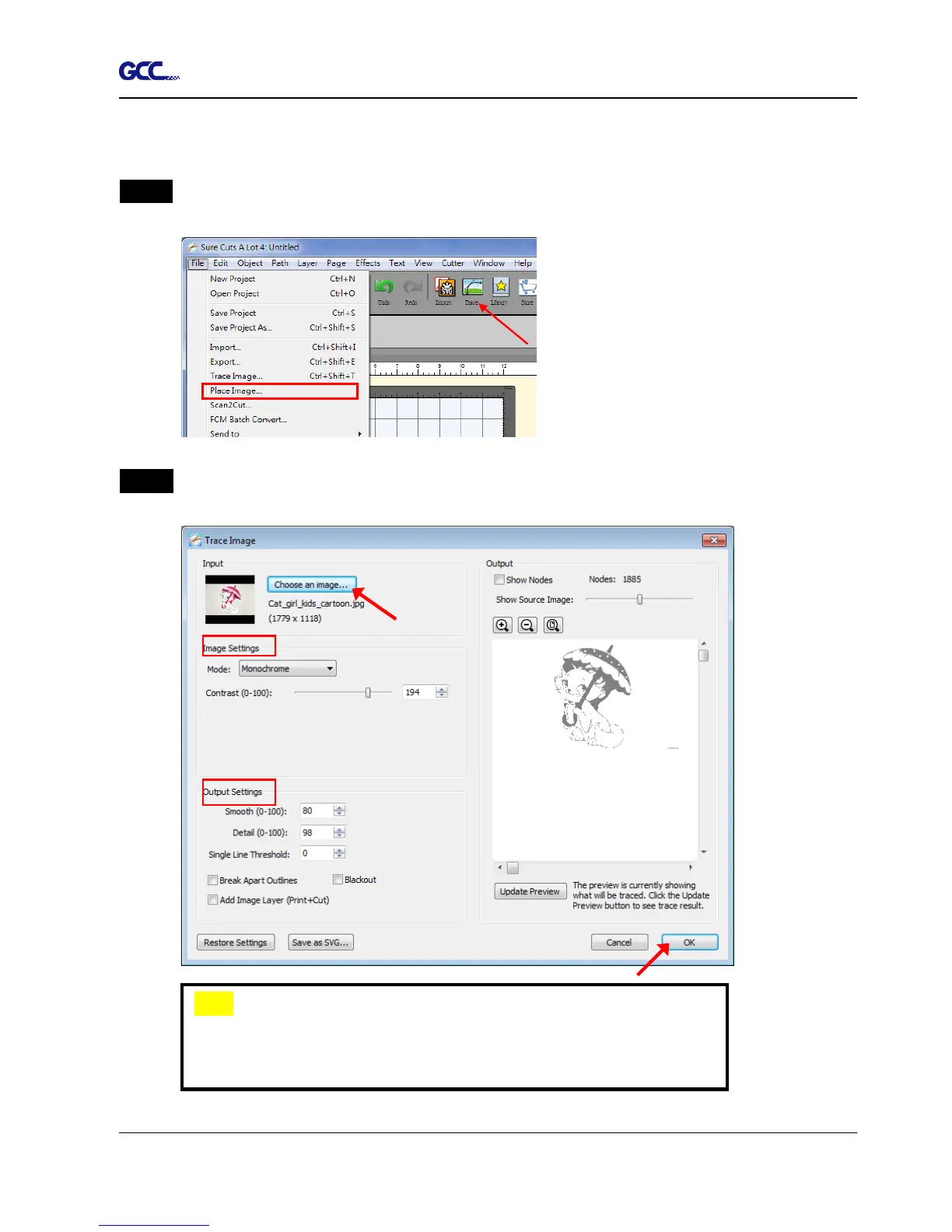
Step 1 Go to Trace Image under File, or select Trace Image button on the toolbar to open
the setting window.
Step 2 Click on “Choose an image” to input the image, adjust Image Settings and Output
Settings, and click OK. Then the outline of the image will be outputted automatically.
Note
The contrast and pixels of import images will affect the trace
image result. High contract graphics are recommended.














 To Next Page