34
6.1 Machine Connection Setup
The LaserPro E200 can communicate with a computer through a Wi-Fi, USB Port or LAN Port connection
interface. Please see below steps for each connection method.
6.1.1
Wi-Fi Connectivity
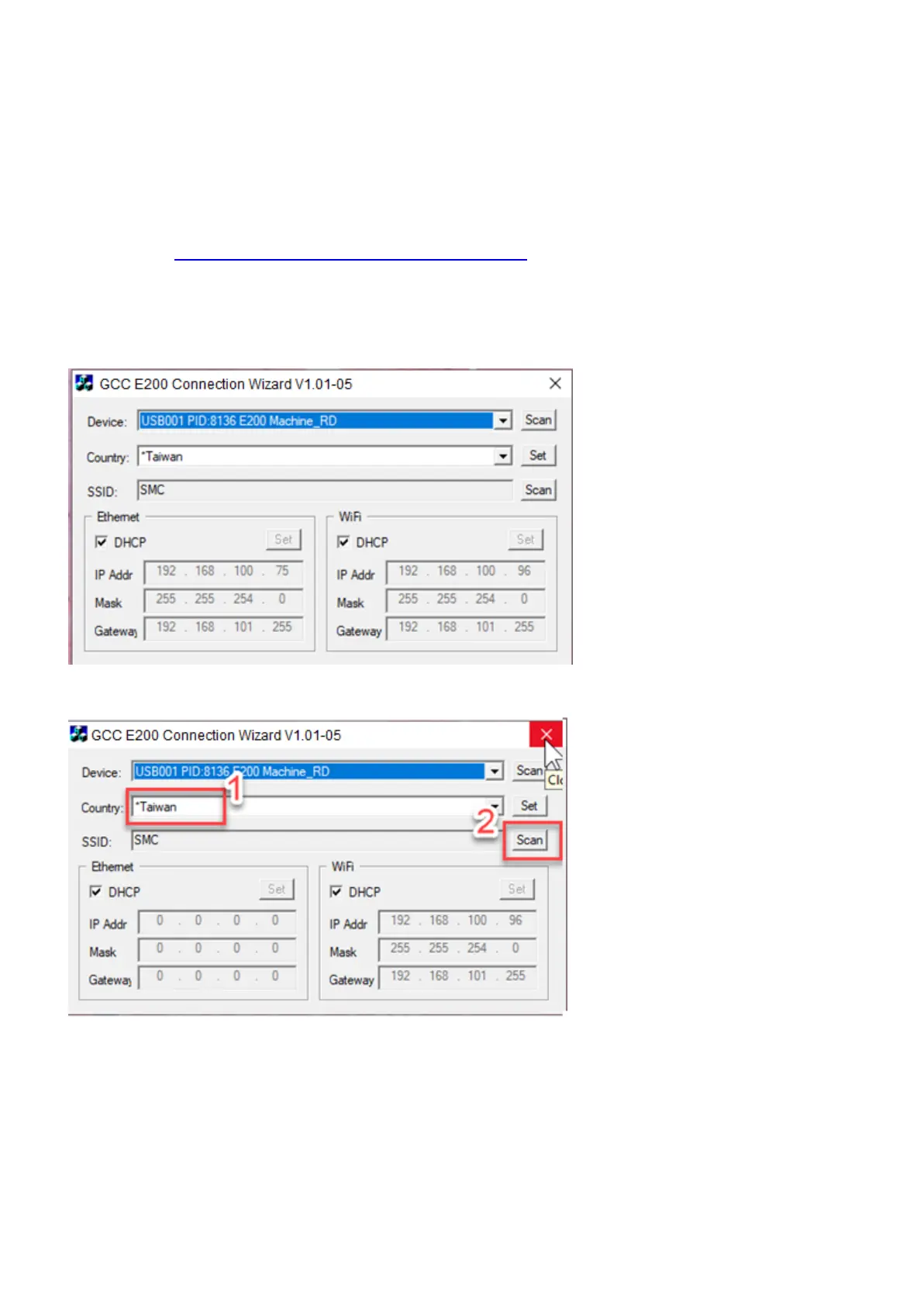
Setting on E200 by Wi-Fi connectivity, please download the small app - E200 Connection Wizard from GCC
download area https://www.gccworld.com/download.php?sid=other
1) Connect E200 with your computer by the USB cable.
2) Power on the turn on the machine.
NOTE: E200 has been designed to automatically switch from 100-240VAC.
3) Open GCC E200 Connection Wizard and click “Scan”, Device “E200” will be de detected automatically
4) Select your country and then press “SSID- Scan” to set up available domain.



 To Next Page