43
6.3 Connection Troubleshooting
For above Wi-Fi connection, E200 Connection Wizard will select the available IP automatically, if you want to
appoint specific IP, please follow below steps.
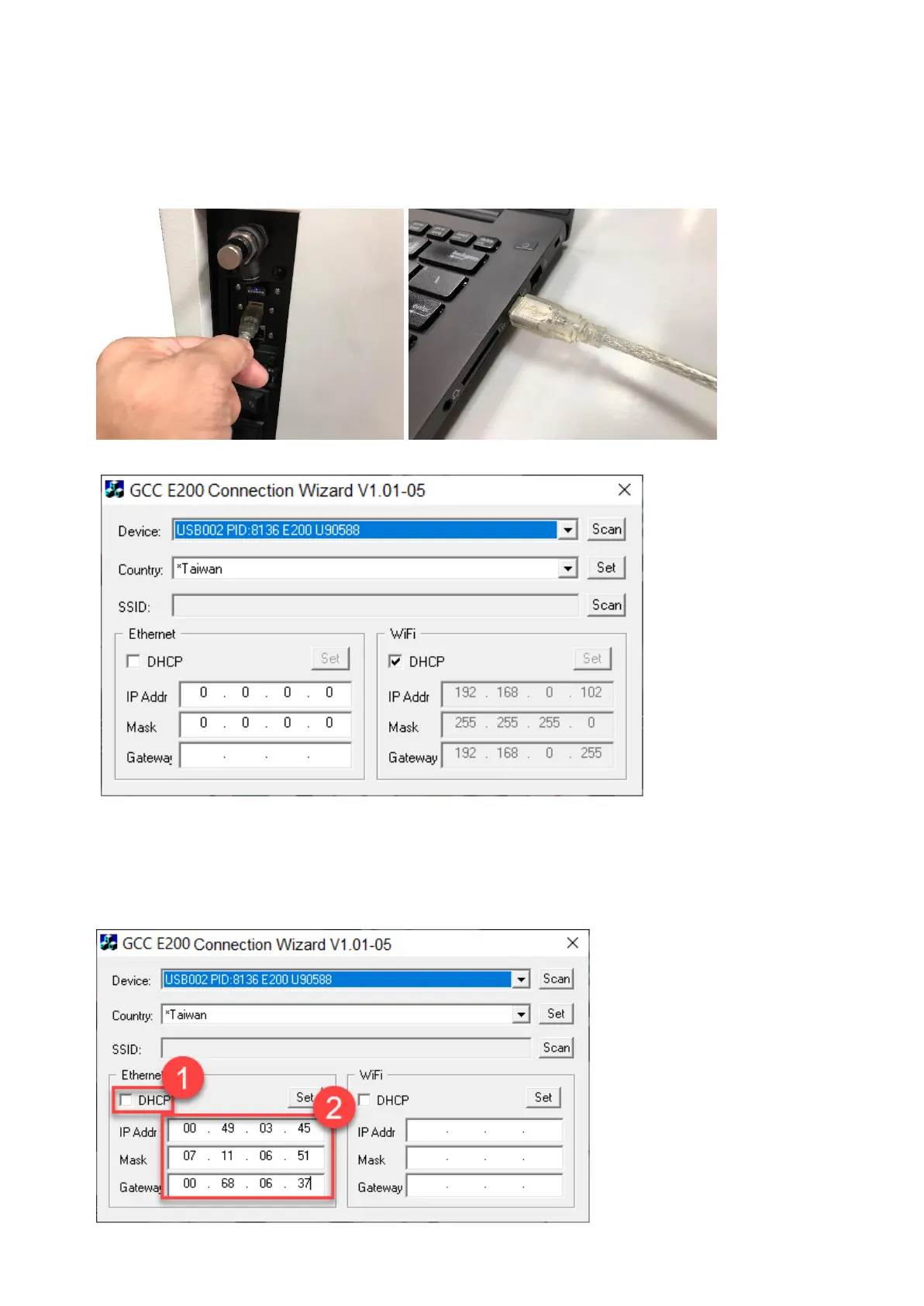
1) Connect the USB cable between the machine and computer.
2) Open E200 Connection Wizard program. You can find the program in the installation CD.
Note: Please make sure that the program can find the “Device” and “Country” before you set the
static IP for E200.
3) Uncheck the checkbox of the “DHCP” and enter the IP address, Mask, and Gateway in the boxes according
to your connection way.
Please ask your MIS person to provide the IP address, Mask, and Gateway for you.
Static IP for Ethernet



 To Next Page