59
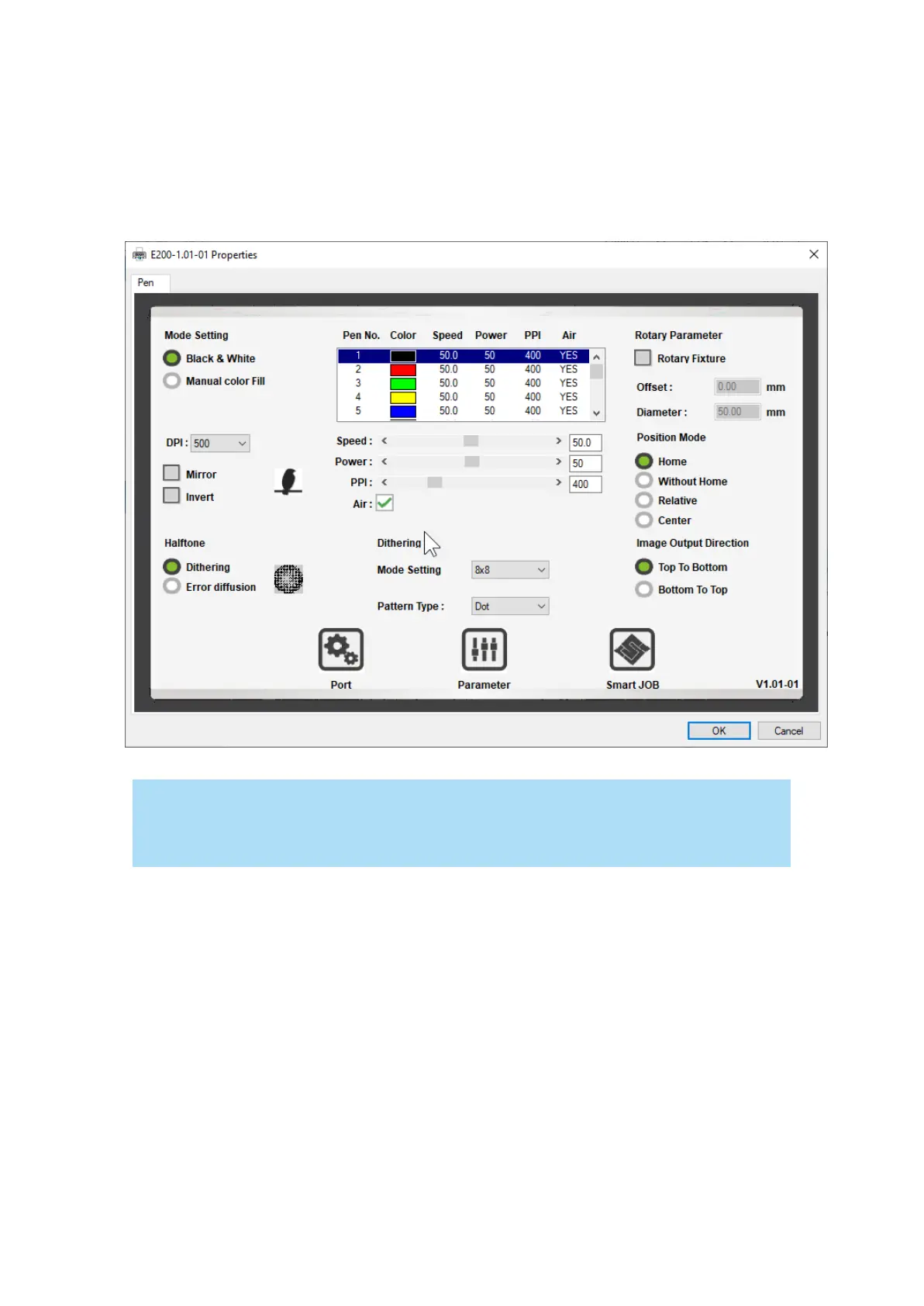
7.3.3 Using the LaserPro E200 Print Driver
Now after you have properly set the Page and Layout and Color Management of your graphics
software, you are ready to configure the details of your actual job through the LaserPro E200 Print
Driver. The LaserPro E200 print driver allows you to adjust your engraving / cutting options. After
you have setup your image, design, or text to be engraved in your software application, you can
access the
LaserPro E200 print driver by going to FILE
→
PRINT
→
PROPERTIES.
NOTE
For this screenshot example, CorelDRAW was used as the software application.
The LaserPro E200 Print Driver for advanced users which enable to choose various engraving / cutting
options and settings



 To Next Page