36
6.1.2
Ethernet Connectivity
1) Connect Ethernet cable between router and machine.
2) Turn ON machine.
3) Connect computer to Internet through Ethernet or Wi-Fi
6.1.3
USB Connection
1) Connect USB cable between machine and computer.
6.2 Computer Assigns the Connection Method
6.2.1 For SmartJOB
Wi-Fi / LAN
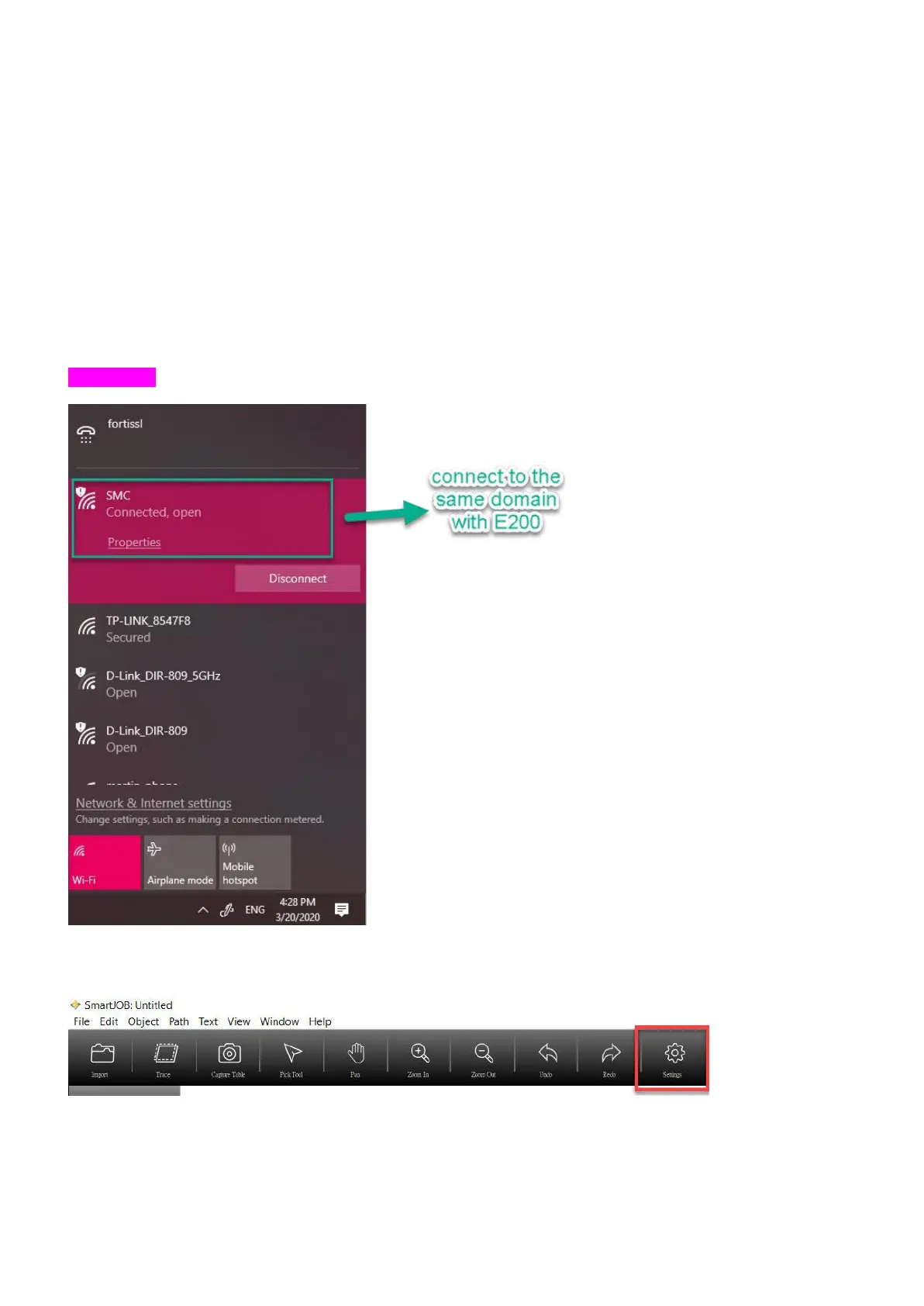
1) Make sure your computer is connected to the same WiFi (SMC) as E200 does
2) Open the SamrtJOB.
3) Click “Setting” on the tool bar



 To Next Page