70
7.4.2 Main Work Page
When the LaserPro E200 is powered on, the machine will perform a series of safety checks and
initializing routines. The Touch Panel screen will display the GCC copyright, LaserPro logo, and
machine initialization pages before going to the main work page.
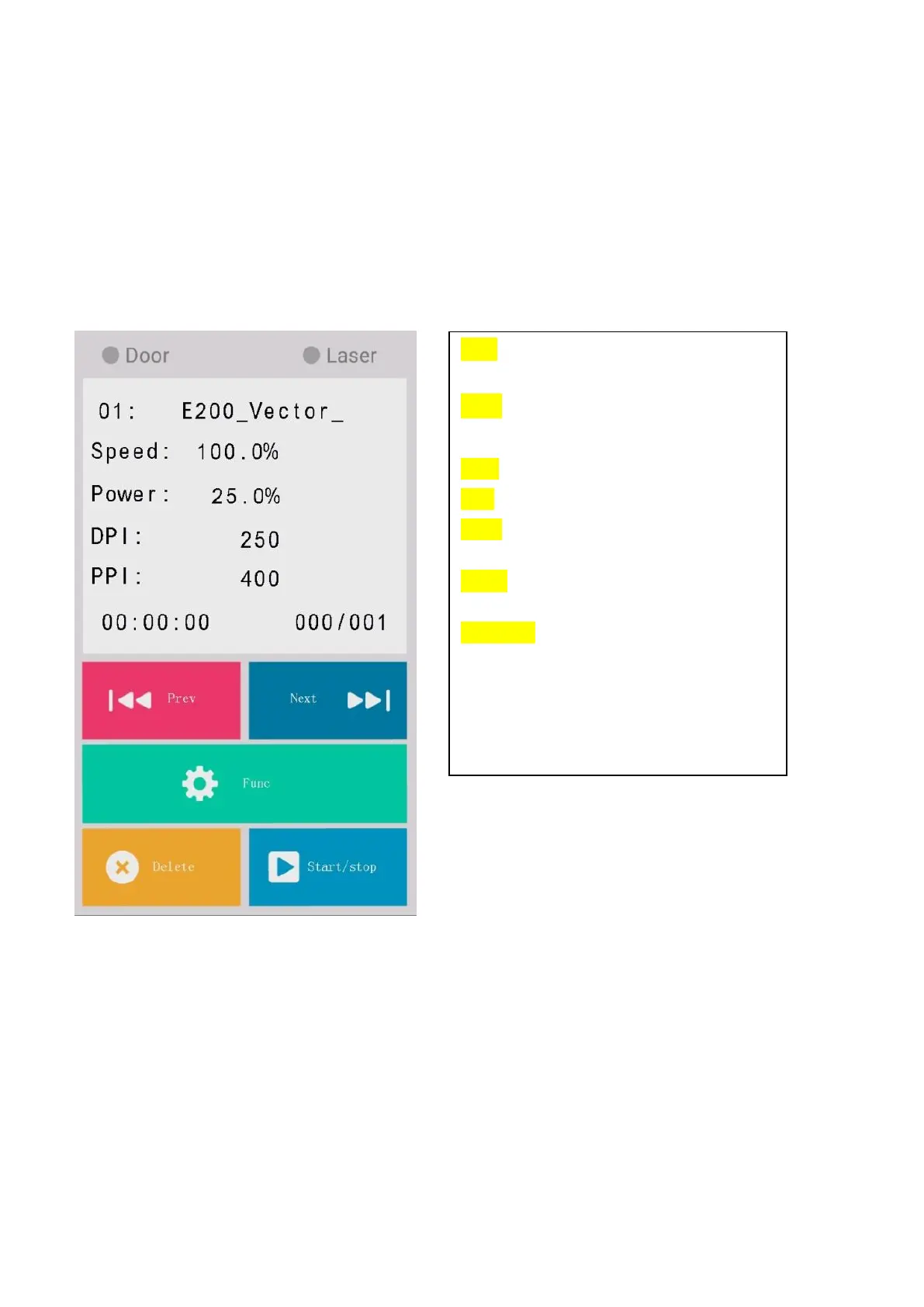
The main work page is the page that the LaserPro E200 will default to upon startup and will be the “home
base” for when navigating through the various functions of the touch panel. This will be the page that
is displayed when you are processing your jobs. This page contains specific job information such as
the current job’s name, Speed, Power, DPI, PPI processing / remaining times, and jobs loaded.
Door - The door light will illuminate when the
top lid are open or improperly closed.
Laser - The laser light will illuminate when
the laser is active and in operation.
Prev. –Allows you to go to the previous file.
Next - Allows you to go to the next file.
Func. – Press this button to enter the
function page.
Delete - Provides quick access to delete the
current job.
Start/Stop - Allows you to start or stop
engraving jobs, once those jobs have been
successfully loaded onto the system.



 To Next Page