3 Installation
32551-IMG rev 6 GE Healthcare 17
3 Installation
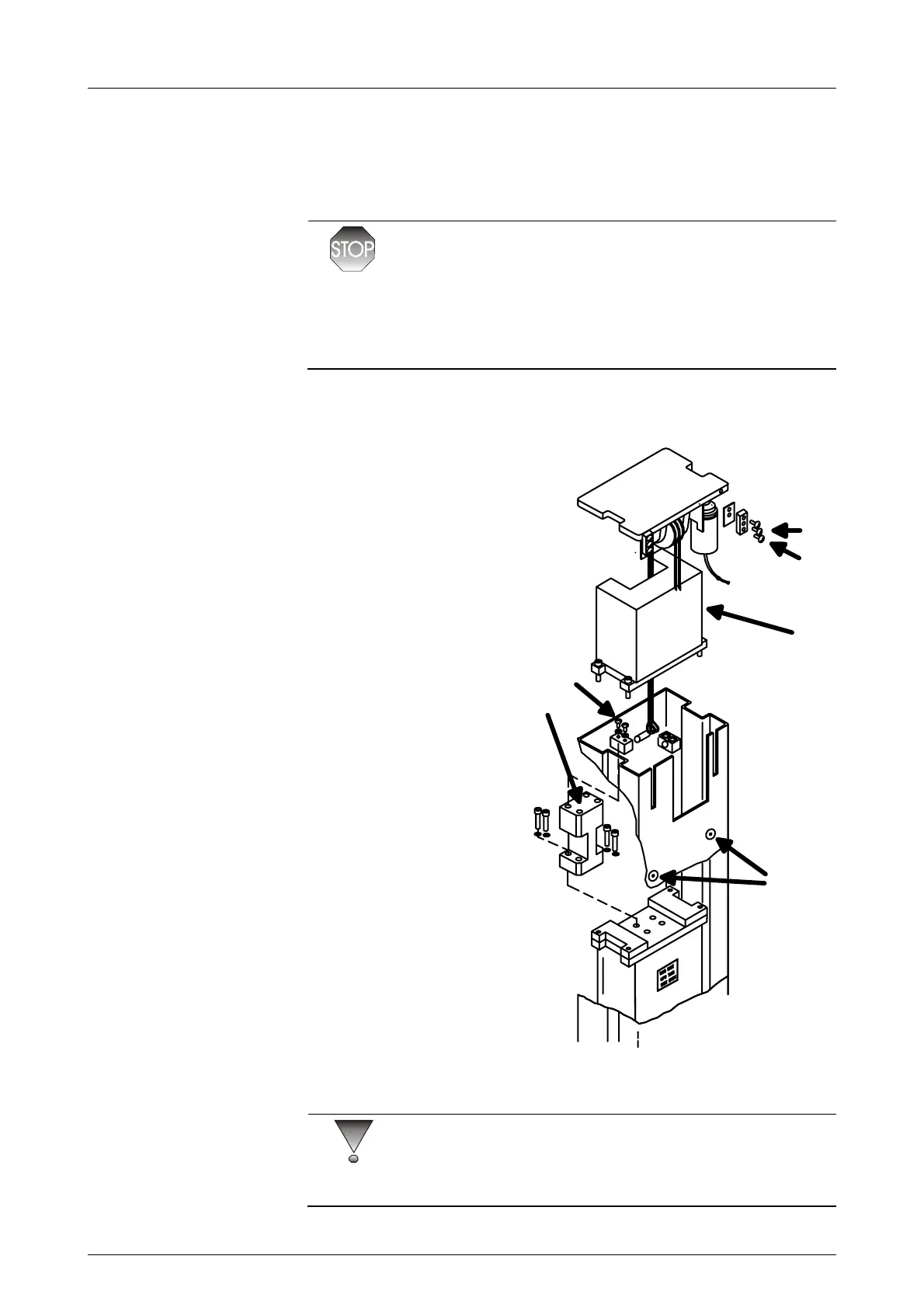
3.1 INSTALLATION OF THE COUNTERWEIGHT
WARNING!
If the carriage or counterweight moves resulting cable movement over
the pulley of the vertical motor, there is a risk to damage the pulley or
drive motor assembly (Fig. 2.5). Specifically the fiber gear inside the motor
assembly can be damaged. Please follow the instructions for lifting the
column.
As the column is heavy, it will require at least two people to install it.
1 Move the column crate
into position so that
when the column is
lifted out, it can
immediately be risen
into its final position.
2 Lift the column out of
the crate and rest it on
the C-arm crate with
the center axle pointed
to the bottom. Be sure
to set the column on
some soft material to
prevent scratches.
3 Loosen the bolts
holding the top cap in
position. See A in figure
3.1, Vertical motor and
cables.
4 Slide the top cap away
from the column. Check
that the cables are not
twisted or crossed.
5 Remove the
counterweight
mechanical stop plate
by removing screws B
in figure 3.1, Vertical
motor and cables.
CAUTION!
Insert the assembly pin through the holes at both sides of the column, and
tape the exposed ends (or use rubber band) to prevent its sliding out.
(D)
A
B
C
(E)
Fig 3.1. Vertical motor and cables



 To Next Page