GE HEALTHCARE
DIRECTION 5394141, REVISION 5 LOGIQ™ P5 SEVICE MANUAL
Section 8-2 - DISASSEMBLY/RE-ASSEMBLY 8-27
8-2-6-4 Assembly procedure (cont’d)
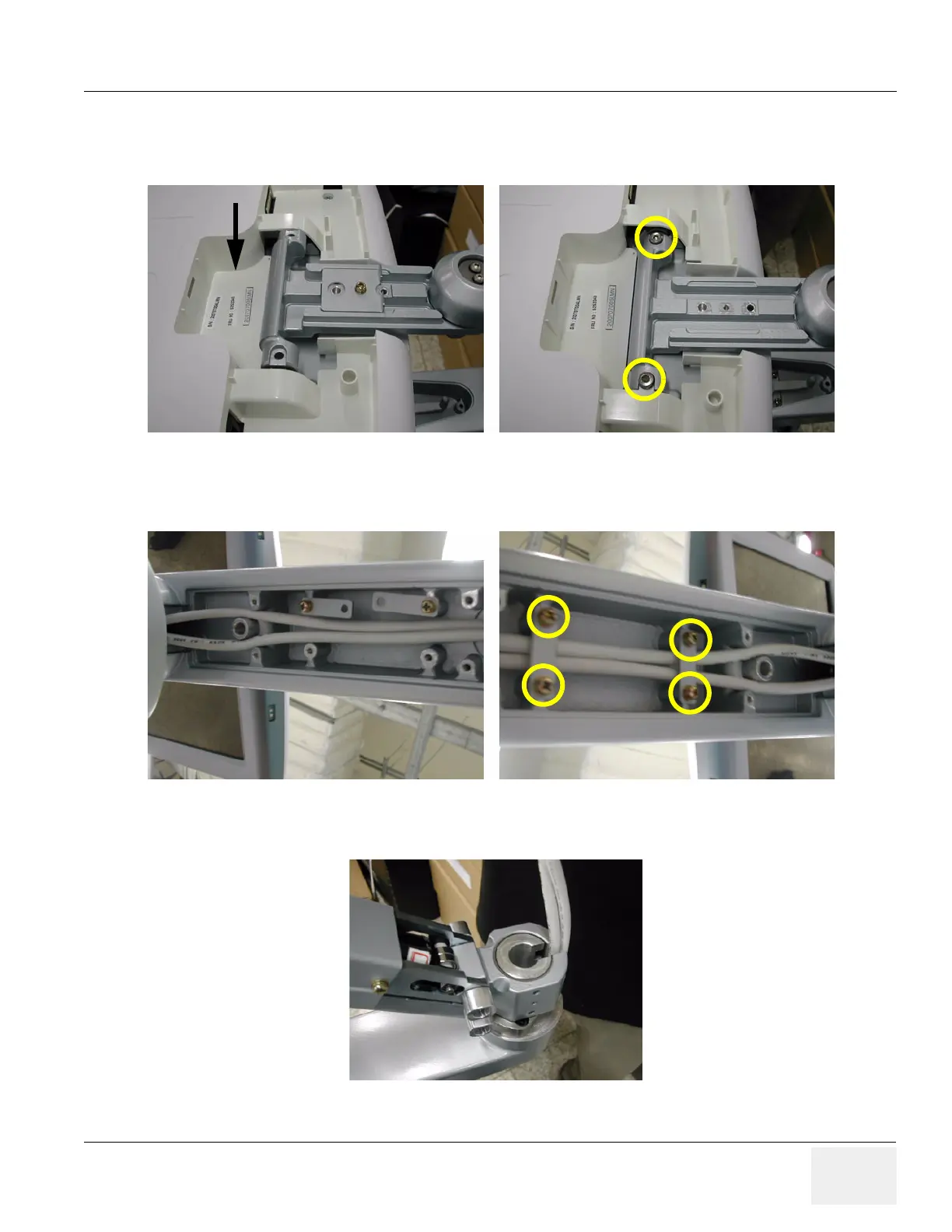
9.) Screw 2 screws (5177684, HSH M5X20 WHT) to assemble the LCD monitor with flexible arm Top
part.
10.)Insert the two cables inside the Flexible arm and Screw 4 screws (2159625, PH M4X8 W/SP) to
assemble the Lower arm cable bracket.
11.)Put in the two cables. Make sure place DVI cable be on the right side, power cable on the left side.
Figure 8-46 Screwing 2 screws
Figure 8-47 Screwing 4 screws
Figure 8-48 Putting in the cables



 To Next Page