GE HEALTHCARE
DIRECTION 5394141, REVISION 5 LOGIQ™ P5 SEVICE MANUAL
Section 8-2 - DISASSEMBLY/RE-ASSEMBLY 8-29
8-2-6-4 Assembly procedure (cont’d)
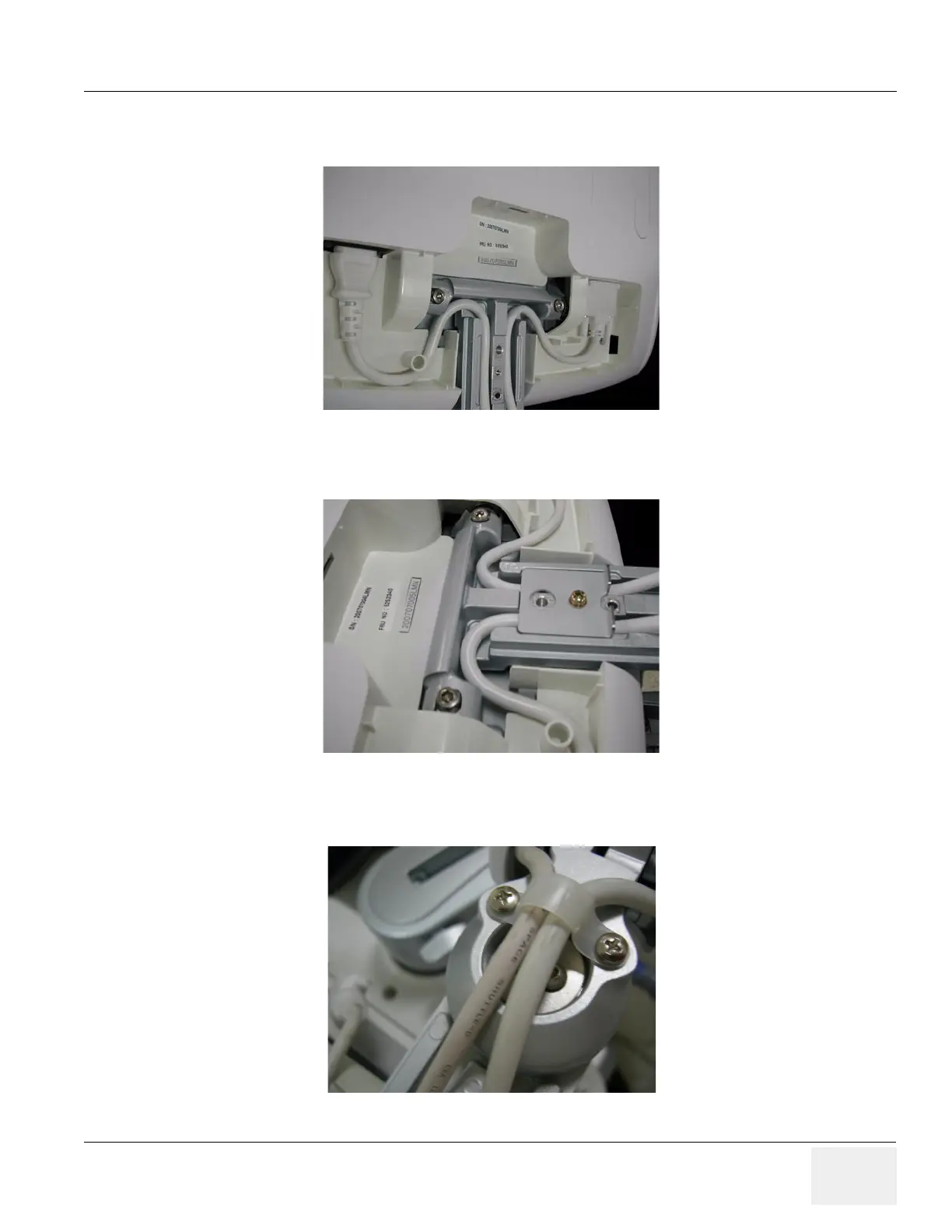
15.)Place the cables inside the slot and connect power cable and DVI cable.
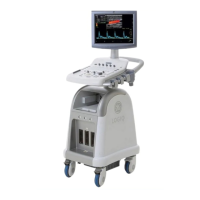
16.)Assemble the Cable bracket with 1 Screw (2159625, PH M4X8 W/SP)
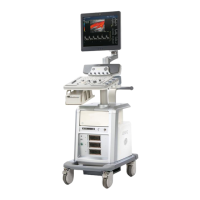
17.)Screw 2 screws (2159634, BH M4X10 WHT) to assemble the Cable clamp.
Figure 8-52 Placing the Cables
Figure 8-53 Assembling the Cable bracket
Figure 8-54 Assembling the Cable clamp



 To Next Page