Maintenance
4.PressF6(More)>F6(More)>F5(ServiceSetup).
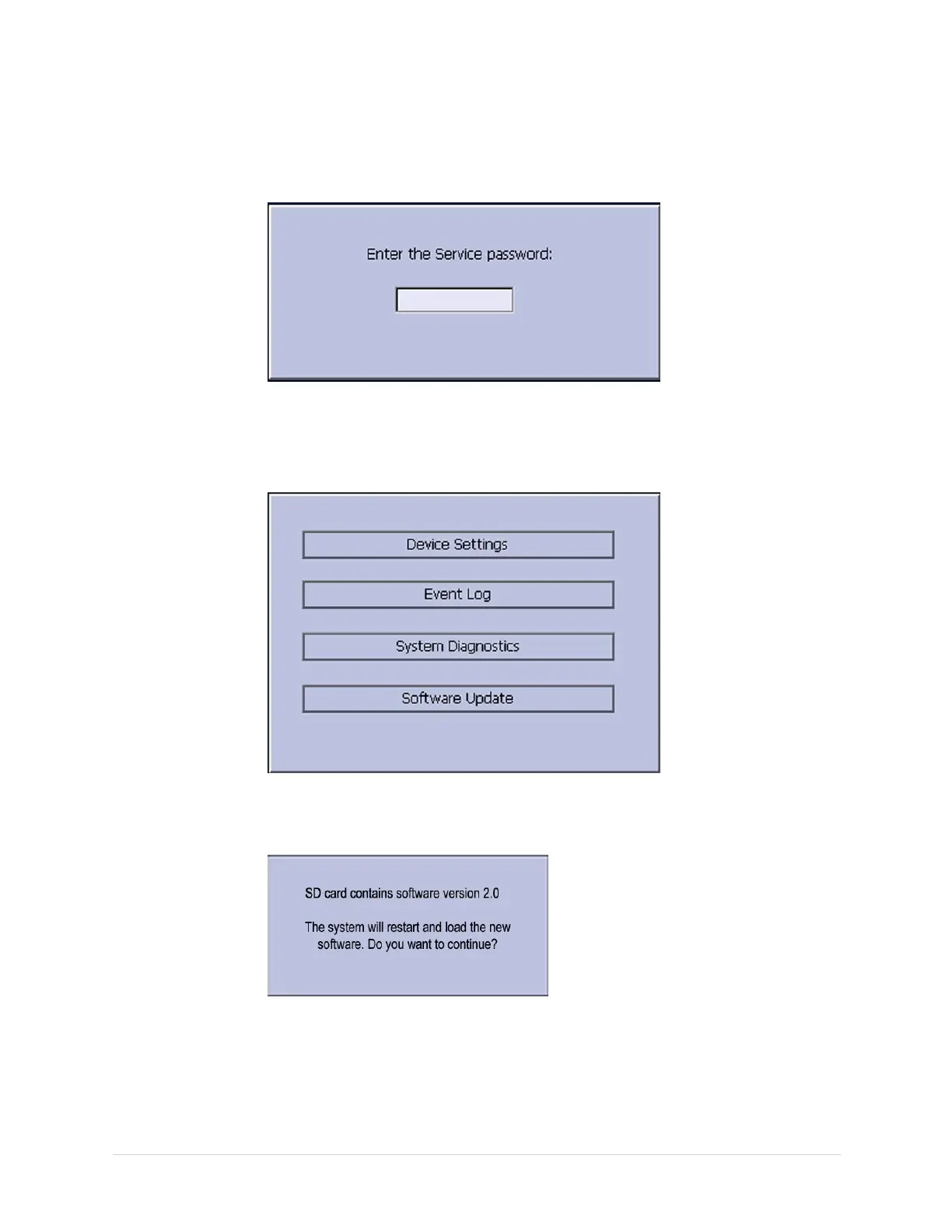
AwindowopenspromptingyoutoentertheServicepassword.
5.EntertheservicepasswordandpressF6(OK).
Ifyoudonotknowthepassword,contactGEHealthcareTechnicalSupport.
Thefollowingwindowopens:
6.MovethefocustoSoftwareUpdateandpressEnter.
Thefollowingwindowopens:
7.Selecttheappropriatekey.
•Tocancel,pressF5(No).
Nofurtheractionisrequired.
•Tocontinue,pressF6(Yes).
2028451-183EMAC™1600105


 To Next Page