Troubleshooting
TestingthePatientLeadWires
Usethefollowingproceduretotestthepatientleadwires:
1.OpentheDiagnosticTestswindowasdescribedin“AccessingtheSystem
DiagnosticsFunction”onpage33.
2.Connectapatientcablewithleadwirestothedevice’spatientcableconnector.
3.Connectallleadstoapatientsimulatororshortingbar.
4.SelectPatientLeadWireCheck.
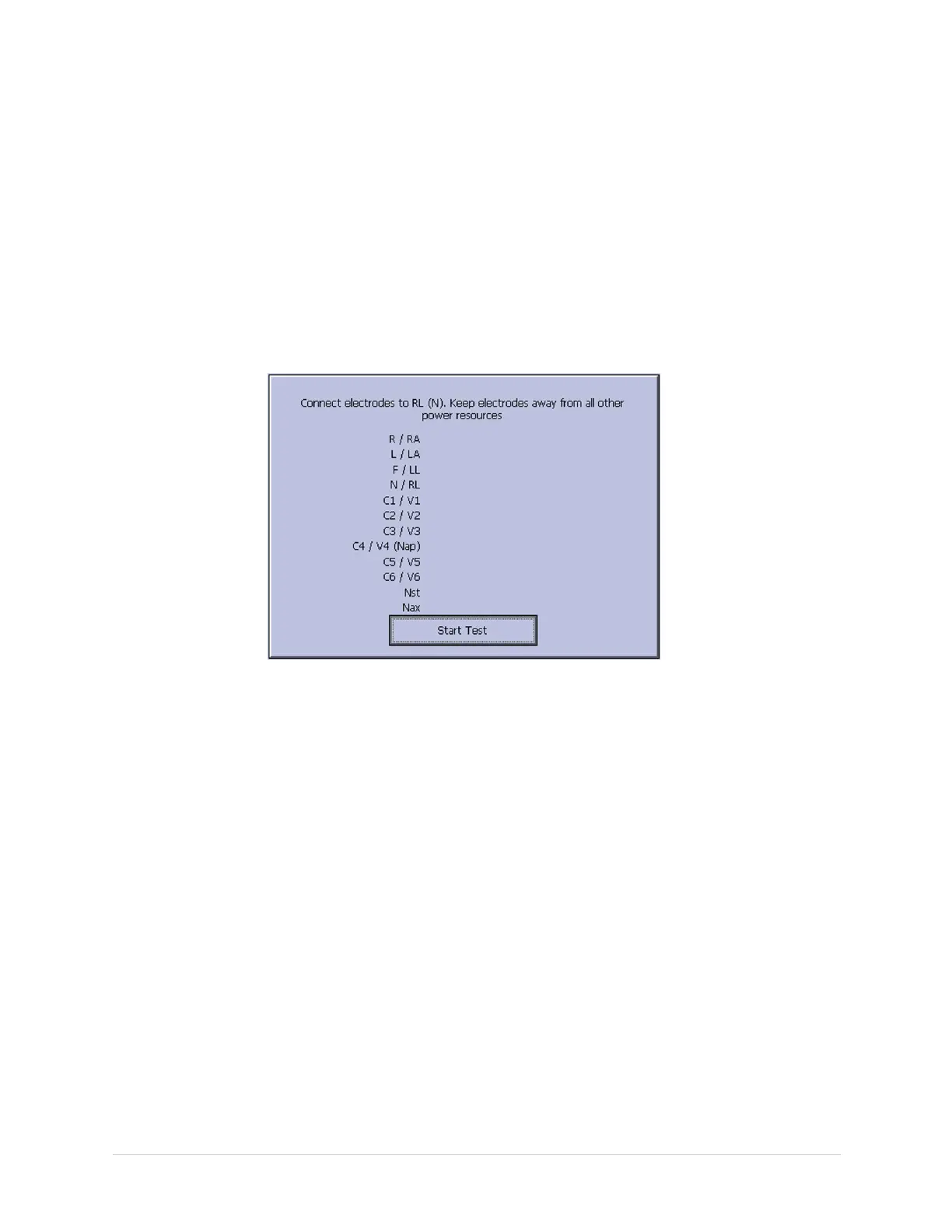
Thefollowingwindowopens:
5.PressEntertoselectStartTest.
Thetestresultsaredisplayedforeachleadwire.
•Ifthefollowingmessageisdisplayed,theleadwirepassedthetest:
Connected.
•Ifthefollowingmessageisdisplayed,theleadwirefailedthetest:
Disconnected.
6.whenthetestisdone,pressEscorF6(Cancel).
7.Replaceeveryleadwirethatfailedthetest.
8.Repeatthetest.
Iftheleadwirestillfailsthetest,replacetheacquisitionboardasdescribedin
“ReplacingtheAcquisitionBoardAssembly”onpage75.
EquipmentProblems:ECGDataNoise
IftheacquiredECGdatadisplaysunacceptablenoiselevels:
•Besuretheproblemisnotcausedbypoorskinpreparation,placement,orcondition
oftheelectrodeswhentroubleshootingnoiseorsignalquality.
•Carefulskinpreparationisthekeytoaninterference-freeECG.
•SignalqualityisindicatedusingHookupAdvisor.
46MAC™16002028451-183E


 To Next Page