Maintenance
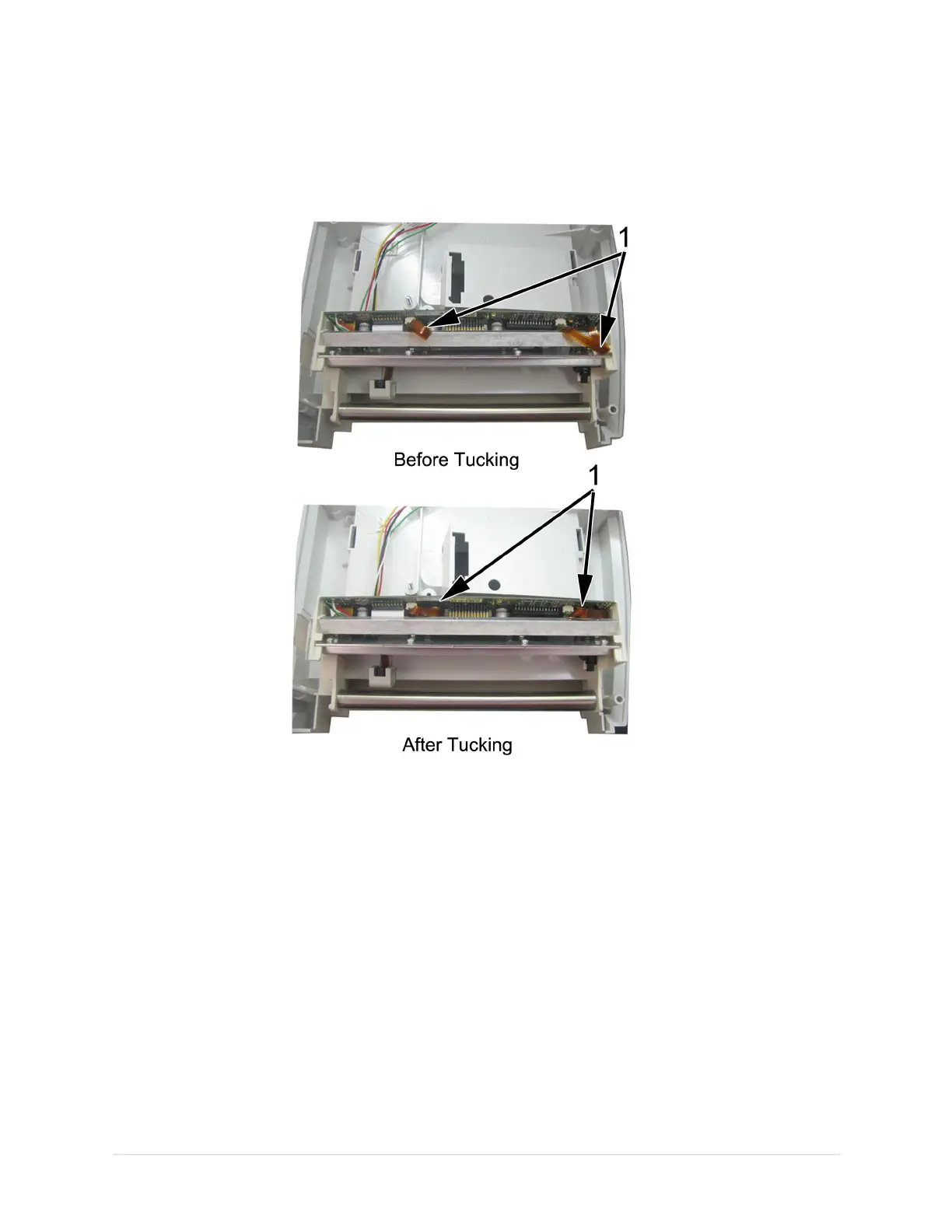
7.Ensurethetwoqueuesensorribboncables(1)aretuckedinasshowninthe
following“AfterTucking”illustrationtopreventpinchingofthesecableswhen
reassemblingthemain(top)plasticassembly.
8.Reverseallremainingdisassemblystepstocompletethereassembly.
9.CongurethePrintheadResistanceasfollows:
a.FromtheMainMenu,pressF5(SystemConguration).
b.PressF6(More)>F6(More)>F5(ServiceSetup).
c.Whenprompted,entertheServicePassword.
Ifyoudonotknowthepassword,contactGEHealthcareTechnical
Support.
2028451-183EMAC™160085


 To Next Page