Chapter 1. Installation
22 moisture.IQ User’s Manual
1.9.4 Connecting the Delta F Oxygen Cell (cont.)
Instructions for connecting each type of oxygen cell are described in the following sections. If you are installing
the oxygen cell in an intrinsically safe area, refer to the following sections for special installation requirements.
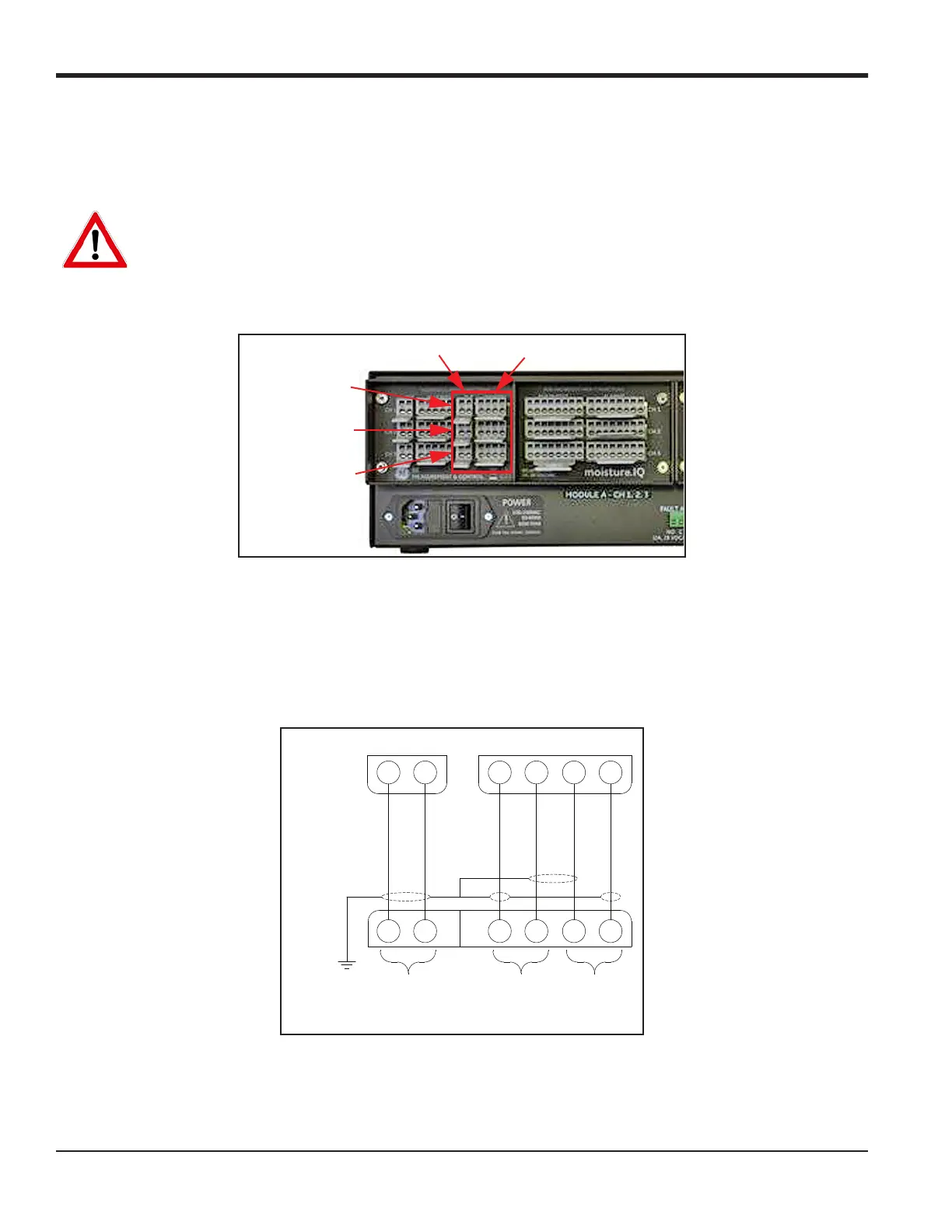
Figure 18: Delta F Oxygen Cell Connections
Note: Additional Delta F Oxygen cells may be connected to
CH4, CH5 and CH6 in the Module B connector group
on the right side of the back panel.
Note: For moisture.IQ Fiberglass Weatherproof installation with optional Delta F sensors, clamp a ferrite bead
GE P/N 222-031 to each Delta F cable on the inside of the enclosure.
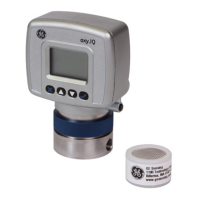
Figure 19: Delta F Oxygen Cell Wiring
WARNING! The Delta F Oxygen Cell is BASEEFA approved for use in intrinsically safe areas when
connected to a BASEEFA approved moisture.IQ hygrometer. Install the apparatus so that the terminals
are protected to at least the requirements of IP20. Copies of official BASEEFA documentation
(certificates of compliance, licenses, etc.) are to be made in their entirety.
Module A - CH2
Oxygen Probe Connections
Module A - CH3
Module A - CH1
O2T Connections
O
2
T
12
BLACK
WHITE
OXYGEN
1234
YELLOW
BLUE
GREEN
RED
DELTA F
*Terminated
at sensor
side
Temp
(Optional)
Stab-el
Oxygen
-
+
-
+
.


 To Next Page