Installation and Setup 31
.
1.4 Front/Rear Panel Connectors
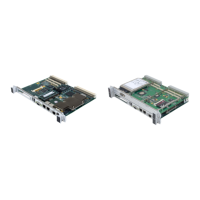
The V7768/V7769 provide front panel access for the PMC expansion site, an
optional Gigabit Ethernet port, one 10/100 RJ45 connector, one serial port, SVGA,
keyboard/mouse, the manual reset switch and the status LEDs. A drawing of the
V7768/V7769 front panels are shown in Figure 1-7 and Figure 1-8. The front panel
connectors and indicators are labeled as follows:
V7768 • USB Dual USB 2.0 Ports
• LAN1 10/100/1000 Mbit Ethernet connector for port 1
• LAN2 10/100/1000 Mbit Ethernet connector for port 2
• M/K Mouse/keyboard connector
• COM1 Serial Port
• RST Manual reset switch
• BPHT Status LEDs
• VGA Analog Video connector
• A L Activity and Link Status LEDs for rear GbE
V7769 • SATA Serial ATA Activity LED
• SAS1 SAS Lane 1
• SAS2 SAS Lane 2
• HB Heartbeat LED for SAS/SATA controller
The V7768/V7769 provide rear I/O support for the following: digital video, two
SATA ports, one Serial and four USB ports. The V7768/V7769 are compatible with
GE’s Rear Transition Modules ACC-0602RC and
ACC-0603RC.
The front panel connectors, including connector pinouts and orientation, for the
V7768/V7769 are defined in Appendix A: Connector Pinouts.


 To Next Page