Installation and Setup 33
.
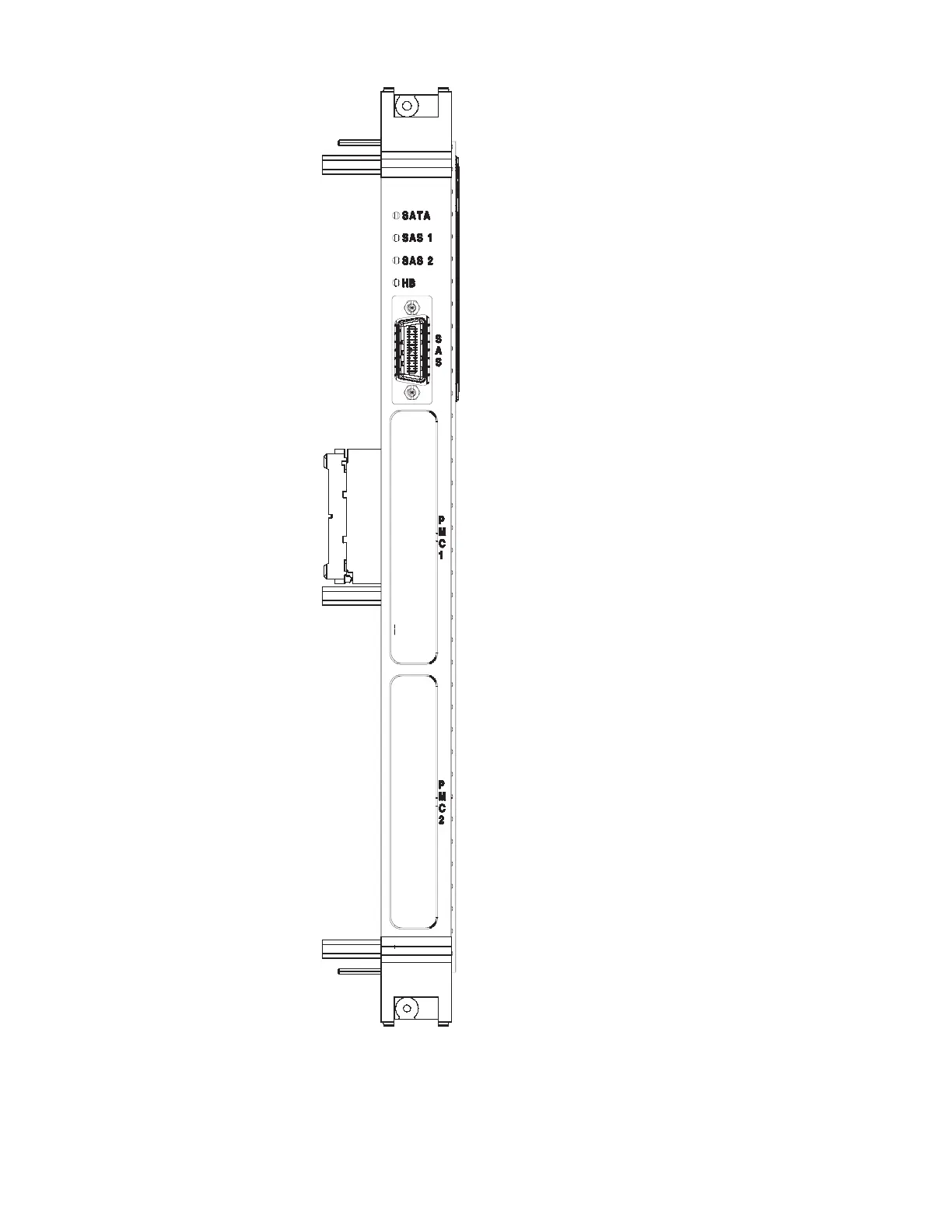
Figure 1-8 Mezzanine Front Panel Layout (for V7769)
Status LEDs (from top to bottom)
SATA SerialATA Activity - LED will
flash to indicate activity on
the SATA drive,
(Green LED).
SAS1 SCSI Activity - LED will
flash to indicate activity on
the first SAS Lane,
(Green LED).
SAS2 SCSI Activity - LED will
flash to indicate activity on
the second SAS Lane,
(Green LED).
HB Heartbeat Activity - LED will
flash to indicate activity on
the secondary SCSI drive,
(Green LED).
A fault is being indicated when any of the
LEDs on the mezzanine board for the
V7769 are red.


 To Next Page