www.gemu-group.com30 / 71GEMÜ 1435 ePos
14 Commissioning
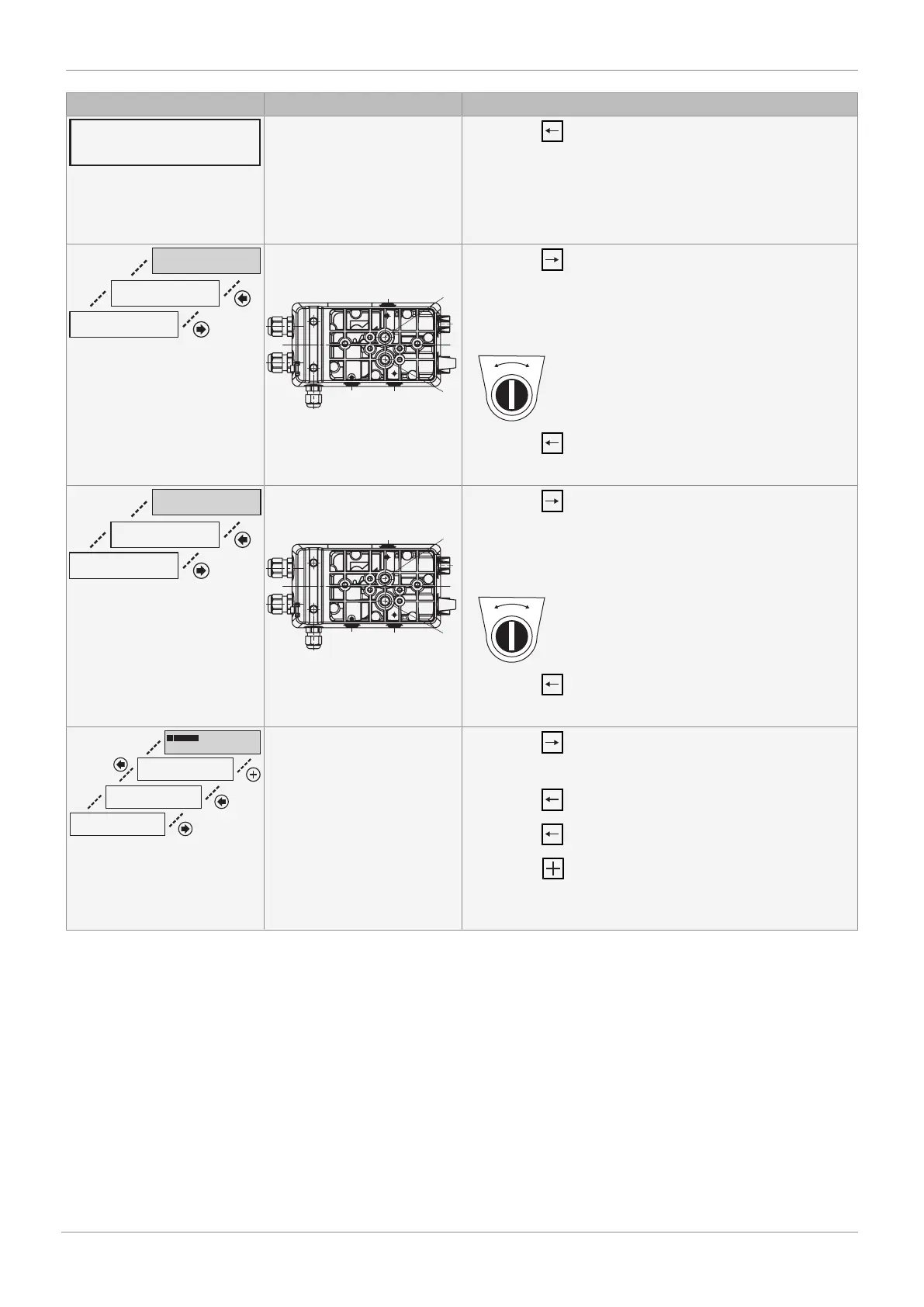
Display Error cause Troubleshooting
Actuator does not move.
Cause:
a) No compressed air supply
b) Compressed air supply too
low
c) Mechanical design faulty
- Press the key
a+b) Check compressed air supply (max. 6 bar)
c) Check mechanical design
PRESS ->
up -> down X.X
ADJUST NOZZLES (S)
THEN PRESS <-
up -> down
2: INIT RUN 3
Travel time (CLOSED – OPEN)
of valve less than 1 second
- Press the key
- Turn throttle D1 clockwise to increase the travel time of the
valve. To reduce the travel time, throttle D1 must be turned
anticlockwise. (throttles D1 and D2 in the case of double act-
ing actuators)
- Press the key
- Repeat if necessary until travel time > 1 second
PRESS ->
down -> up X.X
ADJUST NOZZLES (S)
THEN PRESS <-
down -> up
2: INIT RUN 3
Travel time (OPEN – CLOSED)
of valve less than 1 second
- Press the key
- Turn throttle D1 clockwise to increase the travel time of the
valve. To reduce the travel time, throttle D1 must be turned
anticlockwise (throttles D1 and D2 in the case of double act-
ing actuators)
- Press the key
- Repeat if necessary until travel time > 1 second
PRESS ->
LEAKAGE
REMOVE LEAKAGE
THEN PRESS <-
REPEAT CONTINUE
<- OK ESC
P = XX.X
2: INIT RUN 5
Leakage in the system
- Press the key
- Remove leakage
- Press the key
- Press the key for another test
- Press the key to skip the leakage test
CAUTION! Skipping the leakage test may lead to bad control
characteristics and increased wear.



 To Next Page