INSTALLER MANUAL - PAGE 13
Optical signals activated by connection to the Hazard switch ONLY turn ON during an
alarm condition.
The alarm BLUE wire MUST be connected to the Hazard switch.
In this case, do not connect the alarm ORANGE wires to the turn indicator wires.
!
8.3 -
8.4
8.5
PASSIVE ARMING
- DOOR SWITCH POLARITY SELECTION
-
This function arms the system 60 sec. after ignition is switched OFF and the last door is opened and
closed. If a door is opened during this lapse of time, the procedure is interrupted; it resumes when the
door is closed.
by
the door switch.
This function activates the optical signals based on the connections made.
This function modifies the alarm input signal (positive or negative) based on the signal generated
Only for vehicles where hook-up is to the Hazard warning lights.
HAZARD WARNING LIGHTS or NEGATIVE OUTPUT DURING ALARM
NB:
If this function is disabled, the BLUE wire will carry a negative signal during an alarm cycle.
9.
8
0-
.
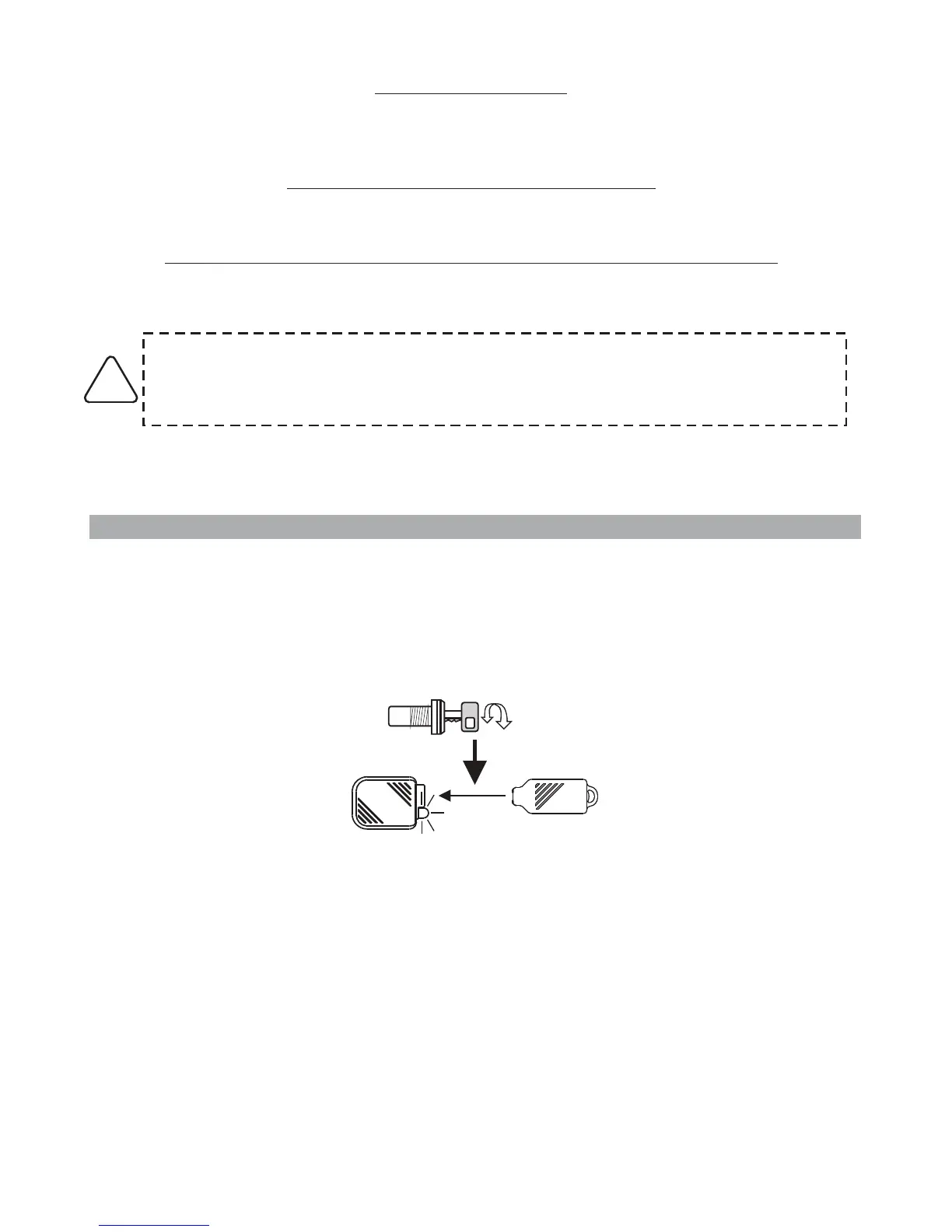
Two different tones will sound depending on the action taken and the LED will flash according to the
selected function (see par. .0).
SYSTEM PROGRAMMING EXAMPLE
Here below is an example that illustrates the various steps to modify the programmable functions
As mentioned before, every key cycle disables the functions, while the touch key enables them.
With the system disarmed, turn ignition key “ON” and touch the key to its receptacle.
ON
Two acoustic signals (a Beep and a Bop) and two flashes of the turn indicators will acknowledge that
the system has entered in programming mode.



 To Next Page