151
Bluetooth
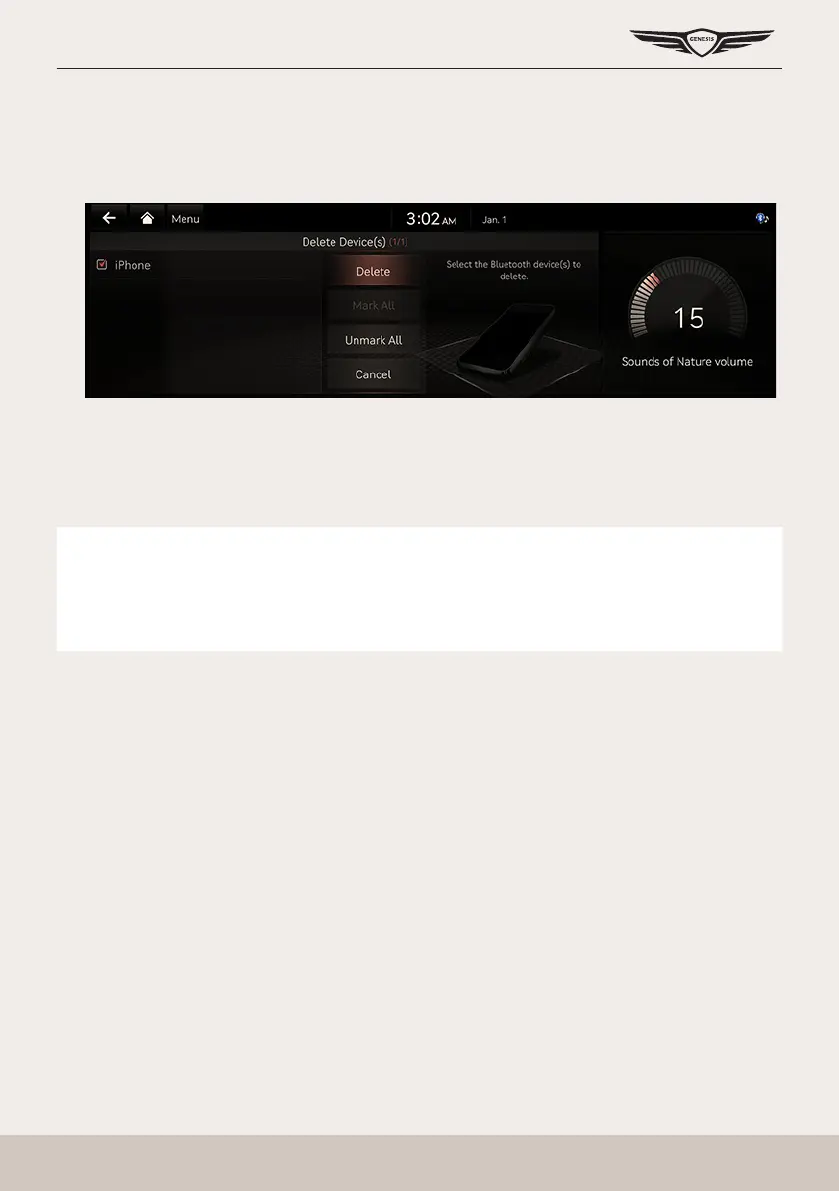
deleTing blueTooTh deVices
1. Press [Setup] > [Device Connection] > [Bluetooth] > [Bluetooth Connections] on the home
screen. Bluetooth settings screen opens.
2. Press [Menu] > [Delete].
3. Select the desired item, press [Delete] > [Yes].
䠐 [Mark All]: Selects all items.
䠐 [Unmark All]: Unmarks all items.
䠐 [Cancel]: Exits screen.
,
noTe
䠐 You can access to Bluetooth settings screen through [
a
] on the dial pad.
䠐 When a device is deleted, the recent calls and the contacts of the device saved in the
head unit are entirely deleted.



 To Next Page