65
Genesis Connected Services
geTTing sTarTed wiTh genesis connecTed serVices
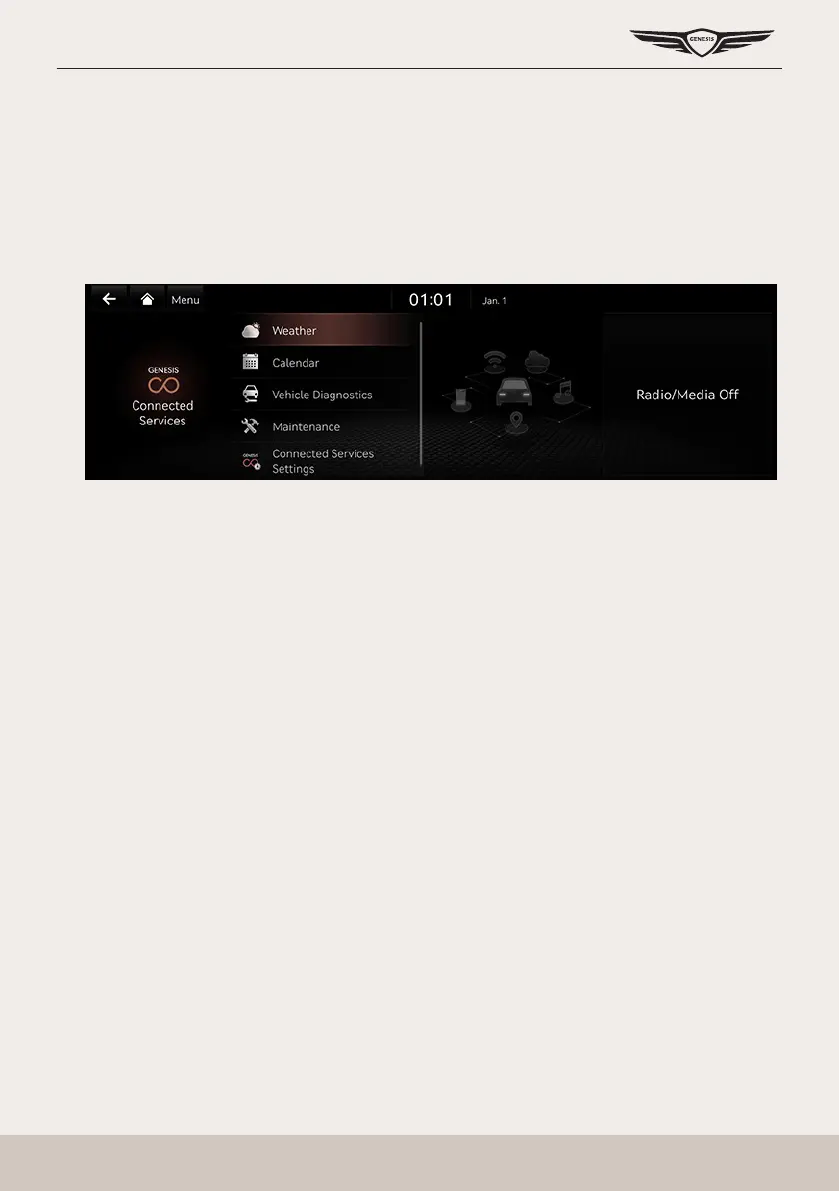
Use Genesis connected services features such as [Weather], [Calendar], [Vehicle Diagnostics],
[Maintenance] and [Connected Service Settings].
Genesis connected services can be used after activating the service.
A separate fee may be charged for using Genesis connected services, and features may differ
according to your service plan.
1. Press [Connected Services] on the home screen.
2. Select a desired item.
䠐 [Weather]: Offers weather information.
䠐 [Calendar]: Checks the planned schedule.
䠐 [Vehicle Diagnostics]: Inspects vehicle malfunctions and provides diagnostics.
䠐 [Maintenance]: Checks the distance/date of the last/next maintenance service.
䠐 [Connected Services Settings]: Checks or changes the service settings.



 To Next Page