87
Driver Assistance
driVer assisTance
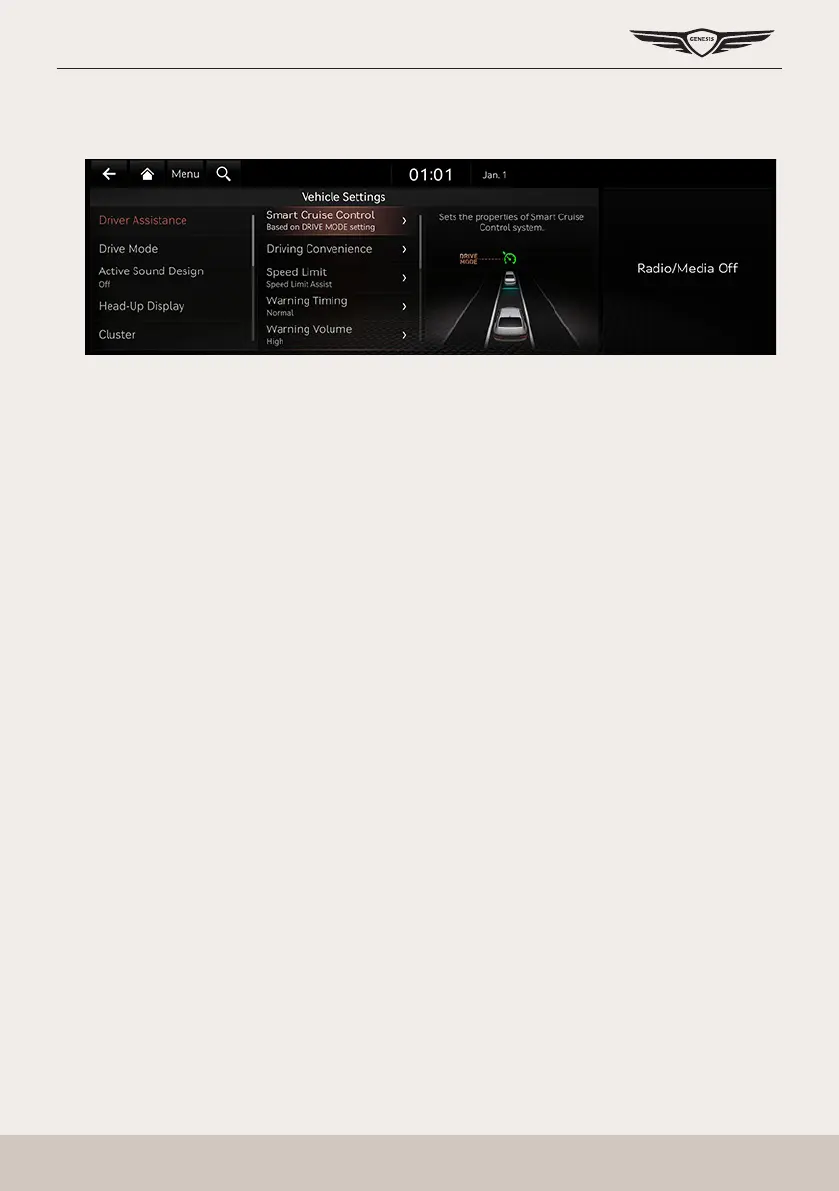
1. Press [Driver assistance] on the vehicle settings screen.
2. Press the desired item.
smarT cruise conTrol
You can set whether to use the detailed settings of the smart cruise control system.
䠐 [Based on Drive Mode]: Adjusts the SCC system settings based on the drive mode selected.
䠐 [Based on Driving Style]: Automatically adjusts the SCC settings based on driving style.
䠐 [View Driving Style Analysis]: Shows the learned distance between vehicles. This value can
be changed manually.
driVing conVenience
You can set whether to use the detailed settings of the driving assistance system.
䠐 [Highway Driving Assist]: Assists driving in a highway according to the set speed and
distance to the leading vehicle while keeping the vehicle centered in the lane.
䠐 [Highway Lane Change Assist]: Assists lane changes on a highway when the driver uses the
turn signal.
䠐 [Highway Auto Speed Change]: Automatically adjusts the vehicle speed on highways based
on navigation data.
speed limiT
You can set the speed limit warning.
䠐 [Speed Limit Assist]: Adjusts the vehicle speed based on the current speed limit of the road.
䠐 [Speed Limit Warning]: Displays the current speed limit of the road.
䠐 [Off]: Disables speed limit function.



 To Next Page